
Social Media Scheduling
21 best social media scheduling tools for your brand in 2026
Use this comprehensive guide to choose the right social media scheduling tool for your brand.
See why marketers trust Sprout to plan, schedule and optimize their content—start your free 30-day trial today.
Reading time 16 minutes
Published on April 24, 2026
Table of Contents
Summary
- Turning to scheduling tools to streamline content management is a way social media marketers increase efficiency and return on investment (ROI).
- Social media scheduling tools streamline repetitive tasks. They enhance overall social media management processes and provide users of these tools more time for content creation and real-time engagement.
- Scheduling tools like Sprout Social, CoSchedule and Feedly cater to different needs. Apart from post-scheduling, these tools provide features for collaboration, content curation and analytics.
Your social media calendar doesn’t manage itself. And if you’re still logging into each platform separately to publish content, you’re spending time you don’t have on work that shouldn’t require this much effort.
Social media content schedulers change that equation entirely. They centralize your publishing workflow, keep your content consistent across every social media platform and give your team the structure to plan ahead instead of scrambling to post in the moment.
This guide covers what social media scheduling tools are, how to choose the right one for your team and the 21 best options available in 2026, organized by use case to match your team’s size, structure and goals. Whether you’re managing a handful of profiles or running social media management at scale, the right scheduling tool can transform how your team works.
What are social media scheduling tools?
These social scheduling tools are platforms that let you plan, create and publish content across multiple social media platforms from a single dashboard, eliminating the need to log into each platform separately. The best tools go beyond basic post scheduling to combine publishing workflows, team approval routing, AI-powered send-time optimization, content calendars, asset libraries and cross-network analytics in one place.
For social media managers, marketing teams and agencies, these platforms replace fragmented, manual workflows with a centralized system that keeps content consistent, teams aligned and performance data connected to real business outcomes.

Social media never sleeps. But you should. Scheduling your social posts ahead of time gives you and your social team the opportunity to plan ahead and stay focused on other tasks.
The tools below are organized into three categories based on use case. Start with the category that matches your team’s size and needs, then use the comparison table to shortlist your top candidates.
- All-in-one social media scheduling tools
- Social media schedulers for small teams
- Social media scheduling tools for dedicated platforms
Who should use a social media scheduling tool
A social media content scheduler makes the biggest difference when you’re managing multiple networks, juggling campaigns or trying to keep your content consistent without being glued to every platform all day.
You’ll get the most value from a social media scheduling tool if you:
- Manage more than one social network
- Need to plan and approve content in advance
- Publish on a consistent cadence across multiple social media platforms
- Work with teammates, stakeholders or clients who need visibility into what’s going out
- Want a single place to organize content, creative assets and performance data
- Need to prove the business impact of your social activity to leadership
Social media scheduling tools are valuable for social media managers, lean marketing teams, agencies and growing brands that need more structure without adding more manual work. Enterprise teams managing 30+ profiles across global markets need the governance and workflow depth that only a full social media management platform provides.
If you publish occasionally on a single network, native tools might cover the basics. But when social is a primary business driver, basic tools hold your team back.
Ready to graduate from basic tools and experience the power of an all-in-one publishing dashboard?
How to choose the best social media scheduling tool for your brand
Choosing the best social media content scheduler is a strategic decision that drives team efficiency and ROI. The most effective platform must do more than just publish content; it must act as a command center that scales with your business and elevates your entire social marketing strategy.
The right scheduling tool is the one that fits how your team works, scales with your ambitions and connects your publishing activity to real business outcomes.
Before you evaluate any platform, get clear on your non-negotiables: Which networks do you need to support? How many people need access? Do you need approval workflows? What does success look like six months from now?
Then, when evaluating software, professional marketers must focus on critical capabilities that solve real-world workflow challenges. Here is what to look for:
- Unified multi-platform compatibility: Ensure the tool supports all the social media platforms essential to your brand’s presence (e.g., Facebook, Instagram, LinkedIn, X, Pinterest, TikTok, Threads and Bluesky). A single, intuitive dashboard eliminates the time-consuming friction of juggling native platforms.
- Ease of deployment and use: The best tools offer an intuitive interface that minimizes the learning curve. Rapid deployment ensures your team can adopt the platform quickly without extensive technical training, allowing you to focus on strategy rather than software troubleshooting.
- Collaboration features and workflows: Prioritize features that support seamless teamwork, such as customizable content approval workflows, multi-level user permissions and clear internal communication tools. Strong governance is non-negotiable for agencies and enterprise teams to maintain brand consistency and prevent errors.
- Intelligent scheduling and automation: Look for advanced automation that uses machine learning to pinpoint the optimal post times for your specific audience’s engagement history. The ability to bulk-schedule large volumes of content is also essential to efficiently publish content for campaign launches.
- Centralized inbox and proactive listening: A unified social inbox that consolidates every message, comment and mention into one stream reduces response times and builds high-quality social customer care. Paired with robust social listening capabilities, you can monitor brand health and identify industry trends in real-time.
- Comprehensive analytics and reporting: Move past basic vanity metrics. The best tools offer robust analytics to track post-performance, engagement, reach and audience demographics. This cross-network data is critical for connecting social activity directly to measurable business outcomes and true ROI.
- Quality of support: Even with the most user-friendly platforms, questions and technical issues will arise. Select a social scheduling tool that has a proven track record of responsive, reliable customer support and comprehensive training resources to keep your operations running smoothly.
Top social media scheduling tools at a glance
Not every tool is built for every team. Use this overview to quickly identify which platforms belong on your shortlist before diving into the full reviews below.
| Tool | Best for | Key Feature |
|---|---|---|
| Sprout Social | Enterprise and mid-market teams | ViralPost® AI scheduling & deep cross-network analytics |
| CoSchedule | Content marketers and bloggers | AI editor (“Hire Mia”) and unified marketing calendar |
| Planable | Agencies and collaborative teams | Visual content collaboration and client approvals |
| Hootsuite | Standard multi-platform management | Idea generation stream and visual content calendar |
| Zoho Social | SMBs in the Zoho ecosystem | SmartQ scheduling and native Zoho CRM integration |
| Agorapulse | Mid-sized growing teams | Automated ROI reporting and centralized social inbox |
| Post Planner | Solopreneurs and small teams | Content discovery and evergreen post recycling |
| StatusBrew | Teams needing inbox + scheduling | 230+ reportable metrics and bulk approval workflows |
| MeetEdgar | Content-heavy creators and bloggers | “Inky” AI curator and continuous content recycling |
| Sendible | Agencies managing multiple clients | Client dashboards and white-label reporting |
| eClincher | Agencies managing multiple clients | AI-driven scheduling and unified communications |
| Iconosquare | Instagram and Facebook-focused teams | Deep, platform-specific visual analytics and scheduling |
| NapoleonCat | Teams prioritizing customer engagement | Dedicated customer service social inbox |
| SocialBee | Solopreneurs and small teams | Category-based scheduling and AI content generation |
| Feedly | Content curation-focused teams | Seamless RSS feed integration for sharing industry news |
| SocialPilot | Agencies and SMBs on a budget | Cost-effective scheduling and client approval portals |
| Loomly | SMBs and growing brands | Content ideation tools and post optimization tips |
| Buffer | Solopreneurs and small marketing teams | Intuitive UI and a robust free version |
| X Pro (formerly TweetDeck) | X-focused individuals and power users | Advanced sentiment searches and multi-account X management |
| Airtable | Teams building custom content workflows | Customizable spreadsheet-database architecture |
| Sked Social | Instagram-first and Meta-focused teams | Visual grid planning and unlimited users across plans |
21 Best social media scheduling tools to boost your social workflow
There’s a vast number of different social media scheduling tools and apps to choose from. Each of them differs in terms of integrations, advanced features, membership packages and more.
We’ve listed 21 different options distributed in three categories so you can find the best social media planner for your company.
- All-in-one social scheduling tools
- Social media content schedulers for small teams
- Scheduling tools for dedicated social media platforms
All-in-one social scheduling tools
These platforms go beyond basic scheduling to offer a comprehensive social media management experience, combining publishing, analytics, engagement, team collaboration and AI-powered intelligence in a single platform.
1. Sprout Social
Sprout Social is the intuitive social media management solution that delivers smarter, faster business impact.
Sprout empowers you to work smarter, save time and scale team efficiency and consistency from one easy-to-use platform.
Features
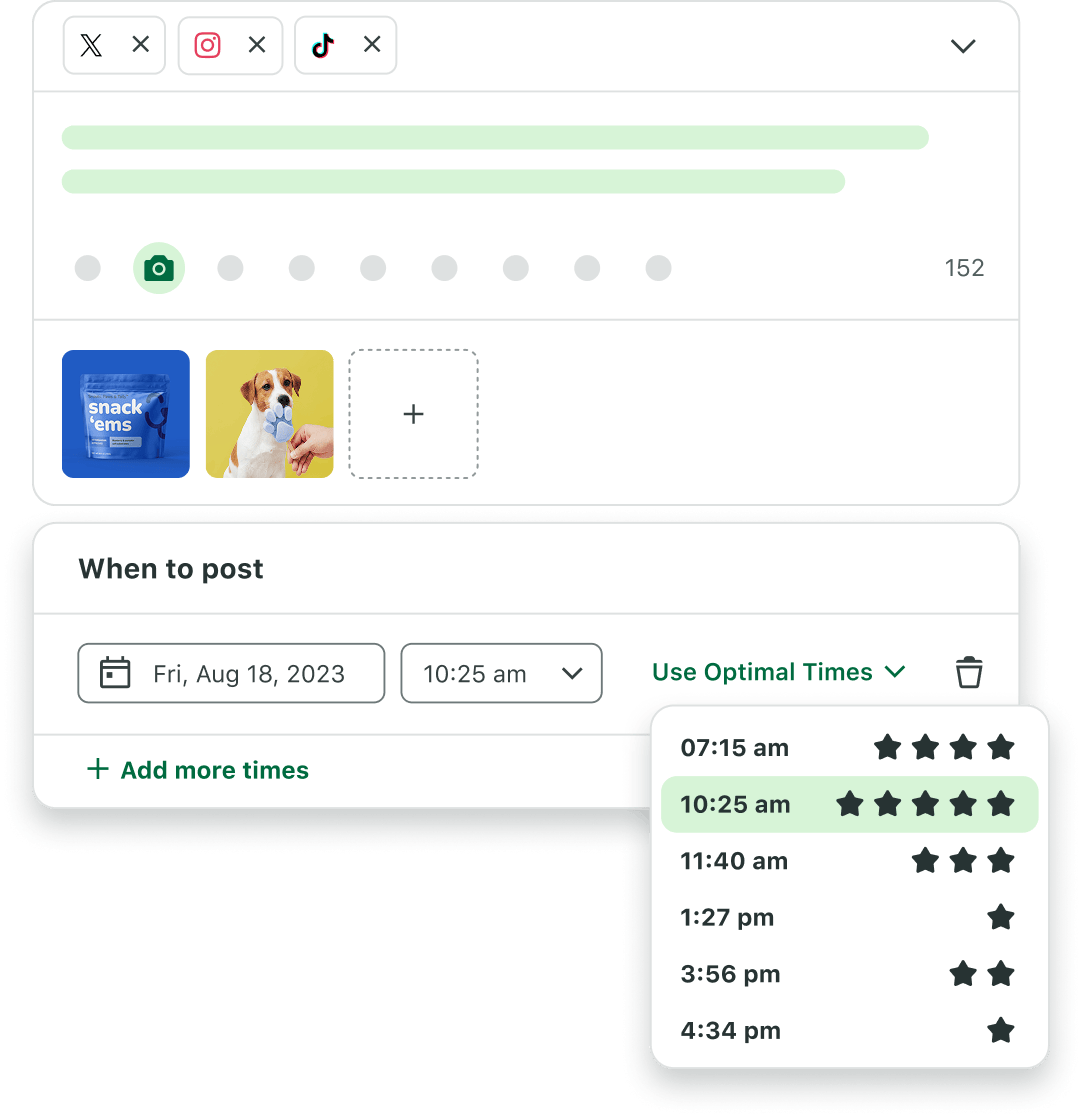
Sprout’s AI and automation capabilities power every stage of the publishing workflow. The collaborative content calendar gives your entire team a shared view of what’s going out, when and where—with multi-level approval workflows and role-based permissions built in.
Sprout delivers a 268% return on investment over three years, along with benefits of up to $1.31M for a composite organization representative of interviewed customers, according to The Total Economic Impact™ of Sprout Social, a 2025 commissioned study conducted by Forrester Consulting on behalf of Sprout.
Both ViralPost® and Smart Inbox tools are available on all plans, starting from the Standard plan. ViralPost® uses patented AI to analyze your specific audience’s engagement history and identify the optimal times to post, not global averages. Smart Inbox centralizes every incoming message, mention and comment across all connected profiles so your team never misses a conversation that needs a response.
But scheduling is only effective if you know what your audience actually wants. Sprout’s Social Listening and Analytics allow you to extract key business insights from global conversations and enrich strategic decisions. This actionable intelligence ensures you aren’t just filling a calendar, but deploying content that keeps your brand a cut above the rest.
Benefits
- Vast social media features for monitoring, scheduling and reporting.
- Integrations with business tools, including Salesforce and Tableau, that allow you to leverage the most up-to-date social insights across your business.
- Several approval workflows to optimize your social publishing governance.
- User-friendly interface with powerful features like social listening and Spike Alerts for crisis management.
- Advanced AI capabilities including ViralPost® send-time optimization and AI-assisted content creation.
- Scales with your business as your social marketing and customer care teams grow.
- 30-day free trial available with no credit card required.
Things to consider
Sprout Social is built for teams that are serious about social media as a business driver and is applicable for businesses and teams of all sizes, from small businesses to large international enterprise brands. Sprout Social also supports data analysts and strategists with its business intelligence reporting functionality.
2. CoSchedule
CoSchedule helps brands publish and push content to social media simultaneously thanks to its calendar software. It’s designed to be an all-in-one social media scheduler for social media marketers and agencies.

Features
CoSchedule has three different calendar solutions for social, agency and content. They also support content and creation with an AI editor called “Hire Mia” and offer several reporting tools.
Benefits
- Solutions designed specifically for content marketing
- Many scheduling features
Things to consider
The platform is designed for teams who are less focused on social media.
3. Planable
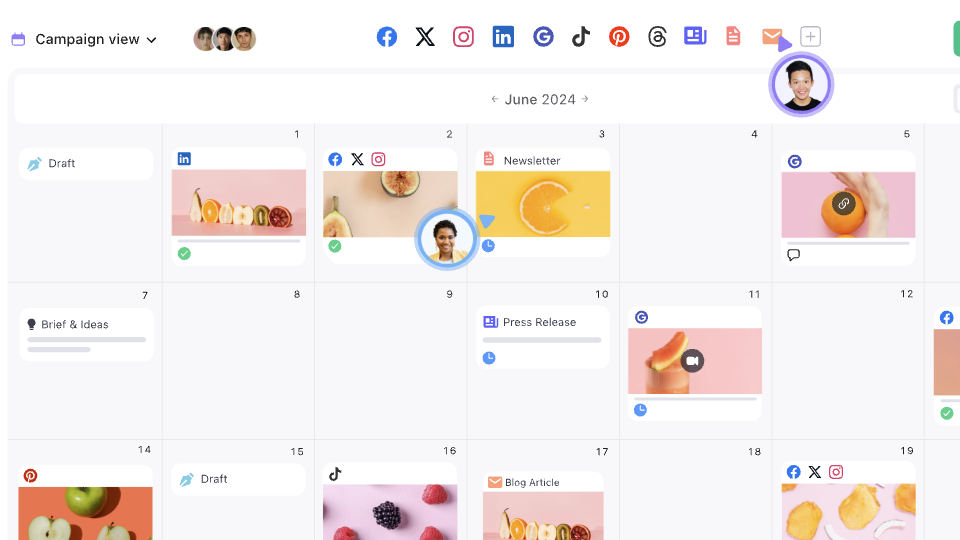
Planable is a social media marketing planning tool built around collaboration. It’s designed for agencies and teams that need clients or stakeholders to review and approve content before it goes live.
Features
Planable has a lot of tools that support the content creation process. They all have collaborative integrations and offer scheduling and a marketing calendar with multiple views. The interface lets you preview posts by network, reducing formatting risks before content goes live.
Benefits
- Free option available
- Multi-level approval workflows with real-time commenting
- Many collaboration features designed for agencies and client teams
Things to consider
Planable’s analytics capabilities are basic compared to full social media management platforms. Teams that need deep cross-network reporting or AI-powered scheduling intelligence will need to supplement it with a dedicated analytics tool.
4. Hootsuite
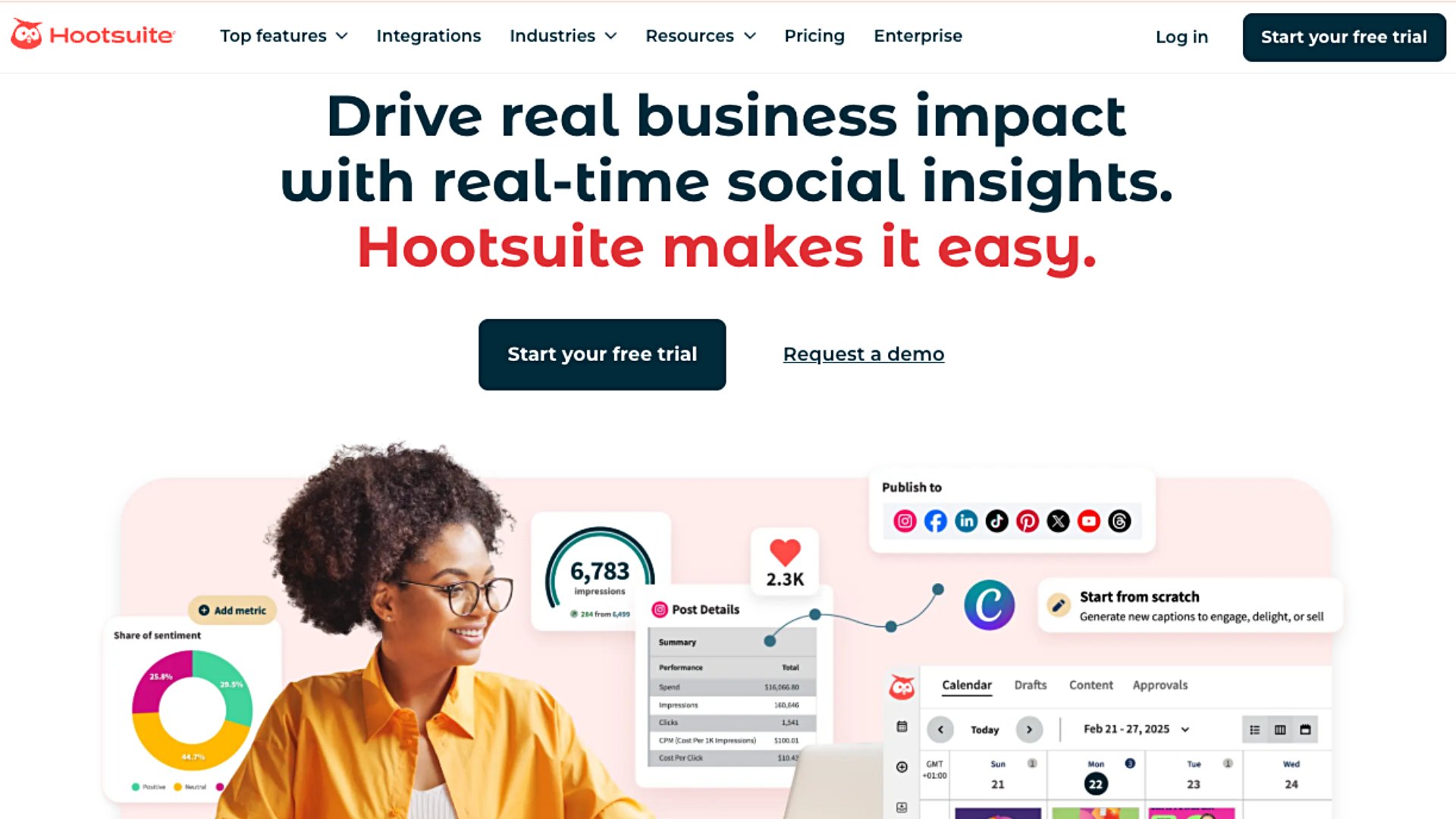
Hootsuite is a social media marketing tool with powerful publishing features. It comes with a visual calendar to plan out your content and fill gaps. If you ever run out of things to post, you can use this scheduling tool to generate an endless stream of content ideas. The tool provides optimal send-time suggestions so you can schedule your posts for maximum engagement.
Check out our list of Hootsuite alternatives if you’re looking to take your social media management in a different direction.
Features
Hootsuite offers a visual content calendar and bulk scheduling. They also provide a unified social inbox and customizable analytics templates.
Benefits
- Publish and schedule social media posts on a variety of platforms
- Manage incoming messages and mentions and respond to them in a single inbox
- Monitor online conversations around your brand and industry to stay on top of trending topics
Things to consider
Meant for established brand teams and mid-sized agencies that require comprehensive multi-account management.
5. Zoho Social
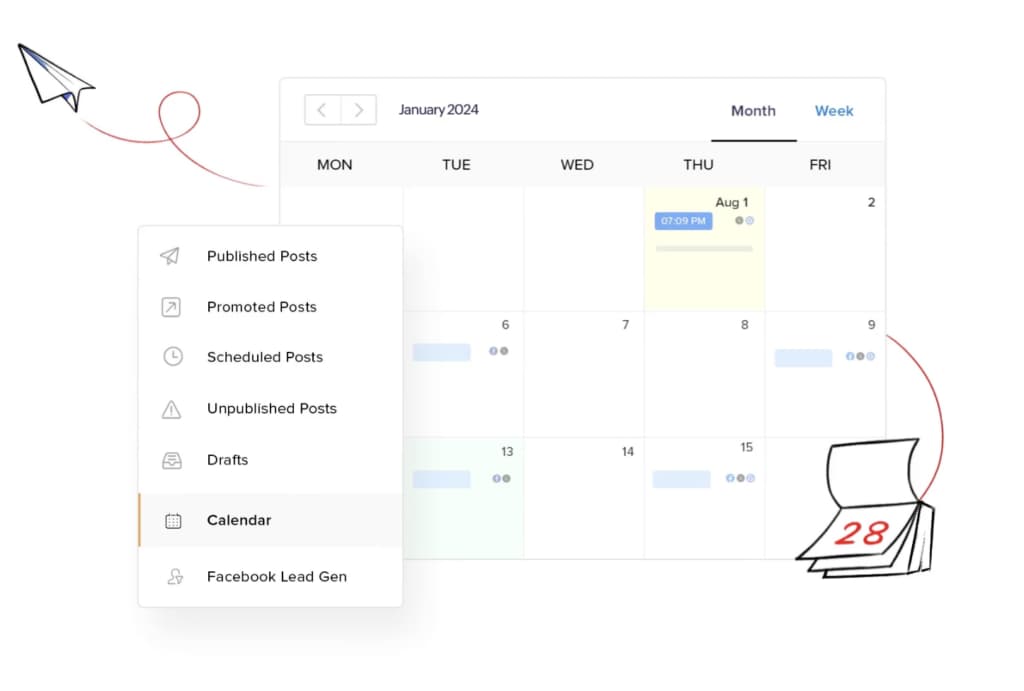
With publishing, scheduling and monitoring tools as well as analytics and collaboration options, Zoho Social is a scheduling and monitoring tool for small to mid-sized businesses already invested in the Zoho ecosystem.
 Features
As well as a calendar, Zoho Social has a monitoring dashboard for you to keep track of trends. They also offer analytics tools that are tailored to each social network and its SmartQ feature predicts the best times to post based on your audience’s past engagement.
Benefits
- Different pricing for businesses and agencies
- Platform-specific analytics
- Integrates with Zoho CRM and Zoho Desk
Things to consider
Meant for larger companies or enterprises with big marketing teams.
6. Agorapulse
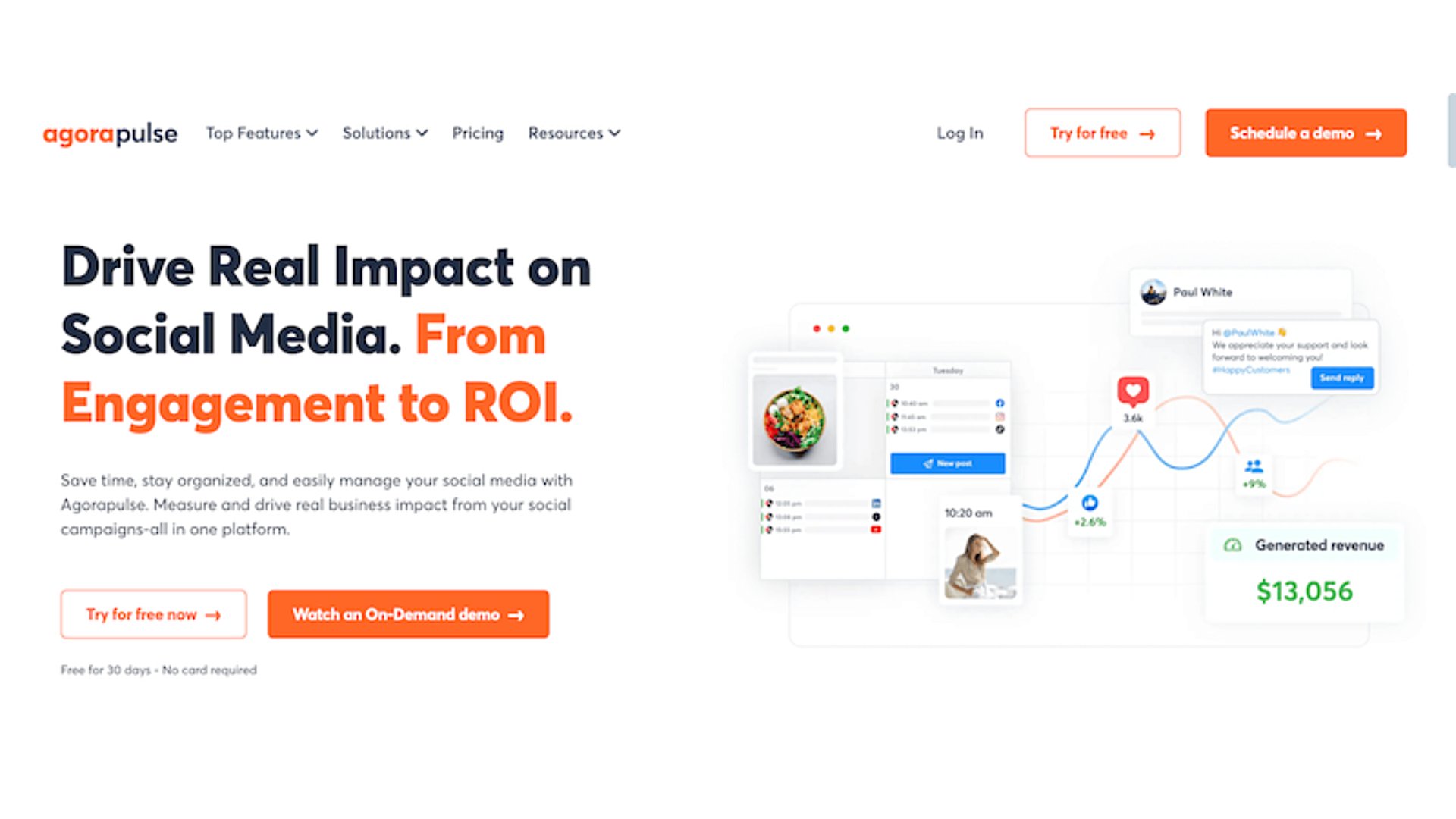
Agorapulse is a robust all-in-one social media management platform designed to streamline publishing and monitoring for growing teams. Its feature-rich environment helps brands maintain a consistent presence while providing deep insights into the business impact of their social efforts.
Features
Agorapulse provides a centralized social media calendar for drafting, scheduling and approving content across all major platforms. The unified social inbox consolidates messages and comments, ensuring high-quality customer care. Additionally, the tool includes robust social listening capabilities and automated ROI reporting to help you track performance and justify your social media spend.
Benefits
- Intuitive unified inbox for managing engagement in one place.
- Advanced reporting tools that calculate social media ROI.
- Built-in social listening to track brand mentions and competitors.
Things to consider
Agorapulse is a solution for agencies and mid-sized businesses seeking centralized social management.
Social media content schedulers for small teams
These tools are built for lean teams, solopreneurs and growing brands that need reliable scheduling without the complexity or cost of enterprise platforms.
7. Post Planner
Post Planner’s tools aim to help your content reach more followers. Its solutions help with scheduling, as well as content creation and design.

Features
As well as its basic scheduling, Post Planner offers Discover and Design tools to help you create viral posts.
You can find content ideas for what to post and schedule it right inside Post Planner, from sources like Reddit subreddits, streams and RSS feeds.
Benefits
- Tools that help you find and create content
- Recycling features like repurposing previous content to increase reach
Things to consider
Post Planner’s tools are for influencers and solopreneurs with only a few social channels. It isn’t well-suited for data analysts or anyone looking for detailed reporting.
8. StatusBrew
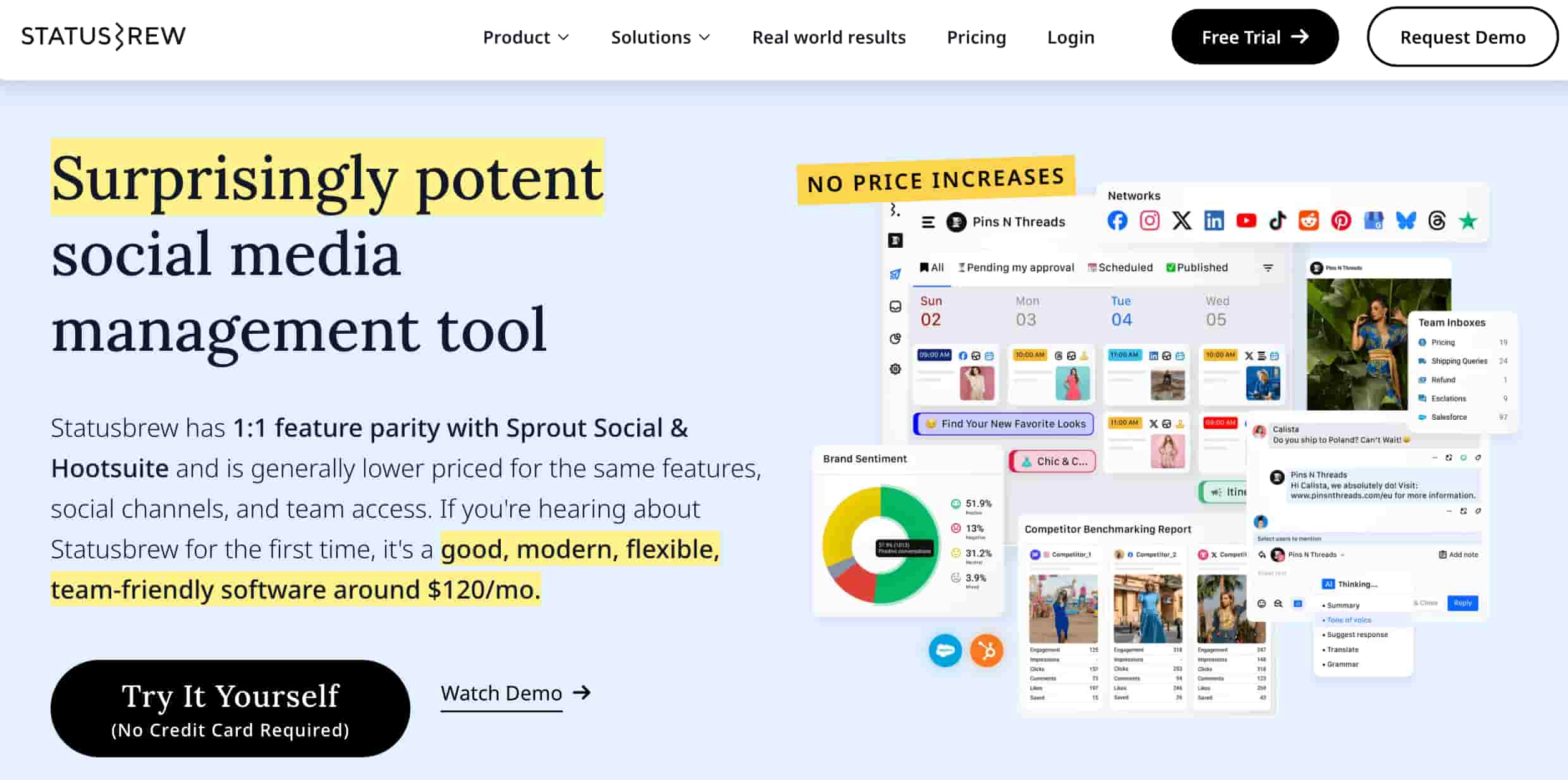
StatusBrew offers a collaborative dashboard for teams to schedule content on social media. They also offer different solutions designed for agencies, small businesses and enterprises.
Features
StatusBrew’s features are split into Publish, Engage and Reporting sections. They provide a shareable scheduling calendar, automated inbox tools and customizable reporting templates.
Benefits
- Buildable reports with 230 different metrics options
- Bulk scheduling and approval workflows
- 14-day free trial available
Things to consider
The tool is mainly designed for collaborative use in teams.
9. MeetEdgar
MeetEdgar is a scheduling and content creation tool that focuses on blogs, articles and content as well as social media.

Features
MeetEdgar’s AI content curator Inky can generate AI-written posts and content within the software.
Their main feature also involves saving all the content you publish and using this library to repurpose old ideas. This allows your evergreen ideas to be regularly refreshed into new posts.
Benefits
- Schedule and then repurpose existing content
- Usable across blogs as well as socials
Things to consider
MeetEdgar is designed for freelancers and small businesses who rely on written content as it doesn’t have much multimedia support.
10. eClincher
eClincher is a brand management tool that offers a single inbox for all your social media accounts. It also provides scheduling and tools that help you manage your SEO and online reputation.

Features
eClincher provides an all-in-one social inbox to improve responsiveness.
Their online reputation tools track conversations around your digital content. eClincher’s scheduling tools are also AI-driven.
Benefits
- Advanced tools like monitoring and social listening
- Integrates with over 30 platforms
Things to consider
eClincher is designed for enterprise brands and very large marketing teams.
11. Iconosquare
Iconosquare combines social listening tools with its suite to offer a solution that prioritizes analytics and reports.

Features
Iconosquare’s analytics tools combine your engagement metrics with community insights across 100+ metrics.
Its scheduling tools provide some additional advanced features like image cropping, crossposting and approvals.
Benefits
- Advanced analytics and reporting
- Industry benchmark comparisons
- Intuitive scheduling
Things to consider
Iconosquare is marketed towards social teams working within large brands.
12. Sendible
Sendible allows you to manage your social media accounts at scale. It also connects with content platforms like WordPress and is built with agencies in mind.

Features
Sendible’s scheduling tools integrate with Canva Pro and allow for bulk planning for campaigns.
Additional tools like Custom Tags and Automated Reports help collaboration and analysis.
Benefits
- Some advanced tools like a smart compose box
- Designed to help you schedule at scale
Things to consider
Due to its focus on growth, Sendible is designed for small and medium-sized businesses and is geared more towards agencies.
13. NapoleonCat
NapoleonCat offers tools that help you automate and manage your social inbox. Though this is their focus, they also provide scheduling and reporting solutions.

Features
With auto-moderation, you’re able to automate your direct messages across Facebook and Instagram.
NapoleonCat also supports scheduling across five platforms and social customer relationship management features.
Benefits
- Several tools that help with your direct messaging
- Meta business partner
Things to consider
NapoleonCat is designed for marketing teams looking to optimize their social inbox.
14. SocialBee
SocialBee is one of the modern social media scheduler tools designed primarily for solopreneurs and small businesses.

Features
SocialBee enables you to create content and generate a social strategy with AI assistance.
It also offers further scheduling solutions with an easy-to-use interface, as well as analysis and engagement tools.
Benefits
- Some analytics and engagement tools, alongside scheduling
- Simple UI
Things to consider
SocialBee is meant for solopreneurs and small teams, as it doesn’t have many collaboration tools.
15. Feedly
Feedly is a scheduling tool with a focus on content curation. Its platform automatically curates content to fill up your social media calendar.

Features
Feedly has two main products: Threat Intelligence and Market Intelligence.
Market Intelligence can be used to curate a feed of content. You can then integrate this with your social platforms to share relevant content.
Benefits
- Customize the content you share
- Tailor your feed to your audience or industry
- Simplify how you find and share market intelligence
Things to consider
Feedly works as a research tool and supplement for content scheduling for marketing teams. It’s aimed at enterprises rather than small & medium businesses.
16. SocialPilot
SocialPilot is a social media scheduling tool that allows users to plan and automate their content across multiple platforms. It simplifies the process of creating and publishing posts, ensuring consistent brand presence.

Features
SocialPilot offers bulk scheduling capabilities, enabling users to schedule hundreds of posts at once. It also provides a social media calendar for visual content planning and allows for team collaboration on content creation and scheduling.
Benefits
- User-friendly interface for easy navigation and scheduling
- Cost-effective pricing plans suitable for individuals and agencies
- Robust analytics and reporting to track scheduling performance
Things to consider
Some advanced social listening and engagement features are limited compared to higher-priced competitors.
If you’re looking to explore other robust scheduling platforms, check out our list of SocialPilot alternatives.
17. Loomly
Loomly is a social media scheduler designed to streamline the workflow for social marketing teams. It provides tools for creating, organizing and scheduling social posts, ensuring timely and effective content delivery.

Features
Loomly offers calendar views for easy scheduling, post optimization tips and automated publishing across multiple social channels. It also has content ideation tools, post previews and a digital asset management library to store images, files and other assets.
Benefits
- Collaborative features for teams to work together on content scheduling
- Content ideation and inspiration tools to spark creativity
- Detailed post previews and optimization suggestions
Things to consider
The platform’s learning curve might be slightly steeper for users unfamiliar with content planning workflows.
18. Buffer
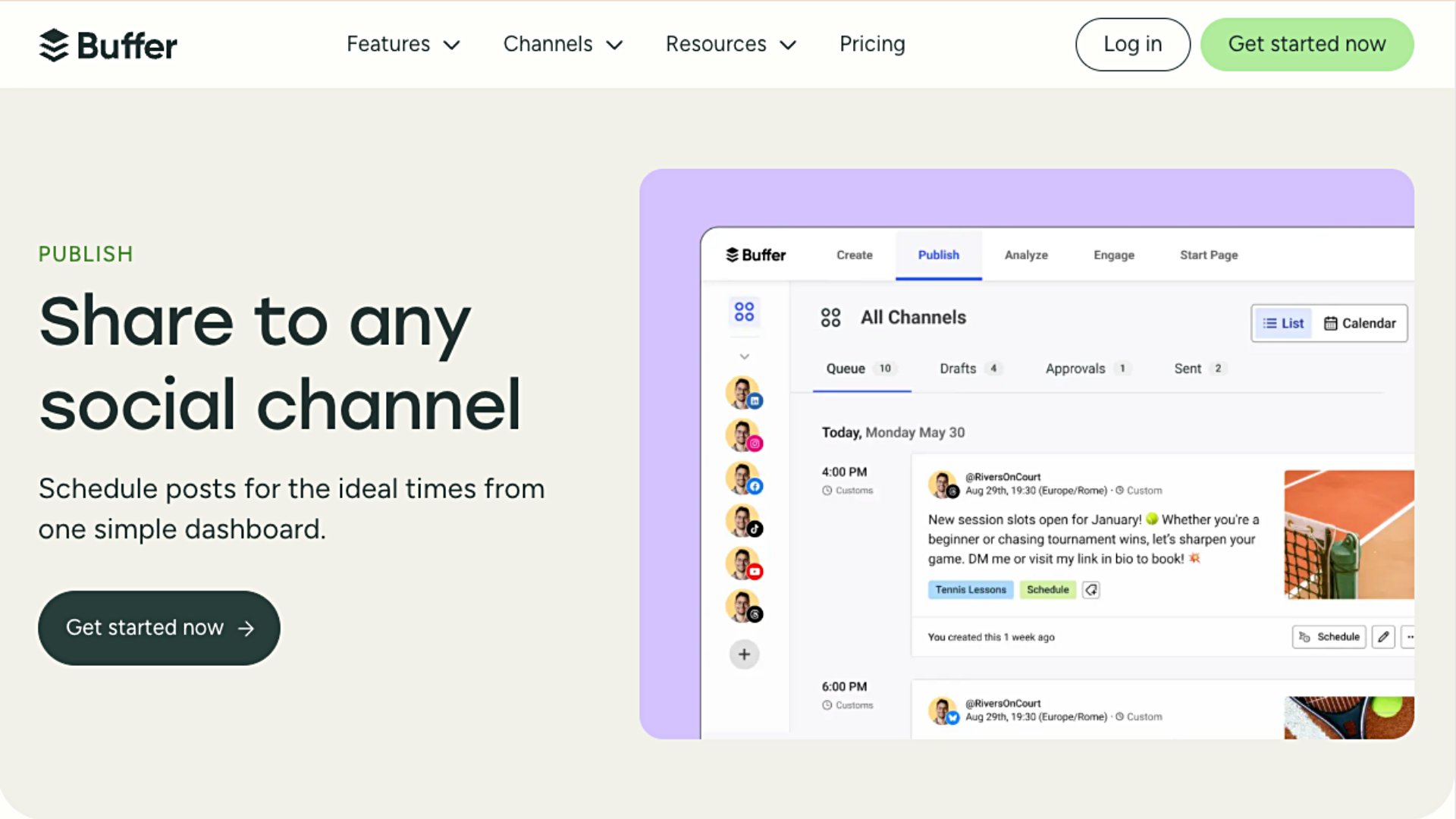
Buffer is a popular social media scheduling app known for its simplicity and focus on user experience. It provides a streamlined way for small businesses and creators to plan and publish content without being overwhelmed by complex features.
Features
Buffer offers a visual calendar for scheduling posts across platforms like Instagram, TikTok and LinkedIn. It includes an AI Assistant to help you brainstorm and refine post captions, as well as a “Start Page” feature to build simple landing pages for your social bios. The platform also provides lightweight analytics and engagement tools to help you track growth and respond to followers.
Benefits
- User-friendly interface that’s easy to set up and navigate.
- Flexible pricing with a robust free version for individuals and small teams.
- Seamless AI integration for faster content creation and optimization.
Things to consider
Buffer is best suited for solopreneurs and small marketing teams looking for a focused, efficient tool to manage their social publishing.
Scheduling tools for dedicated social media platforms
These social media content scheduler tools are dedicated to specific networks, making it easy to plan and publish content across one or two platforms.
19. X Pro (formerly Tweetdeck)
X Pro now allows users to manage multiple accounts at once and schedule posts. This feature used to be called Tweetdeck, but it’s now part of the X Pro suite.
X Pro also integrates directly with Sprout.

Features
Along with scheduling posts and managing multiple accounts, X Pro helps you organize posts into Collections. You can also access advanced search functions, including sentiment searches.
Benefits
- Post from multiple X accounts
- Search functions improve X’s use as a research tool
Things to consider
X Pro is meant for individuals, as well as social teams in cases where X is a significant social media channel for their brands. It is also important to note that X Pro is no longer free; it now requires an X Premium or Premium+ subscription to access.
20. Airtable (For Meta and LinkedIn)
Airtable is a collection of tools that function as a “spreadsheet database hybrid”. A key part of its features includes scheduling tools for marketing as well as employee management.

Features
Airtable’s campaign and marketing management tools allow you to create calendars and automate processes. You can also translate, create with AI support and measure results.
Benefits
- Free option available
- Support with strategy as well as distribution
- Designed to help teams collaborate
Things to consider
Since app-building is its main use case, Airtable may be better suited for strategists and software developers rather than marketing teams.
21. Sked Social (for Meta)
Sked Social is an Instagram-first scheduling tool that specializes in streamlining account management across Meta platforms.
Features
With an AI-optimized platform, Sked Social’s features include planning, collaborative tools, social inbox and listening.
Though they focus on Meta, Sked also integrates with other platforms like TikTok and Pinterest.

Benefits
- Unlimited users across plans
- Reliable customer support
- Several AI features for efficiency
Things to consider
Sked’s tools are designed primarily for brands and franchises, particularly teams that focus on Instagram.
Choose a social media scheduling tool that scales with your team
The right scheduling tool doesn’t just save time—it transforms how your team plans, publishes and proves the value of social media. Whether you’re a solopreneur managing a handful of profiles or an enterprise team coordinating content across dozens of accounts and markets, the platform you choose should simplify your workflow, not complicate it.
Sprout Social brings together everything you need to manage social at scale: AI-powered scheduling, multi-level approvals, cross-network analytics and responsive support that’s there when you need it. See how it works for your team. Try Sprout Social free for 30 days today.
Social media scheduler FAQs
Why use social media scheduling tools?
You should use a social media scheduling tool to save time, maintain a consistent posting schedule, and analyze content performance across multiple platforms from one centralized dashboard.
Using a social media scheduler to manage your accounts offers a range of specific benefits, including:
- Simplified cross-platform posting: Publish content across multiple accounts and networks simultaneously.
- Optimized post timing: Use intelligent scheduling features to automatically publish when your audience is most active for maximum engagement.
- Enhanced team collaboration: Streamline your workflow with content approval processes and internal communication tools.
- Visual forward-planning: Use calendar integrations to organize long-term campaigns and identify content gaps.
- Advanced analytics and reporting: Access clear data visualizations to measure performance, track ROI and refine your strategy.
- Workflow automation: Leverage AI functionality to scale content creation and handle repetitive tasks.
- Proactive brand monitoring: Utilize advanced features like social listening and hashtag analytics to track industry trends and monitor brand health.
What are the key features to look for in a social media scheduling tool?
A scheduling tool does more than manage your online presence—it accelerates your business impact. Here are the key features to prioritize:
- Multi-platform coverage: A social media scheduler should allow automation across all your essential social media channels (e.g., Facebook, Instagram, X, LinkedIn, TikTok, Threads and Bluesky) from one centralized dashboard.
- Streamlined content calendar: A visual content planner helps organize, visualize and manage your overall content strategy, ensuring consistent posting and easily identifying content gaps.
- Actionable analytics and reporting: A content scheduler should allow your team to track post performance, engagement, reach and audience demographics to optimize your strategy and connect social activity to true ROI.
- Collaboration tools and workflows:For advanced social teams, the scheduler should offer robust work management features like customizable approval workflows, multi-level user roles and internal notes to streamline content creation and review.
- Intelligent bulk scheduling: Save time by uploading and scheduling large volumes of posts at once. Look for AI optimization (like ViralPost®) to automatically publish content at the best times for your audience, or set up evergreen content to be recycled.
- Unified social inbox and listening: Centralize all messages (such as a Smart Inbox), comments and mentions into one stream to engage promptly, deliver high-quality customer care and proactively monitor brand conversations and industry trends.
How do social media scheduling tools help with consistency?
Social media scheduling tools help with consistency by allowing you to batch-create content and schedule it to automatically publish at optimal times. The tools allow you to pre-plan and queue up content, ensuring that your posts are published at regular intervals, even when your team is not active online. Maintaining a consistent presence helps keep your audience engaged and your brand visible.
Additional resources for Social Media Scheduling
21 best social media scheduling tools for your brand in 2026

Schedule Threads posts: The definitive guide for brands and businesses

How to schedule Bluesky posts and drive results with Sprout Social
How to schedule Instagram Stories [2026 Guide]
14 Instagram scheduling tools for your brand in 2026

How to schedule X posts (Tweets): Your brand’s complete guide in 2026

How to schedule a post on Facebook in 2026

How to schedule Instagram posts: The complete guide for 2026

How to schedule LinkedIn posts for Profiles and Pages

Schedule TikTok posts from mobile and desktop

Post to all social media at once using Sprout Social

How to schedule Reels on Instagram in 3 ways


How (and why) to post to Instagram from PC or Mac


Share