What is a social media planner? (And why your growing business needs one)

Written by Mahnoor Sheikh
Published on June 16, 2026
Reading time 8 minutes
Table of Contents
Summary
- Ditch the manual spreadsheets: Relying on native apps and manual posting drains hours of your week and leads to disjointed, inconsistent brand messaging.
- Look for automation and collaboration: The best planners move the needle with core features like visual calendars, cross-platform automated publishing, and easy team collaboration.
- Scale with Sprout Social Essentials: Transition your growing team to a unified calendar starting at $79/month to easily manage cross-network campaigns and track real performance ROI.
If you’re still planning your social content with a spreadsheet and five different apps, you’re losing hours every week to copy-paste work. Most growing teams find that this messy setup collapses as they try to scale.
The solution? A social media planner: a centralized place to map and schedule posts across multiple networks at once.
Using a planner frees up your time to focus on more strategic tasks that drive organic growth, such as creating great content and engaging with your audience.
Below, we’ll look at the hidden costs of manual posting, and how to find and switch to a social media planner that works for your team.
Why use a social media planner? (The cost of manual posting)
Posting via native apps looks “free” on the surface.
They don’t charge you to post, and a Google Sheet is easy to start with. But the real cost shows up in wasted time, missed opportunities and messy execution.
Let’s zoom into these hidden costs and see where a social media planner makes a difference.
How a social media planner boosts weekly productivity
Think about what it takes to publish one video natively:
- Export the video file: 3-5 minutes
- Open Instagram, upload video, write caption, add hashtags and post: 8-10 minutes
- Open TikTok, re-upload video, adjust caption and publish: 8-10 minutes
- Open Facebook, upload again, check formatting and publish: 8-10 minutes
- Open YouTube, upload again, add title/description and publish: 8-10 minutes
- Double-check everything went live correctly: 3-5 minutes
Before you know it, publishing one video turns into a 40-minute task.
Now multiply that across several campaigns and you’ve spent the better part of your week doing data entry. There’s nothing left for the strategy that drives organic reach.
A centralized social media calendar saves you hours each week. You open one workspace, see your entire week across every profile and fill the gaps in a single sitting. A batch of 20 posts that once took an afternoon of app-hopping takes under an hour to draft and schedule.
The time you reclaim goes into researching trends, replying to your community and coming up with creative ideas to grow your audience.
How to maintain brand consistency across social media channels
Manual posting means composing on the fly which hurts your brand:
- A typo slips into your Friday post because you wrote it on your phone between meetings
- LinkedIn strips your line breaks and turns a crisp caption into a wall of text
- Your busy social media manager forgets to post one day because they’re human
These might sound like small mistakes, but they can add up to teach your followers (and social media algorithms) that your brand is inconsistent.
A social media planner eliminates this problem. You can draft and schedule posts weeks in advance, so it’s easy to catch a missing hashtag or off-brand caption before it goes live.
And because everything publishes on schedule whether or not anyone is at their desk, your cadence stops relying on your social media manager’s personal calendar.
What are the core features of the best social media planners?
Growing teams need an intuitive, accessible planner that removes friction from the daily workflow.
Features like a visual calendar, easy collaboration, automation and cross-platform analytics move the needle. Here’s what the best social media planners for SMBs offer:
Centralized visual creation and drafting for your team
A good social media planner is a visual hub where your team can come together to not only schedule content, but also edit and prepare posts for publishing.
For example, your designer should be able to access approved images and edit them quickly, while your copywriter should be able to hop in and draft captions after they’re done. Similarly, your social media manager should be able to review everything before it goes live.
Sprout Social Essentials is built for this kind of collaboration. Teams can add seats so multiple people work from the same place instead of updating each other manually. You can also share your calendar with external stakeholders via links or a downloadable PDF.
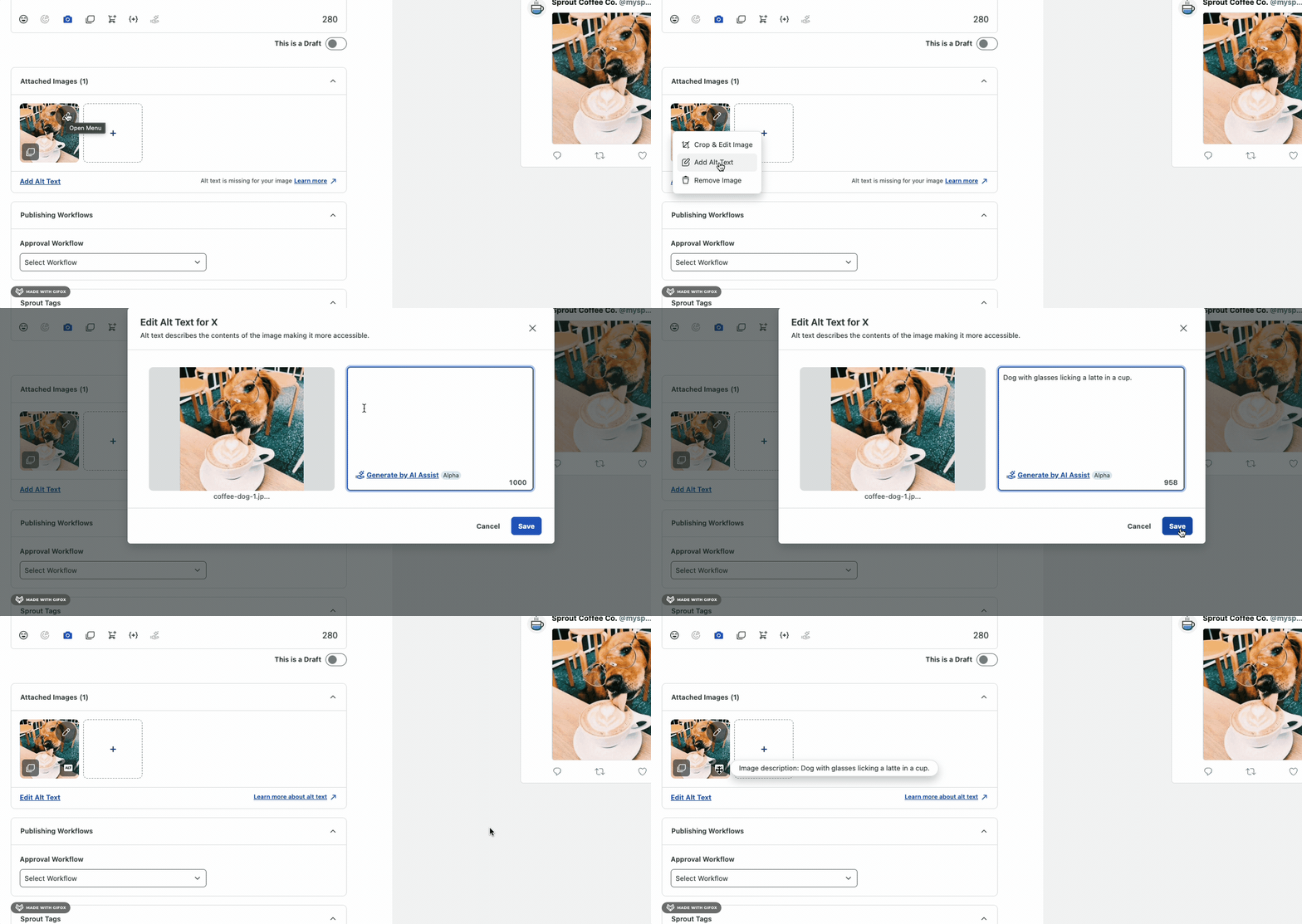
Essentials also includes a built-in image editor, so teams can make minor changes without opening another design tool. Plus, you can instantly apply unlimited AI-generated alt text to posts to improve accessibility and social SEO.
Automated publishing workflows
An automated social media planner does more than organize posts. It publishes scheduled posts automatically while you focus on other important tasks.
If a planner still needs you to hit publish manually, it’s no better than a spreadsheet when it comes to saving administrative time.
Sprout’s advanced post scheduler gives you three publishing options:
- Publish: The content goes live right away
- Draft: Save your post as a draft to revisit later
- Queue: Schedule content to publish automatically at a set time and date
Stop guessing best times to post on social media, we have the solution.
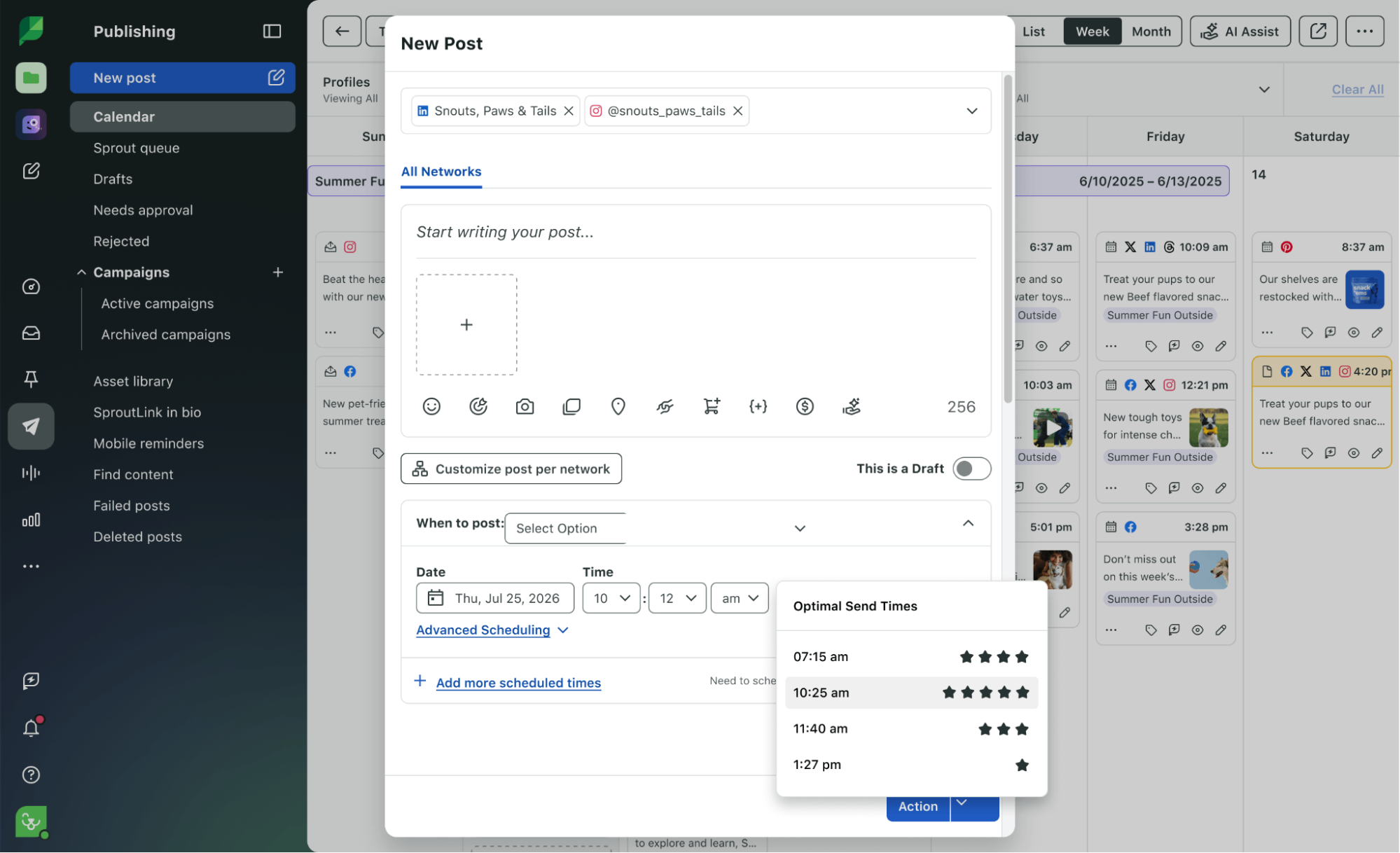
Sprout Social’s ViralPost® Send Time Optimization uses AI to analyze your audiences’ peak engagement times and schedule your content accordingly. In fact, Sprout customers using this feature have seen up to 60% more reach without publishing a single extra post.
Top social media planners to try in 2026
Every tool promises to simplify social media planning. But the best ones also balance scheduling, collaboration and reporting without extra complexity.
Here are three social media planners that teams can use in 2026 to organize posts, manage campaigns and keep content consistent across platforms:
1. Sprout Social
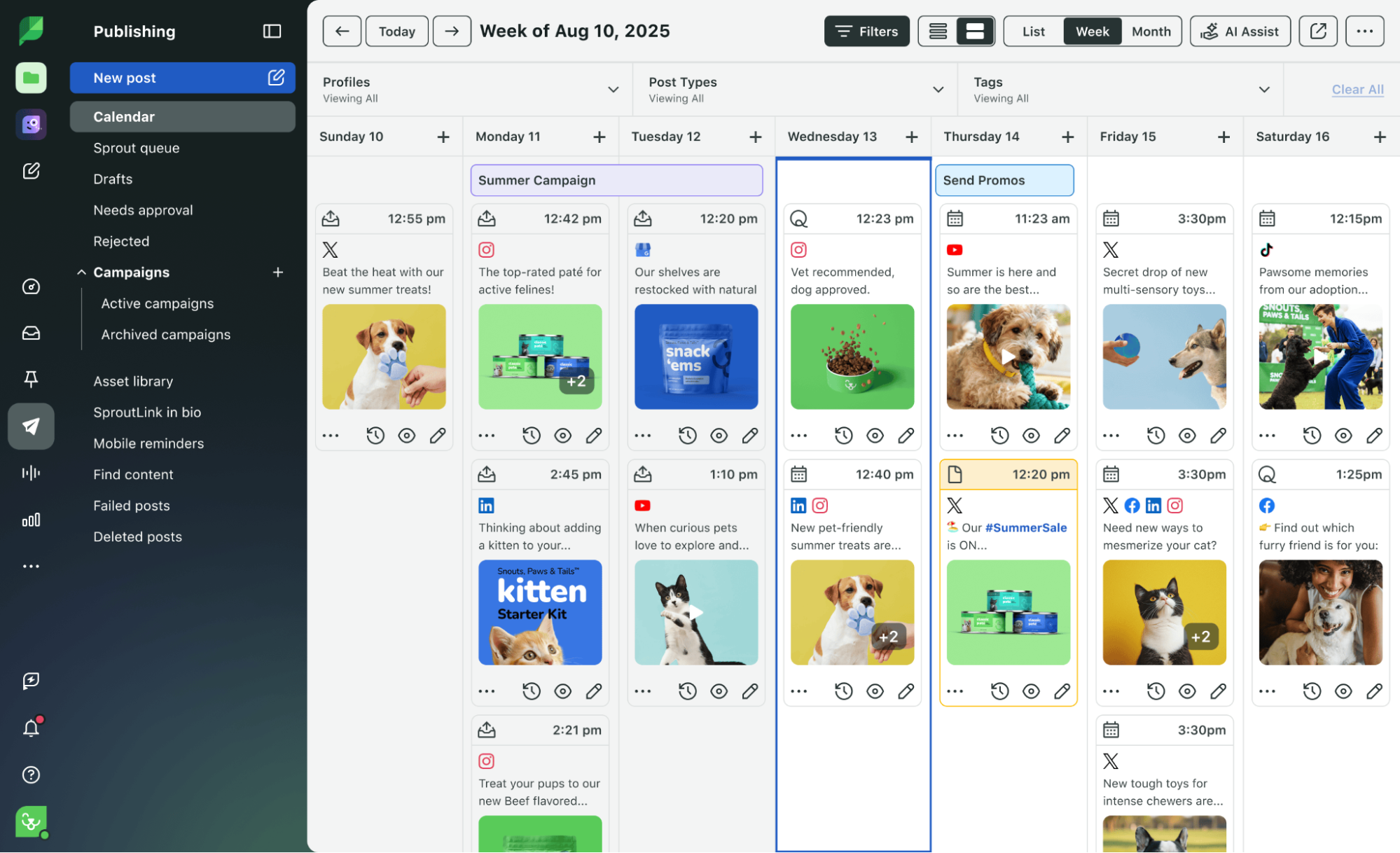
Sprout Social Essentials is a great fit for lean teams that are tired of planning content in spreadsheets but don’t need a complex enterprise social media planner. It gives you one place to draft posts, schedule content and track what’s working.
Essentials is especially useful if you’re posting across multiple channels. You can connect up to five social media profiles and batch-schedule content across all of them in advance.
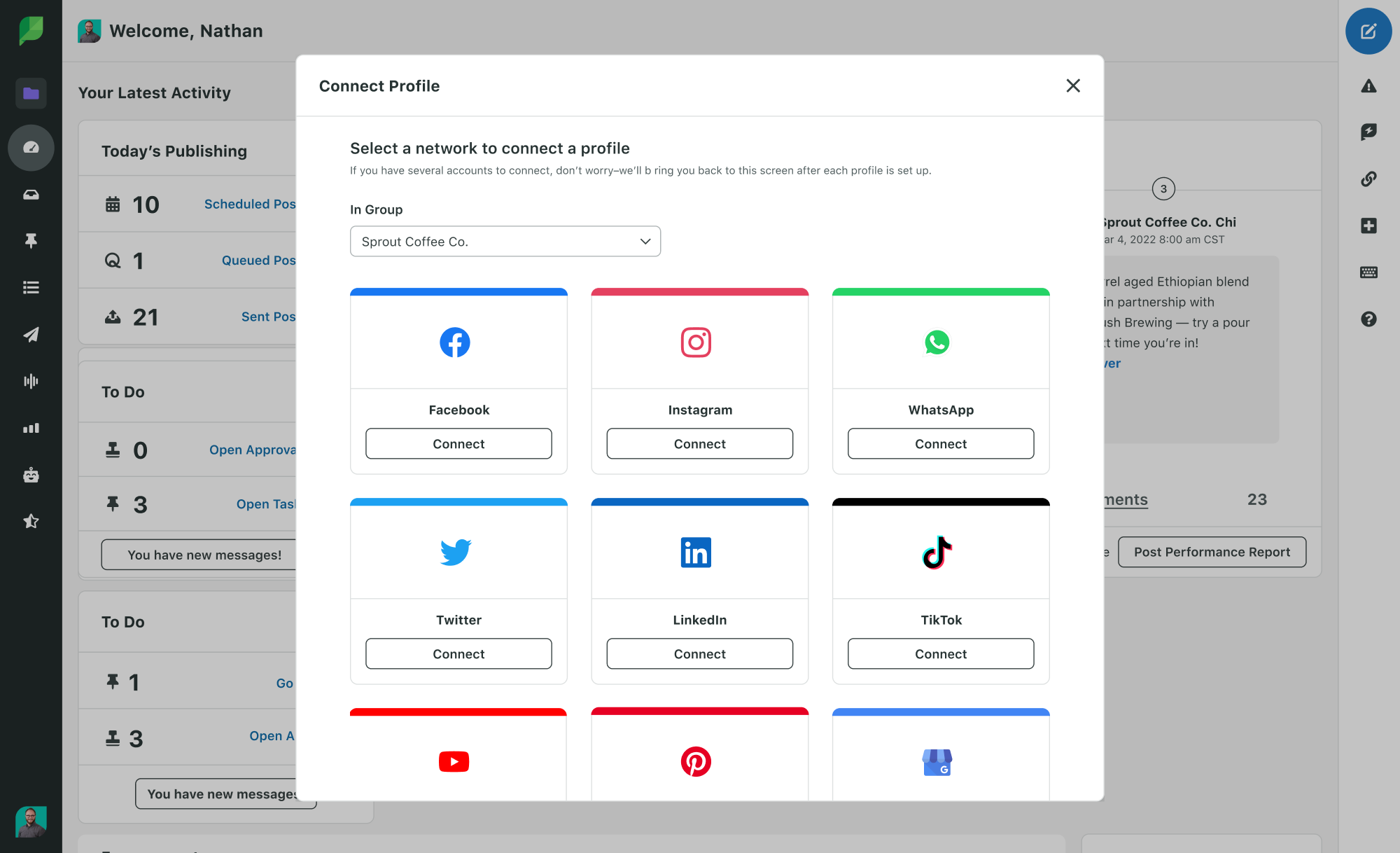
Sprout also helps your team post strategically. Use cross-platform analytics and reporting to see which posts perform best and where you need to improve. You’re also publishing at the perfect time, every time with AI-powered send time optimization.
Key features:
- Visual social media calendar with cross-platform publishing
- Optimal send times powered by AI technology
- Built-in image editor with unlimited AI-generated alt text
- SproutLink tool that turns your Instagram bio into a clickable landing page
- Integrations with Canva, Google Drive, Dropbox and more to pull assets
- Content Suggestions to keep your calendar stocked with trending topics
- Cross-platform analytics: Post Performance and Profile Performance reports
Pricing: Sprout Social Essentials starts at $79 per seat/month billed annually ($99/seat billed monthly), with a 30-day free trial and no credit card required.
2. Notion
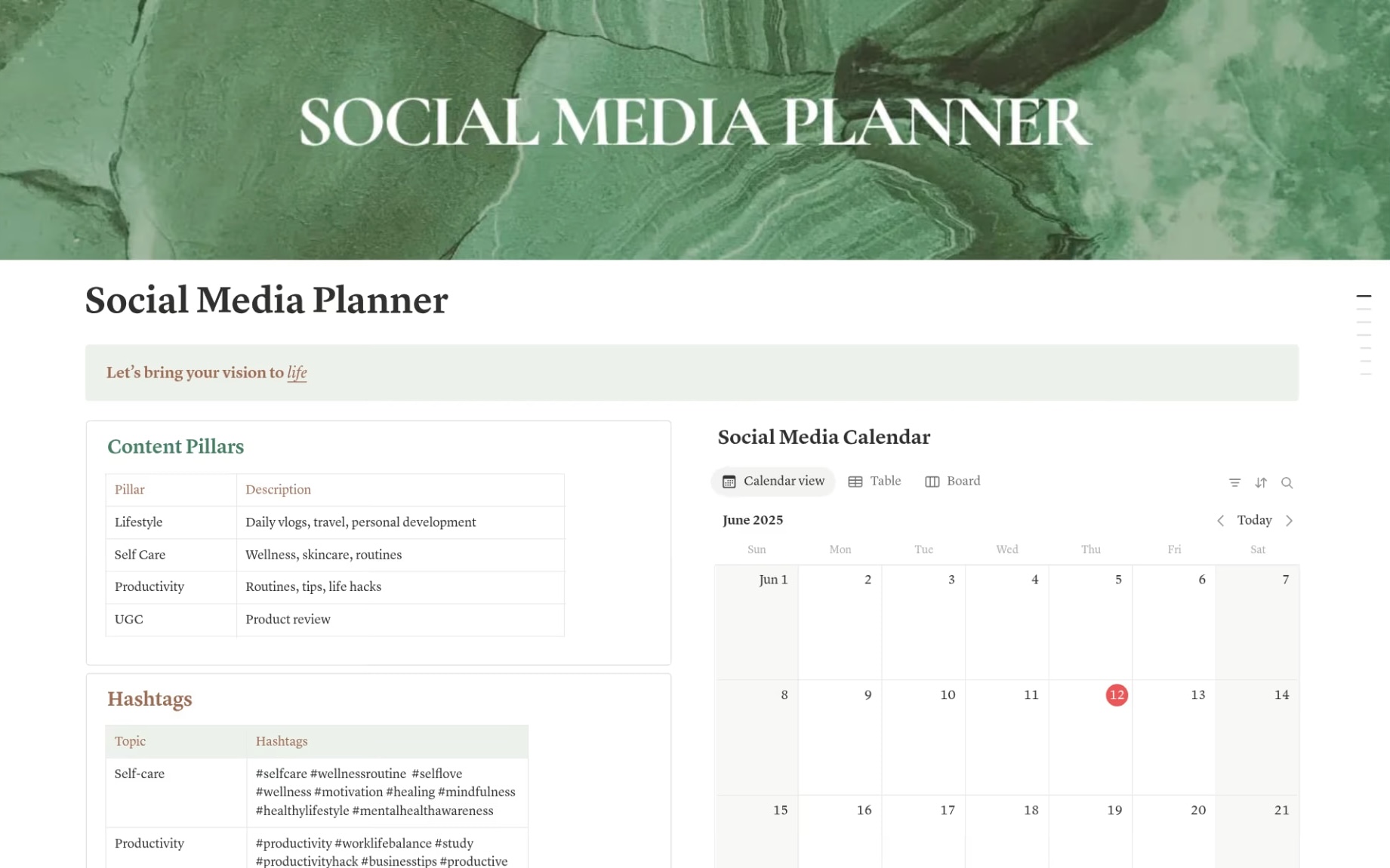
Notion isn’t a traditional social media planner, but it is a flexible workspace that teams can customize and use for social media planning. It offers multiple social media planner templates, drag-and-drop pages, databases and calendars.
You can use Notion to centralize your campaign ideas, content drafts, publishing schedules and asset libraries. Its calendar and database views also make it easy to map out posts by date, track approval stages and link directly to copy or creative files. Think of it as a social media calendar inside a dedicated planning tool.
Notion isn’t a native social scheduler, so it often works best alongside a dedicated scheduling tool rather than as a replacement for one.
3. CoSchedule
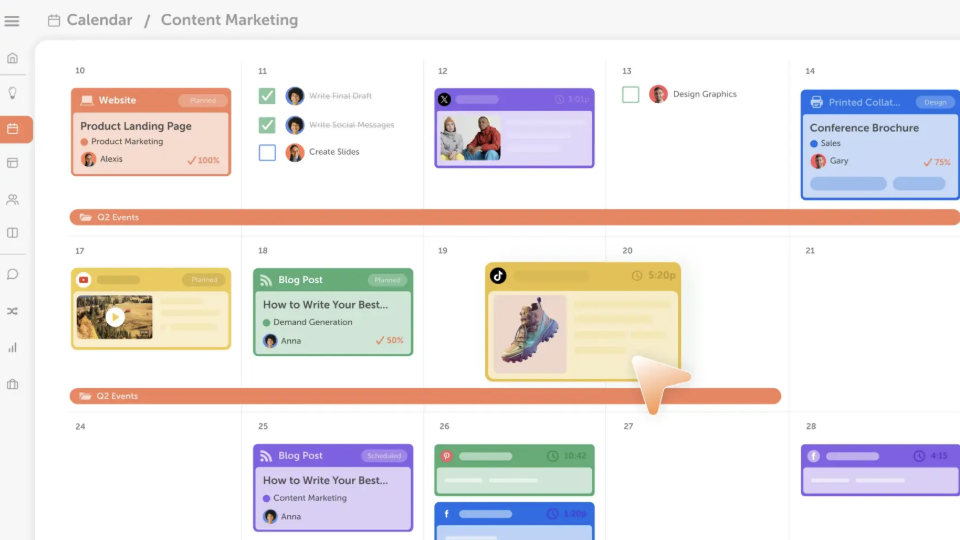
CoSchedule is a marketing calendar platform that combines social media scheduling with broader content and campaign planning. You can use it to organize blog posts, email marketing and social posts in one centralized view to streamline every aspect of your campaign.
Its calendar view lets you map out posts by date, assign tasks to team members and track progress at each stage. You can use it to create campaign timelines that tie social content directly to other marketing activities. This makes it useful for teams that want to connect their social media content strategy to their broader marketing goals.
CoSchedule also offers built-in content approvals and drag-and-drop scheduling.
How to migrate your spreadsheets to a dynamic social media planner
Migrating from a Google Sheet to a social media calendar software sounds like a big project, which is why teams keep postponing it while losing precious hours each day.
Sprout Social makes transitioning quick and easy. The UI is simple and intuitive, even for non-technical users. Just connect your social profiles, drop in your planned content and your next 30 days are scheduled.
Here’s how to make the move even more seamless:
Audit your current assets before moving to a social media planner
The last thing you want to migrate to a new planner is clutter. So go back to your current social media content and review what’s already working.
Look at your top-performing posts from the last three to six months:
- Which formats earned meaningful engagement?
- Which posts drove link clicks?
- Which topics brought in comments from potential customers?
- Which videos had the highest watch time or saves?
A social media audit helps you build your new calendar around winning content from the start.
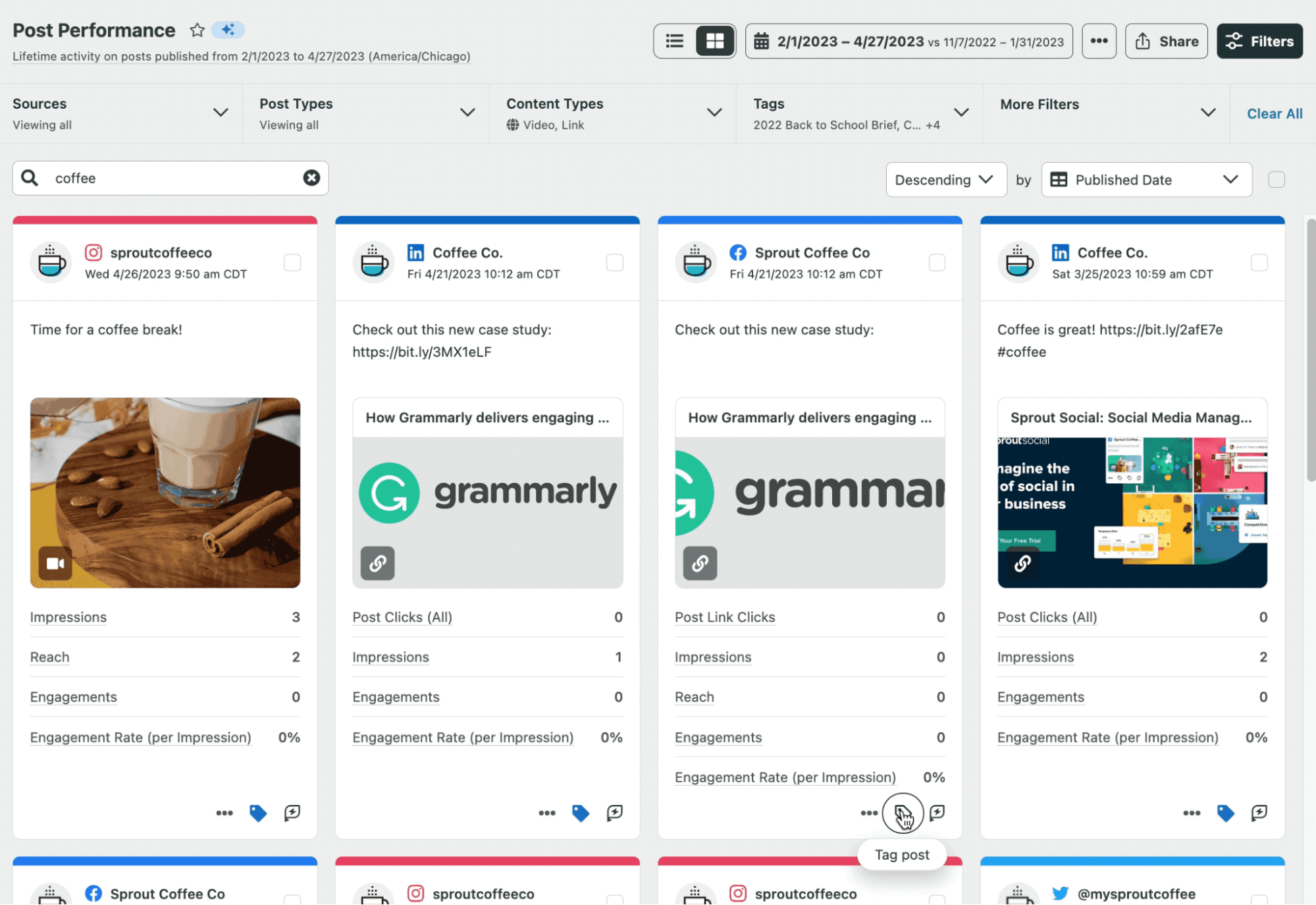
Sprout’s Post Performance and Profile Performance reports can help you identify high-performing formats so you can double down on them in your new planner.
Onboarding your team onto a unified calendar
If half of your team schedules in the new tool while the other half lives in the old sheet, you’ll get duplicate posts, messaging gaps and two systems doing one job badly. The fix is to bring everyone in. A unified calendar is one of the best ways to do that.
Sprout Social Essentials is built around a shared social media calendar. Because Essentials runs on a flexible per-seat basis, you can bring your designer or copywriter into the same planner. This gives the whole team complete visibility over what’s being published.
Why Sprout Social Essentials is the ultimate social media planner for scaling brands
Sprout Social Essentials is the social media planner designed for growing teams. It lets you automate publishing, optimize timing and measure performance, all at an entry-level price point.
With these features, it’s easier to implement your strategy over time. That matters for scaling brands because organic growth is all about showing up with great content consistently.
No credit card required.
Additionally, Sprout Essentials offers the following features to improve your social media strategy and planning process:
Manage cross-network campaigns via the Sprout Social media planner
Sprout’s cross-channel social media planner lets you build a campaign once and deploy it everywhere, with room to adjust for each network’s format and audience. Here’s how:
- Write the core campaign message in the single Compose window, including copy, visuals, links and hashtags
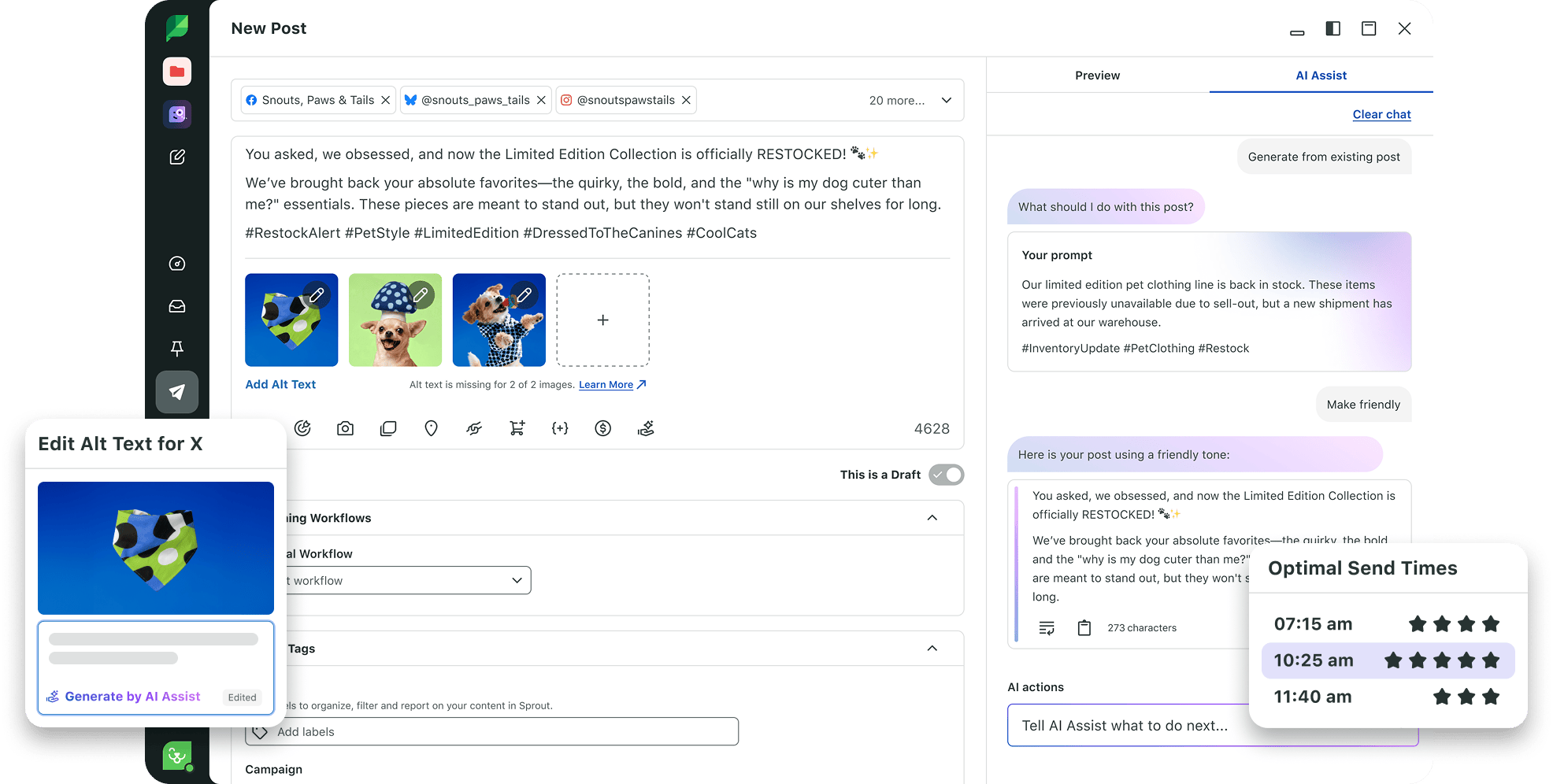
- Choose the social profiles you want to publish to, like Instagram, Facebook and TikTok
- Customize the post for each network by adjusting the caption, creative and other details
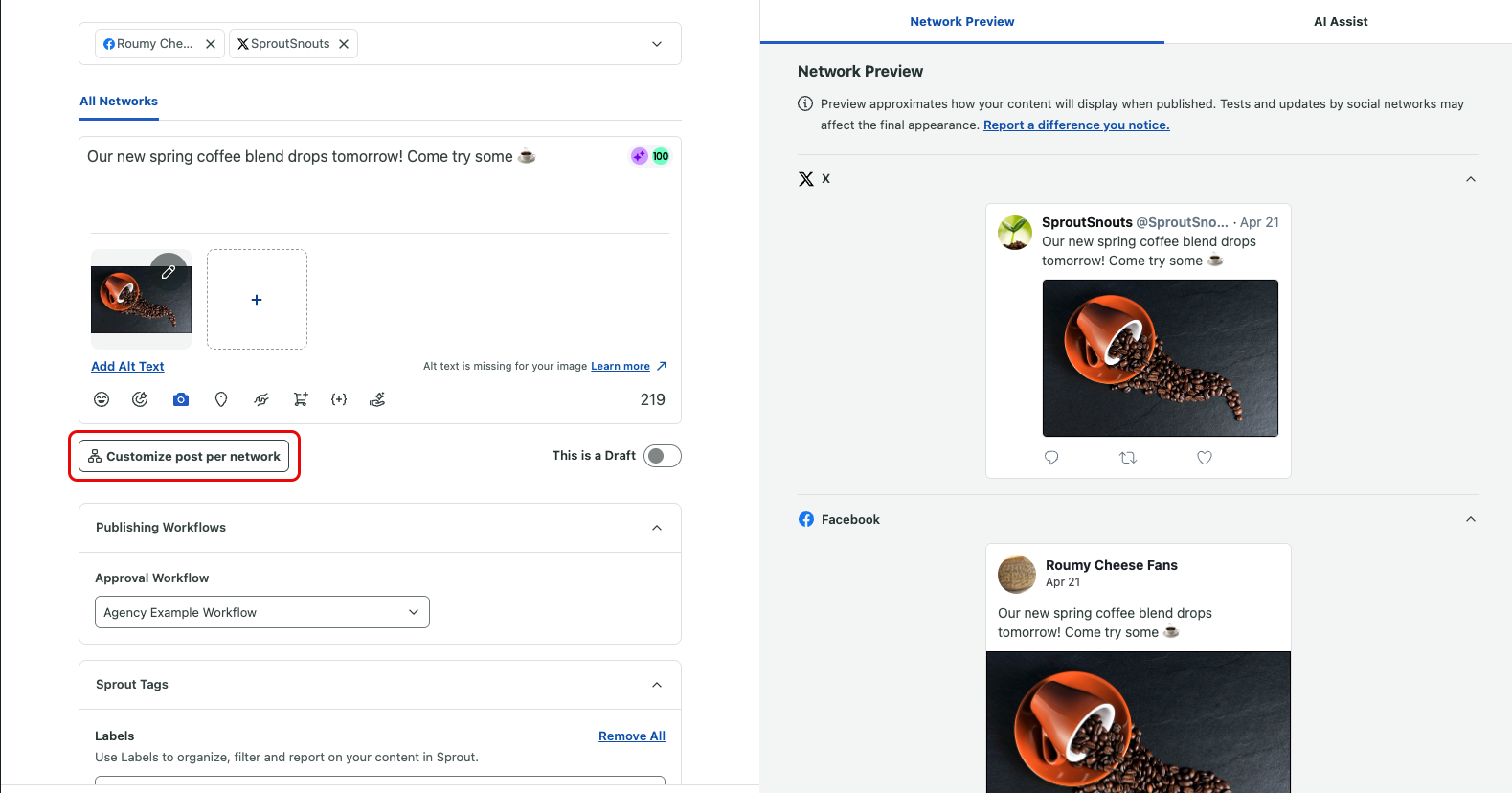
- Schedule your post or use Optimal Send Times to automatically publish when your audience is most likely to engage
Measure performance ROI using the Sprout Social media planner analytics
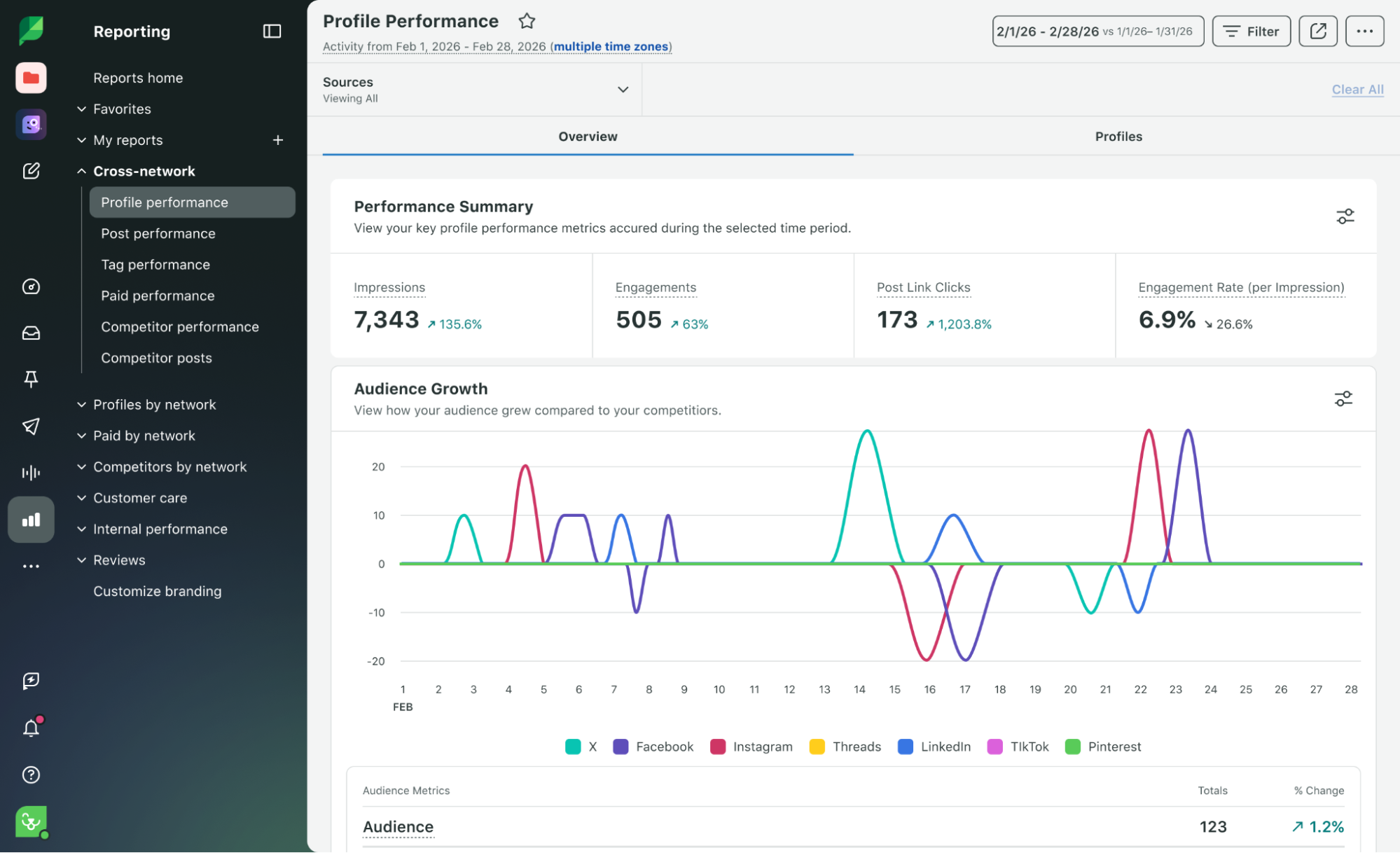
Sprout’s social media planner moves your team beyond vanity metrics and helps them understand how organized publishing contributes to the business.
Instead of only showing you likes and followers, the Post Performance and Profile Performance reports reveal metrics tied directly to social ROI, such as outbound clicks, engagement rate, saves, shares, comments, profile actions and traffic.
Sprout’s Link in Bio tool also connects social efforts directly to website traffic. This is important if your brand uses Instagram and Facebook to drive people to specific product pages, landing pages, booking pages or blogs.
39 free social media strategy templates that will elevate your workflows
Published on August 20, 2026 Reading time 15 minutes







Share