Native posting vs. Sprout Social Essentials: When to upgrade your social strategy

Written by Mahnoor Sheikh
Published on May 15, 2026
Reading time 6 minutes

Table of Contents
Most social teams run on a stack of native apps because they’re free and familiar. But the busier you get, the more that setup costs you in hours you don’t have.
Launching a campaign means manually uploading a post, typing the caption and hitting publish on four different apps. Reporting means screenshotting metrics from every platform into a slide deck the night before the meeting.
Sprout Social Essentials replaces that stack with one unified platform. You schedule weeks of content across every channel from a single calendar. You open the dashboard for a shareable cross-channel report instead of building one by hand.
Here’s how moving to Essentials saves your team time and delivers the reporting you need to prove ROI to leadership. You’ll also learn the problems that come with sticking to native posting tools and when to know you’ve outgrown them.
The limitations of a native-only social strategy
Native tools are good enough to get you started. But growing teams often hit these roadblocks as their posting cadence picks up and the questions from leadership get more complex.
The friction of task switching
Every social network comes with its own composer, its own scheduler and its own analytics tab. Managing five profiles natively means five logins, five sets of two-factor codes and five mental models of how a draft becomes a published post.
This ‘context switching’ between tools costs focus and time, and the small taxes add up across a workday. For a social marketer juggling Instagram, Facebook, LinkedIn, TikTok, X and Pinterest, the toggle is more or less constant.
By the end of the day, the strategic work you meant to do (campaign planning, content audits, audience research) is the part that gets pushed to tomorrow, again.
Fragmented data
Native platforms can tell you how a single post performed on a single network. But they’re less helpful when you need to see how that data contributes to the “big picture”.
- How does Instagram engagement compare to LinkedIn this quarter?
- Which channel is sending the most traffic to your site?
- What does the cross-platform impression trend look like over the last 90 days?
Native dashboards aren’t built to talk to each other, so they can’t answer those questions.
Most teams patch the gap with a manual spreadsheet someone updates every month, which creates a second problem: now you have two sources of truth. When leadership asks for a number, you have to figure out which version is current.
Manual workflows
Without a centralized social media calendar, planning a campaign means stitching together a Google Doc, a shared drive of assets and a Slack thread for approvals.
This is where your brand voice starts to slip. When every post is composed inside a different tool by a different person on a different day, it’s hard to stay consistent.
What is Sprout Social Essentials?
Sprout Social Essentials is a social media management plan built for small and growing teams that need to publish and report across multiple networks, without the complexity (or price tag) of an enterprise platform.
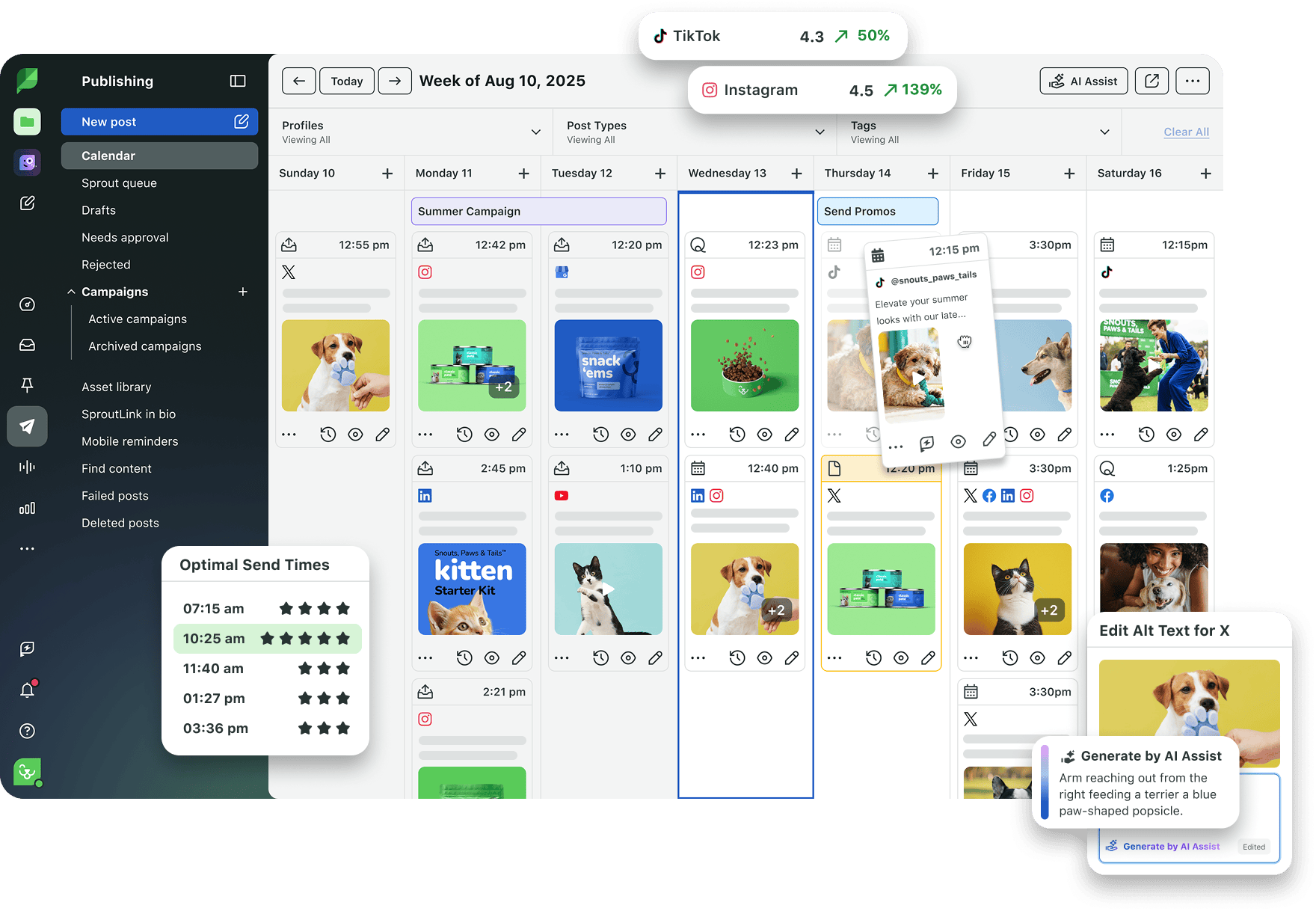
It comes with a focused feature set even non-technical users can master in minutes:
- Compose and schedule posts across networks
- Visual content calendar
- ViralPost® technology for optimal send times
- Cross-channel reports: Post Performance and Profile Performance
- Built-in image editor and unlimited AI-generated alt text
- Integrations with Canva, Google Drive, Dropbox and Adobe
- SproutLink to drive traffic from your Instagram bio
- Up to 5 social profiles and 1 user seat
How much does Sprout Social Essentials cost?
Sprout Social Essentials starts at $79 per seat/month billed annually.
This pricing is designed for solo marketers, startups and small in-house teams who need high-impact tools without taking a chunk out of the marketing budget.
There’s also a 30-day free trial with no credit card required, so you can feel the difference in your day-to-day before you commit.
Key differences: Native tools vs. Sprout Social Essentials
At first glance, native tools and Sprout Social Essentials can seem like they solve the same problem: both help you publish and report on content.
But the difference shows up in how much time your team spends executing, how clearly you can see performance and how easy it is to keep everything running smoothly as you grow.
Here’s where Essentials creates a more efficient workflow.
Centralized publishing and execution
With native tools, every post starts from scratch inside the app where it’s destined to live. With Essentials, every post starts in one place: Sprout’s Compose window.
From a single composer, you can write one core post, then customize the caption and media for each network it’s going to. You can schedule send times by network, batch-create a month of content in minutes and visualize the entire calendar across every channel at once.
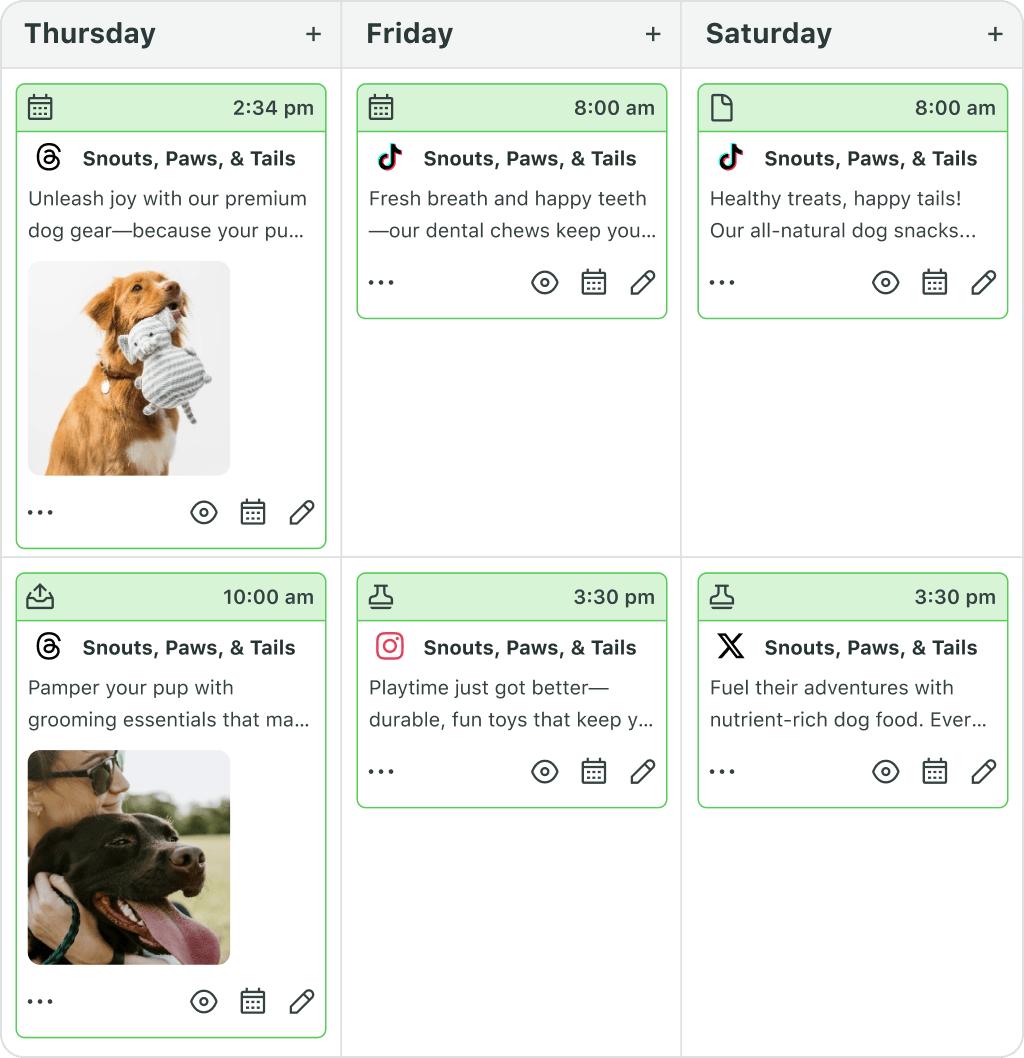
Now, picture that across a year. A brand that posts 12 times a week across five networks is publishing roughly 3,000 posts annually. Even if Sprout only saves you two minutes per post, you’ve reclaimed more than two full work weeks.
Most customers report saving considerably more than that, especially with first-comment automation, batch scheduling and creative integrations.
Data-driven scheduling with optimal send times
Native tools leave timing up to you. Maybe you’ve read that 9 AM on Wednesday afternoons is best. Or maybe you’re copying a competitor’s schedule. None of those approaches scale, especially when different time zones and networks are involved.
Sprout takes the question off your plate. ViralPost® AI analyzes your audience’s actual engagement patterns and suggests times for scheduling your content when they’re most likely to respond.
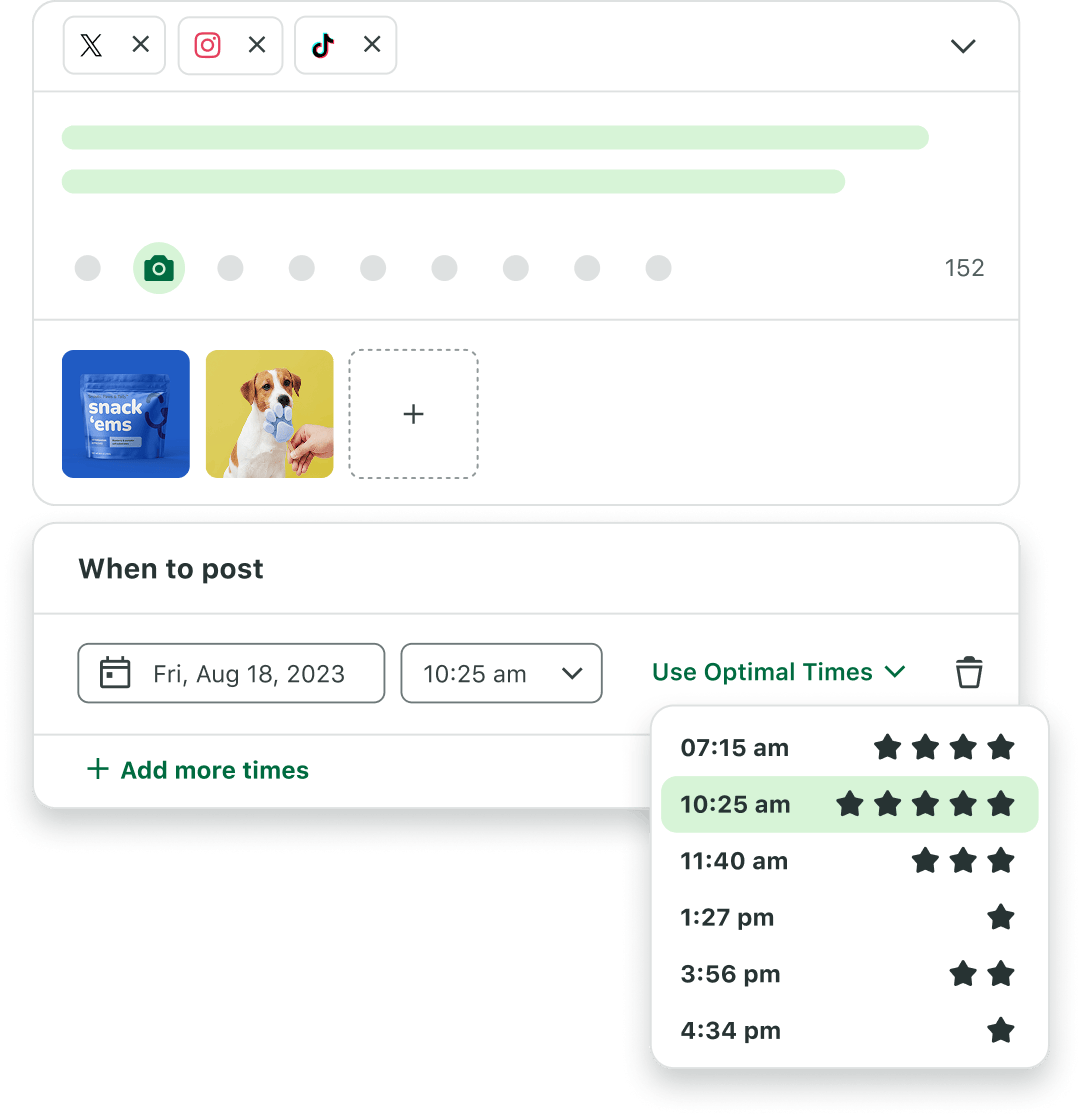
And it works! Customers using Sprout’s AI-powered send times have seen up to 60% more reach without posting a single additional piece of content.
Moving from vanity metrics to intuitive reporting
Native tools mostly report on likes, shares, saves and comments. They don’t help you tell a story to your stakeholders about what’s working or tie social activity to business outcomes.
Sprout Social Essentials includes Post Performance and Profile Performance reports that pull data across every connected network into a single, downloadable view.
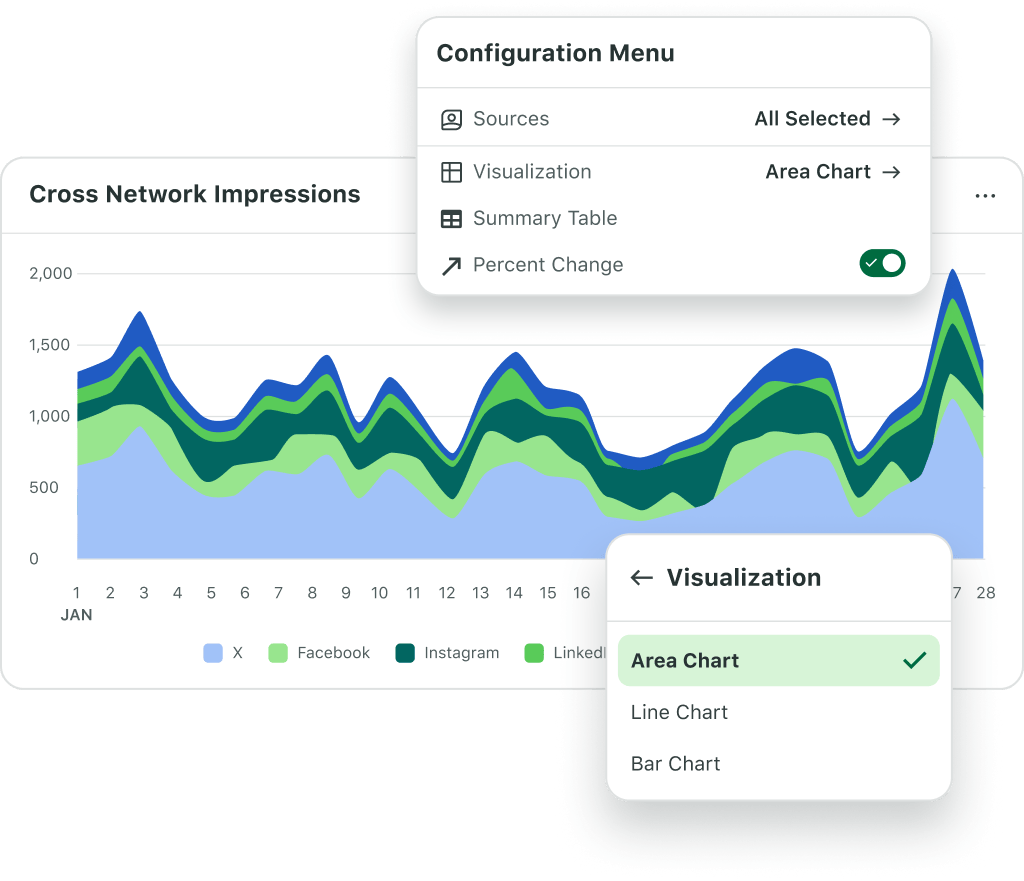
For example, in one report you can see your Instagram Reels are outperforming TikTok videos by 3x this quarter. Or that Facebook is sending more clicks to your site than any other network. This helps you adjust your future content mix and budget allocation.
Sprout’s reports are also designed to be intuitive: a marketing generalist can pull them, read them and walk into a meeting prepared to defend (or expand) the social investment. You can also share live reports directly with leadership.
Integrated creative workflows
Creative quality is a huge part of what makes social work, and native tools offer limited functionality in that area. For example, you might be able to use effects and filters within Instagram, but those features only work inside that one app.
If you’re running a campaign across five platforms, you’re either editing the same asset five times, or downloading and uploading files from a third-party editor repeatedly.
Sprout Social Essentials integrates directly with the design and storage tools your team already uses, such as Canva, Google Drive, Dropbox, Adobe and Bynder.
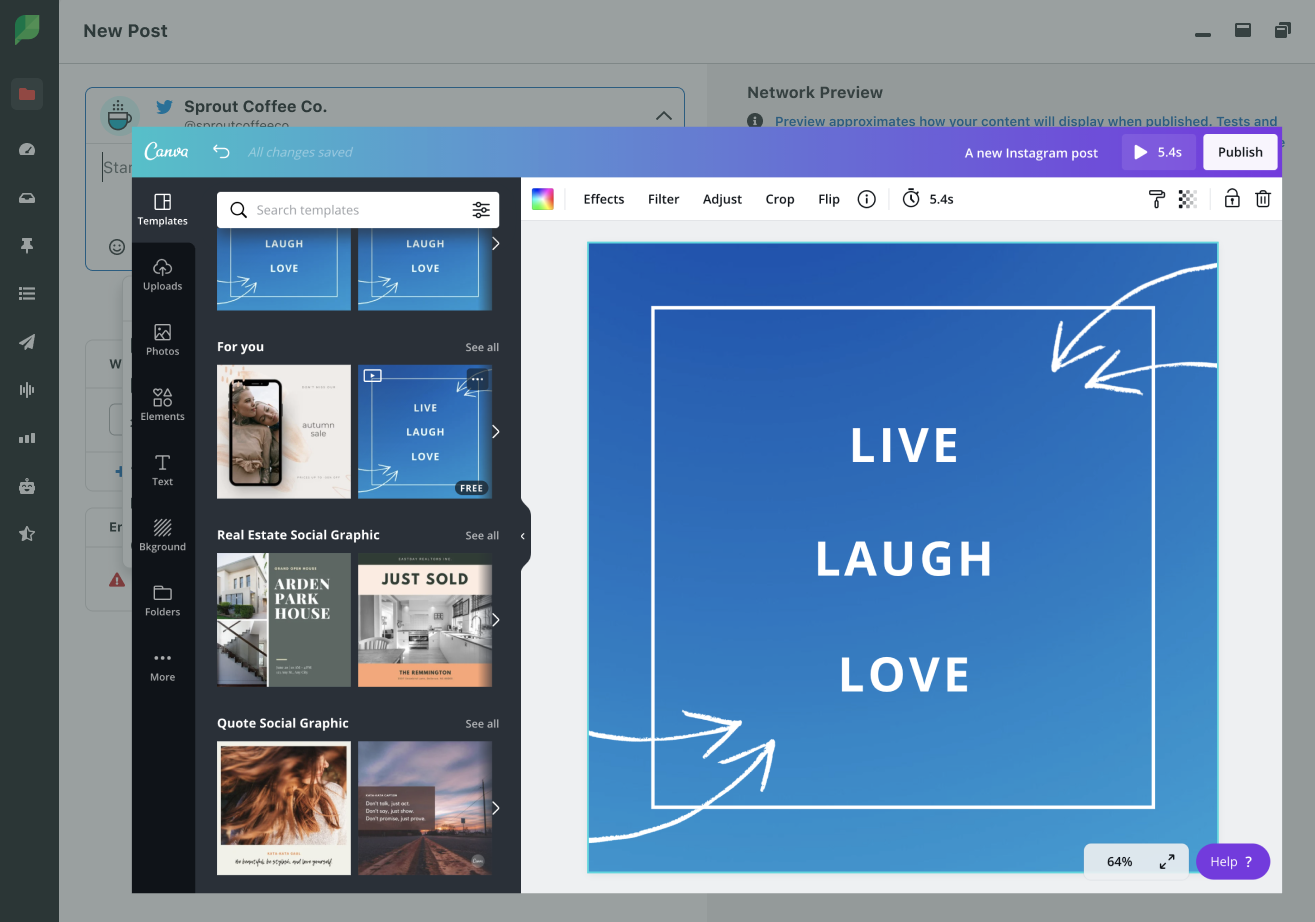
You can pull in assets, edit them in Compose and customize them per network without bouncing between apps. There’s also a built-in image editor for quick touch-ups, as well as unlimited AI-generated alt text for accessibility.
5 signs you’ve outgrown native social media posting tools
Not sure whether it’s time to switch to a unified platform? Here’s what to look for.
1. You spend more time managing tasks than growing the brand.
If your week is mostly logging in, copying captions, resizing images and toggling between apps, you’ve stopped doing strategy and started doing logistics.
2. You can’t answer business questions about social.
If questions like “What did social contribute to leads last quarter?” or “Which network is driving the most site traffic?” stop you cold in a meeting, your tools aren’t giving you the visibility your role requires.
3. Putting together reports takes too long.
A monthly report that involves screenshots, copy-paste and manual math is a sign your stack is working against you. Reports should take minutes rather than afternoons.
4. Your brand voice feels inconsistent across channels.
When every post is composed in a different tool by a different person on a different day, brand drift creeps in. Your Instagram and LinkedIn should sound like the same brand to an outside reader.
5. Picking send times feels like a coin flip.
If you’re still choosing the best times to post based on instinct, an old blog post or what your competitor seems to be doing, you’re almost certainly leaving reach on the table that AI scheduling could recover for you.
If some or all of these sound uncomfortably familiar, you’ve outgrown native tools and it’s time to level up your social media management tools for small business.
Build your business today, scale for tomorrow
The brands that grow into market leaders rarely get there by posting more. They get there by spending less time on admin work and more time on the strategy that moves the business.
Essentials is built to give your team that kind of room to operate. If your social workflow feels like it’s slowing you down, it’s time to try something different.
Start your free 30-day Sprout Social Essentials trial (no credit card required) and see what a unified workspace looks like in practice.
39 free social media strategy templates that will elevate your workflows
Published on August 20, 2026 Reading time 15 minutes









Share