How to host a virtual event in 9 steps: Plan, promote and prove ROI

Written by Mary Keutelian
Published on November 13, 2026
Reading time 14 minutes

Table of Contents
Your next big audience doesn’t need a plane ticket. Virtual events let you gather customers, prospects and partners anywhere—then turn every session, comment and question into insight for your social media marketing strategy. Here is your step-by-step sequence for planning, promoting and measuring an event that earns its spot on the calendar.
Virtual events are no longer a stopgap. They sit alongside in-person conferences as a strategic part of a modern event program—and winning brands treat them that way. Digital-only product launches are already familiar territory for many brands, and social media features keep making them easier to pull off at scale.
But a crowded calendar means a webcam and a registration page won’t earn anyone’s attention. Standing out takes well-defined goals, the right platform, prepared speakers and promotion that starts long before you go live.
It also takes a measurement strategy your leadership trusts, because every event competes for budget with the rest of your marketing mix. Ready to build yours? Here’s how to host one, step by step.
What is a virtual event?
A virtual event is an online gathering where attendees join sessions, conversations and networking through a digital platform instead of a physical venue. Hosting a successful virtual event requires nine strategic steps: You set goals, build a budget, pick a platform, plan your format, prep speakers and attendees, drive engagement, promote and measure.
Why do brands keep investing in them? Virtual events deliver benefits that in-person formats struggle to match:
- Reach: Attendees join from anywhere, so travel limits stop shrinking your audience.
- Lower overhead: You trade venue, catering and printing costs for a platform and production.
- Measurable engagement: Every registration, chat message and poll response becomes first-party data.
- Reusable content: Recorded sessions fuel your content calendar for weeks afterward.
Virtual still holds a meaningful share of event programs. In Bizzabo’s 2026 event marketing statistics, 33% of events on its platform were virtual, 4% were hybrid and 63% were in-person.
That split tells you something important. Virtual-only events compete hard for attention, so let your goals choose the format instead of defaulting to one.
What are the main types of virtual events?
Most in-person events can seamlessly convert to digital experiences with proactive planning. Industry conferences heavy with presentations and speakers work well in a virtual setting. But you’ll also have to think through how the usual networking piece of an in-person event works online.
People attend these events for the impromptu conversations and satellite networking events that pop up around them. If your virtual version skips them, attendees notice.
Beyond industry conferences, we’ve seen plenty of virtual events, including festivals, concerts, product launches, company gatherings and even happy hours. There’s a virtual alternative for almost every type of event. Here are the formats you’ll use most:
- Webinars: Single-session talks or panels built for education, thought leadership and lead generation
- Virtual conferences and summits: Multi-session, multi-track programs that replace or extend a flagship in-person event
- Hybrid events: An in-person event with a virtual track, so remote attendees join keynotes and sessions live
- Livestreamed product launches on social: Open-access reveals that meet your audience on the social media platforms they already use
- Internal town halls and company events: All-hands meetings, trainings and celebrations for distributed teams
- Virtual networking and happy hours: Small-group rooms and sponsor-hosted sessions built for conversation instead of content
Which one fits? That depends on your goal, which is where step one starts.
1. Define your goals and success metrics
Every strong virtual event starts with one primary goal. Pick the outcome that matters most to your business, then choose two or three KPIs that prove you hit it. Everything else in your event planning (budget, platform, format and promotion) follows from that decision.
Here’s how common goals map to the metrics worth tracking:
- Pipeline: Registrations from target accounts, sales meetings booked and pipeline influenced
- Brand awareness: Reach, event hashtag mentions and share of voice during the event window
- Community: Live attendance, chat participation and repeat attendees across your event series
- Customer education: Session completion, on-demand views and fewer related support requests
Set your baseline before you announce anything. Use social listening in Sprout Social to track current conversation about your brand and event topic. Then tag every campaign post in Sprout so your reporting is ready the moment the event ends.
Goals only work when everyone owns a piece of them. Align marketing, sales and customer care on who owns which number, who reports it and when. That shared view keeps the recap focused on business impact.
2. Budget for the full virtual experience
A virtual event doesn’t mean a nonexistent budget. You’ll save on printing, in-person tech support, venue reservations and signage, but you can’t scratch marketing off the list.
Virtual events do have a lower overhead than in-person ones, and Cvent notes virtual events let planners reach wider audiences for a lower price. But the more activity and attendance you have, the more you’ll need to budget for, especially the supporting technology.
Your event platform replaces your physical venue. The number of participants (both speakers and attendees) and how much engagement you want determine the type of event management platform you’ll need. Some events run start to finish on Instagram Live, while others release prerecorded videos at scheduled times.
Sponsorship is a major part of event planning. If you still want to send swag or host virtual happy hours, tweak your sponsorship strategy to fit what a virtual event needs.
That in-person store that was going to be at the event? It becomes an online dropship store with special deals or offerings for attendees.
Use this side-by-side view to see where your spend shifts:
| Budget line | In-person event | Virtual event |
|---|---|---|
| Space | Venue rental and deposits | Event platform license |
| Food and gifts | Catering | Attendee kits and swag shipping |
| Production | On-site AV crew | Streaming production and backup producer |
| Creative | Printed signage and badges | Digital creative for sessions and social |
| Accessibility | Interpreters on site | Live captioning and translation |
| Community | Staff on the show floor | Comment and chat moderation |
| Content | Session recordings, if any | On-demand video and document hosting |
| Promotion | Print, email and paid social | Paid social, landing pages and email |
Teams forget the last four lines most: heavy social media promotion, live captioning, comment moderation and post-event video and document hosting. Smaller events like webinars and all-day livestreams won’t need all of them. Review what to prioritize and what to cut, then lock the budget with finance before you sign a platform contract.
3. Choose the right virtual event platform
Your platform is your venue, so choose it with the same care you’d give a convention center. Start with your format and audience size, then bring IT and legal into the evaluation early. Weigh every option against these criteria:
- Audience size and format: Capacity for your expected attendance, plus support for single sessions, multiple tracks or hybrid
- Engagement tools: Chat, moderated Q&A, polls and breakout rooms built into the viewing experience
- Integrations: Registration data that flows into your CRM and marketing automation without manual exports
- Accessibility: Live captions, translation and keyboard-friendly navigation
- Security and permissions: Single sign-on, role-based access and data handling your legal team approves
- On-demand library: A home for recordings and slides that stays open after the live event
- Analytics and export: Attendance, engagement and session data you can pull into your own reporting
No single platform type wins every time. Match the tool to the job:
| Platform type | Best for | Watch out for |
|---|---|---|
| Dedicated virtual event platform | Multi-day conferences with multiple tracks, sponsors, networking and an expo hall | Longer setup and higher license costs |
| Webinar tool | Single sessions, product demos and recurring education series | Limited networking and fewer branding options |
| Social livestream (LinkedIn Live, YouTube Live, Facebook Live or Instagram Live) | Open-access keynotes and launches that meet audiences where they scroll | Less control over registration data and attendee lists |
You don’t have to pick just one. Gate the deep-dive sessions on a dedicated platform and stream the keynote on social media platforms to widen your reach.
4. Mix livestreams and prerecorded videos
Building a schedule and catching the talks you can’t miss are core parts of any conference. The benefit of a virtual event is that attendees can usually watch the talks they miss. But then, what’s the point of attending live if you can watch later?
Webinar data shows how real that question is. ON24’s 2026 webinar benchmarks found that in 2025, 43% of webinar attendees on its platform chose to watch on-demand. In the Goldcast 2026 B2B Webinar Benchmark Report, on-demand viewers completed 91% of webinar content vs. 74% for live viewers.
Treat recordings as a second audience and design for both. Goldcast’s data puts the median webinar at 60 minutes, a useful ceiling for any single session.
Give live attendees a reason to show up with livestreams, virtual breakout rooms, discussion chats and other engaging material. Save the moments a recording can’t replace for the live window: open Q&A, live product demos and first looks at news. When people know the best parts happen in real time, they block the time.
Prerecorded videos let your speakers off the hook for technology issues and allow for editing if needed. At the end of each session, have speakers join on live video or in the chatroom to answer questions, just like at an in-person event.

Source: Facebook
The California Academy of Sciences used to host a weekly NightLife event. Each event had a topic and included relevant speakers and demonstrations. During the pandemic, the museum converted these weekly events into Virtual NightLife and NightSchool, two livestreaming events that mirrored their in-person versions.
Hosting them on Facebook Live encouraged comments and saved each video for future participants to watch. Livestreams, whether on Facebook Live, Instagram or another streaming platform, are far more engaging for everyone. They’re also a value-add when attendees pay to attend.
Mixing both types of video in one event makes it fun and memorable. It also beats the staleness factor that prerecorded-only events carry.
5. Prepare your speakers for a virtual stage
Make sure every speaker is prepared. Larger events require test runs for internet speed, technology familiarity and mic checks. Because livestreaming and event platforms are new territory for many speakers, prepare them for what they’ll encounter.
Will they moderate the comments themselves? Do they need to share their screen for a slide presentation? Settle those questions before the first rehearsal.
Some common scenarios to prepare for include:
- Choosing a physical space that minimizes interruptions and delivers crisp sound. Test equipment so viewers get no surprise volume changes between speakers.
- Telling speakers what to turn off on their computer before sharing a screen or livestream. Have them put all notifications on hold.
- Assigning a separate comment moderator so speakers can focus on their talk. Brief every speaker on your code of conduct and on handling offensive commenters.
- Planning for technology woes. If a speaker’s tech fails, the software glitches or the slides stop working, have a backup plan ready.
Pull all of it into a run-of-show document. List every session, cue, handoff and fallback by the minute, then share it with speakers, moderators and production.
Then run a full technical rehearsal on the live platform with final slides and event-day connections. Assign a backup producer who can take over a stream, play a prerecorded version or fill dead air if a speaker drops.
Speakers are also a source of promotion for your event. You want them to advertise their talk so their current audience sees the event as worth attending. People trust people, and data from The 2026 Influencer Marketing Report shows 40% of consumers discover new products or services through employee-generated content monthly.
To make promotion easy on speakers, prepare several promotional materials in ideal social media sizes with suggested captions. That way, all they have to do is schedule the content and paste in the captions.
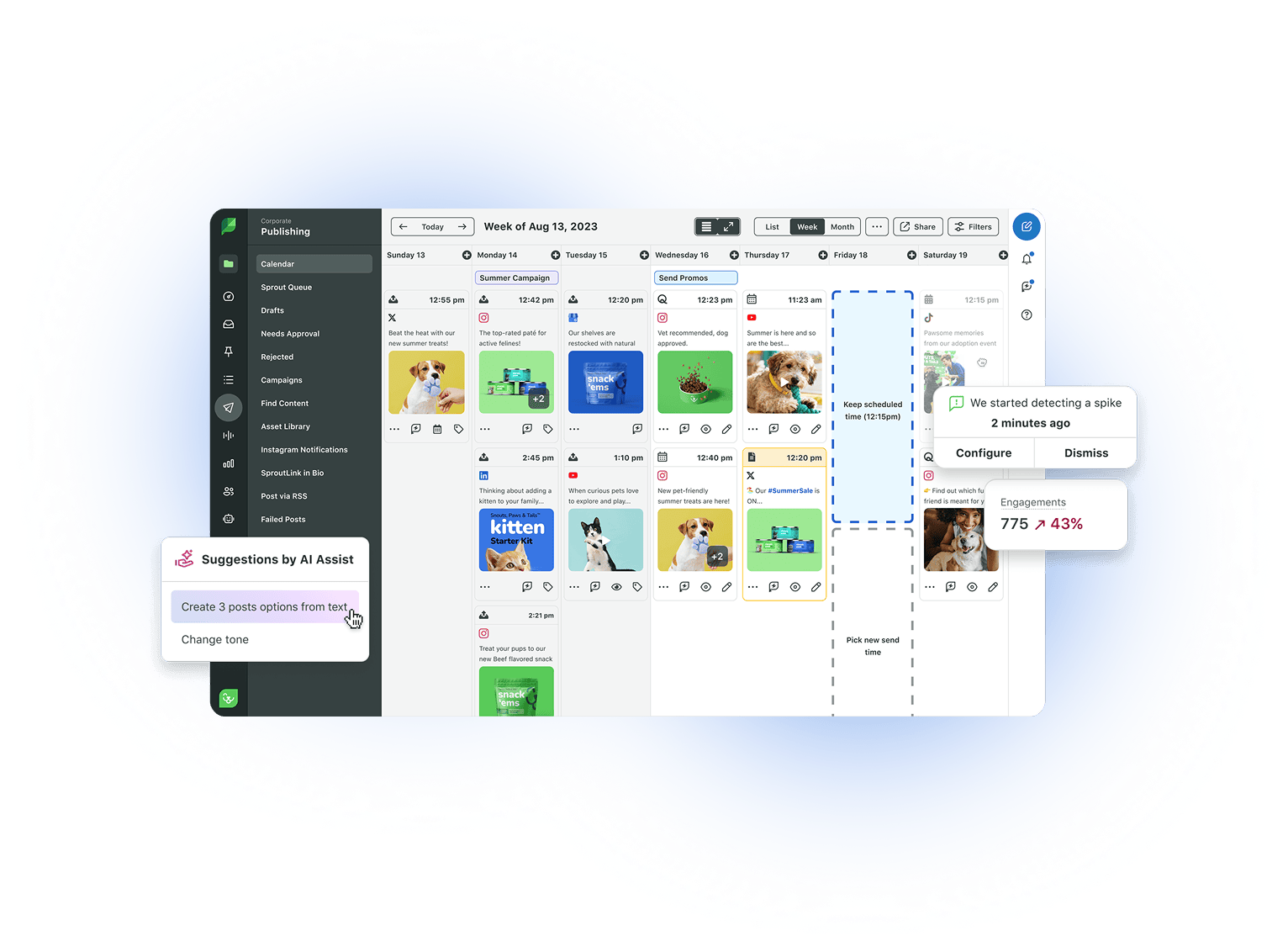
Load the speaker kit into Employee Advocacy by Sprout Social so internal speakers and employees share approved posts. Map every speaker post on Sprout’s Publishing calendar to keep promotion paced and on brand.
6. Set expectations for attendees
Whether it’s a large industry conference or a single-topic livestream, you need to tell attendees what to expect. It’s frustrating to set aside time for an event only to realize the topic is too broad or built for a different audience. Spell out what the event is and who it’s for.
Then answer the question every registrant asks: How does your event stand out from all the other virtual events?
If you’re converting an in-person event to virtual, explain how the major features will look online. What do the welcome reception and keynote look like for attendees? Just like any event, publish a schedule.
Let attendees know if sessions are prerecorded, if comments are open, if you’ll save presentations and what engagement will look like. Will attendee videos be on or off? Is there an event hashtag for live-posting on X (formerly known as Twitter) or supplementary Twitter chats?
Source: X
The Information brought its live show, TITV, to Adobe MAX 2026 and streamed from the conference floor. The broadcast covered how Adobe is bringing AI deeper into creative work and how brands are rethinking their marketing strategies. Viewers didn’t need a badge to follow along. They just needed the link and the time.
Make it easy for attendees to build an event schedule and find the right links when it’s time to attend. If you’re using an event platform, send out guides on how to use it and whether downloads are necessary. Accessibility features like live captioning and translations belong in your plan from day one.
A virtual event also lets you expand your attendance base, generating more leads and meaningful engagement. People who couldn’t travel to the event can now attend the virtual one.
Send registrants a pre-event checklist a few days out:
- A personal agenda with session times in the attendee’s time zone
- Direct links to each session, plus a calendar invite
- A quick guide to the event platform and any required downloads
- A browser, audio and camera check
- Accessibility options, including captions and translation
- Community guidelines and the event hashtag
Set aside networking time, especially for an industry conference that usually has this component. Sponsor-hosted happy hours, one-on-one speed conversations and topical breakout rooms all encourage networking.
Whichever platform you host the event on, encourage attendees to fill out their profiles so they engage with industry colleagues faster.
7. Keep attendees engaged during the event
Engagement is the reason to show up live, so build it into every session from the first minute. Some tools are already standard. According Goldcast, chat appeared in 62.3% of webinars and Q&A in 56.1%, while polls showed up in only 19%.
That gap is your opening. Mix these virtual event best practices into your run-of-show:
- Polls: Open each session with a quick question that shapes what the speaker covers next.
- Moderated live Q&A: A moderator surfaces the strongest questions for speakers to answer.
- Chat prompts: Post a question every 10–15 minutes to keep the conversation moving.
- Breakout rooms: Split large sessions into small groups for discussion or hands-on work.
- Gamification: Award points for attending sessions, answering polls and visiting sponsors.
- Event hashtag: Give attendees one tag to rally around and feature their posts on screen.
The conversation won’t stay inside your event platform. Attendees post, comment and send DMs across social media platforms while sessions run.
Pull event mentions, comments and messages into one view with Sprout’s Smart Inbox so moderators respond fast. Route product questions to sales and support issues to customer care, and nobody waits until the replay to get an answer.
8. Promote your virtual event before, during and after
Marketing, especially on social media, takes up a big portion of your preparation. Paid social ads are a must for digital events, but don’t forget event landing pages and newsletter sends. Sprout Social’s Social Intelligence Summit, a virtual event, proves why your promotional schedule needs to start well before the event. Our team ran a LinkedIn Live in the lead-up to build anticipation, give registrants a preview of what’s coming and get audience questions on the table early.
The effort doesn’t end on the day of the event, either. Virtual events supply plenty of opportunity to repurpose livestream and digital content for weeks after the fact.
Successful brands align campaigns with major events to capture attention, and a well-planned promotion works in tandem with organic social strategy. During events like March Madness, brands promote influencer collaboration posts and engaging online experiences to create excitement and engagement before and after the event.
Map your promotion to three phases:
- Before: Announce the event, release speaker teasers, run paid social and send registration reminders.
- During: Post live highlights and quote clips, then spotlight attendee posts on the event hashtag.
- After: Publish recordings, recap the best moments and invite attendees to your next event.
Short-form video belongs in every phase. The 2026 Social Media Content Strategy Report found that on Facebook, users are most likely to engage with short-form videos under 60 seconds. Cut speaker teasers and session highlights to that length.
Keep every phase in one shared content calendar so posts never collide. Sprout’s Publishing tools pair that calendar with approval workflows, so legal and brand reviewers sign off before anything goes live. Then widen the circle with ready-to-post assets for partners, sponsors and influencers.
Luckily for you, virtual events make it easy to track your ROI. Between social media listening, keyword and tag analytics reports and digital advertising analytics, you’re set on knowing how well your campaign is performing.
Hosting virtual events with video sessions gives you a deep library of content. Repurpose it into other formats like podcast episodes, quote graphics and longform articles.
After the event is over, thank everyone involved and use follow-up surveys to understand what you can work on for next time. Those survey results also become testimonials for next year’s event promotion.
9. Measure results and follow up after the event
Proving event ROI is getting easier, but it’s far from solved. Bizzabo’s 2026 data shows 40% of organizers report difficulty proving event ROI, down from 70% in 2025. Close that gap by reporting against the metrics you set in step one.
Report within a week, while the event is still fresh:
| Metric | What it tells you |
|---|---|
| Registrations | Whether your promotion reached the right audience |
| Live vs. on-demand attendance | How people prefer to watch and how to balance live and recorded content next time |
| Engagement rate | How many attendees chatted, asked questions or answered polls during sessions |
| Mentions and sentiment | How people talked about the event on social media and how they felt about it |
| Share of voice | How much of your industry’s conversation your event owned during the event window |
| Pipeline influenced | Which opportunities and deals touched the event, tracked through your CRM |
Numbers show what happened, and social listening shows why. Run listening queries on your event hashtag, speakers and session topics to see which moments sparked excitement and which fell flat.
Leadership wants the story in a format they’ll read. Build presentation-ready reports in Sprout Analytics, or use Premium Analytics to combine event, campaign and paid results into one view for executives.
Fast insight is the edge every marketer wants. Marketers in The 2026 Social Media Content Strategy Report rated real-time insights into what their audience wants to consume as their most helpful resource. Feed those insights straight into the agenda for your next event.
How to host a virtual event people remember
Planning and preparation are the pillars of a successful virtual conference or event. When everyone involved (speakers, attendees and moderators) knows what to expect and how to participate, the whole experience runs smoother. Virtual events bring real benefits (lower cost, wider attendance and easy-to-track analytics), but don’t skimp on the essentials that make yours worth showing up for.
The field of virtual events gets more crowded every year, so tell people why yours is the one to attend. Extra features like livestreams and live Q&As increase attendee participation.
Excited to host your own virtual conference or event but need inspiration? Use social listening to see what topical gaps you can fill. To see how Sprout Social brings together listening, publishing, engagement and reporting for every event you run, request a demo.
FAQs about hosting a virtual event
How much does it cost to host a virtual conference?
A single webinar on a tool you already license costs little beyond promotion. A multi-track conference adds platform licensing, streaming production, captioning and paid media, so budget it line by line.
How long should a virtual event be?
Keep individual sessions focused enough to hold attention, and leave breaks between them. Split multi-day programs into shorter days or parallel tracks to avoid hours of nonstop screen time.
What are the 5 C’s of an event?
Think of the five C’s as concept, coordination, control, culmination and closeout. Together they carry an event through idea, planning, execution, the live moment and the final evaluation.
How far in advance should you announce a virtual event?
As a rule of thumb, announce a multi-day virtual conference at least six to eight weeks out and a single webinar two to three weeks out. That window gives speakers, partners and paid campaigns time to build registrations.
Can you host a virtual event on social media?
Yes. Native livestreaming on LinkedIn, YouTube, Facebook and Instagram suits open-access sessions and launches, while a gated platform protects premium content.
39 free social media strategy templates that will elevate your workflows
Published on August 20, 2026 Reading time 15 minutes






Share