LinkedIn marketing for small business: Complete guide for 2026

Written by Jacqueline Zote
Published on May 15, 2026
Reading time 8 minutes
Table of Contents
LinkedIn’s hold on the B2B industry is undeniable. Organizations use it to share product updates and company news. Business leaders use it to share unique insights and commentary on trending topics.
Now, as the platform’s popularity grows, so has its user base. That means more businesses of all sizes and across different industries are using it.
And it’s no longer just for major corporations that want to attract high-ticket clients. LinkedIn is now crucial for small business social media marketing. In this post, we explore how to use LinkedIn marketing for small businesses, breaking down everything from content strategies to employee advocacy.
What is LinkedIn marketing for small business?
LinkedIn marketing for small business is when small enterprises, local businesses or startups use the platform to build a presence and generate leads. It involves the strategic use of organic marketing, paid ads, employee advocacy and networking to gain visibility, establish industry authority and boost credibility.
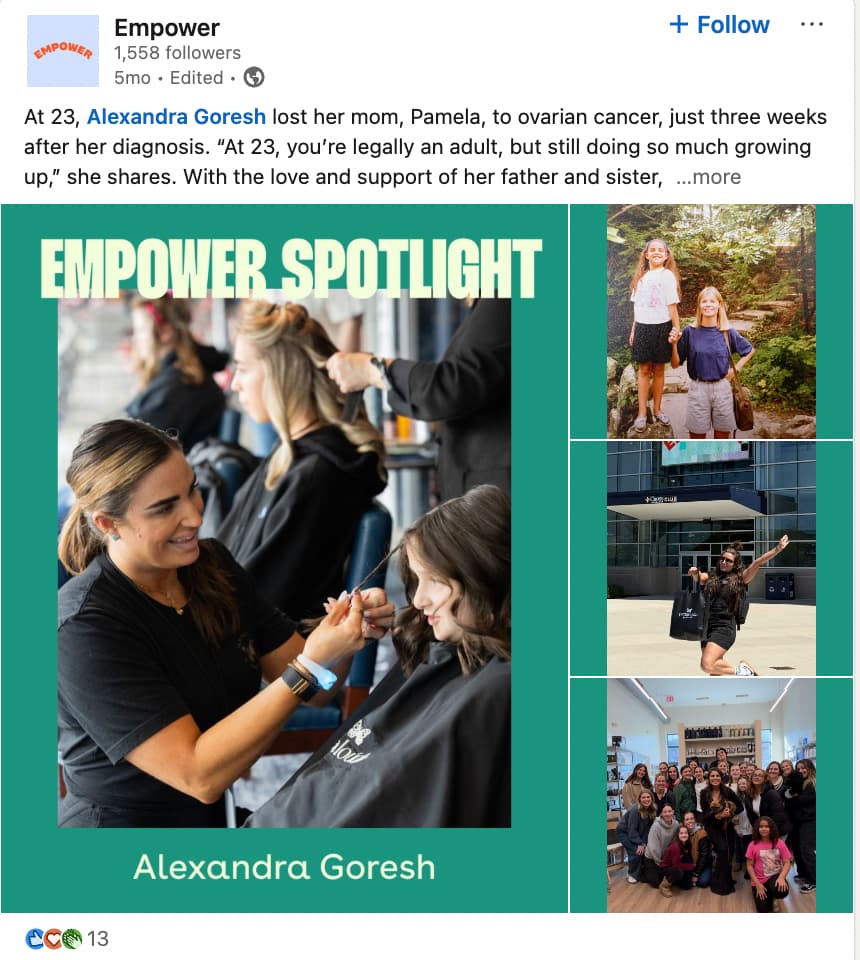
Non-profits like Empower use LinkedIn to shine a spotlight on the people behind the organization to engage its community.
Source: LinkedIn
How to build a LinkedIn marketing strategy for small business
Building your small business presence on LinkedIn requires strategy. You’re competing with millions of other businesses for visibility. That means the one-off post every other week or posting whenever you remember to post is not going to cut it.
Here’s how you can build a more solid LinkedIn marketing strategy for your small business.
Step 1. Define your goals and success metrics
Start with the question: What can LinkedIn do for your small business? Do you want to boost awareness? Generate more leads? Drive repeat business? Specify the business goals you want to achieve through LinkedIn.
Then think of the metrics that define success for each goal. For example,
- Brand awareness means higher impressions, reach, follower growth and profile visits.
- Lead generation means more click-throughs, form completions and website visits
- Community engagement means more reactions, comments and shares
Step 2. Identify your target audience
Who do you want to reach on LinkedIn? What does your ideal customer look like?
Define the demographics and characteristics that tie your audience together, whether it’s their interests, job roles or industries. For instance, you might want to reach founders and executives in finance.
Having a clear idea of your target audience helps you understand how to position your solution in a way that resonates.
Step 3. Optimize your LinkedIn Page and profiles
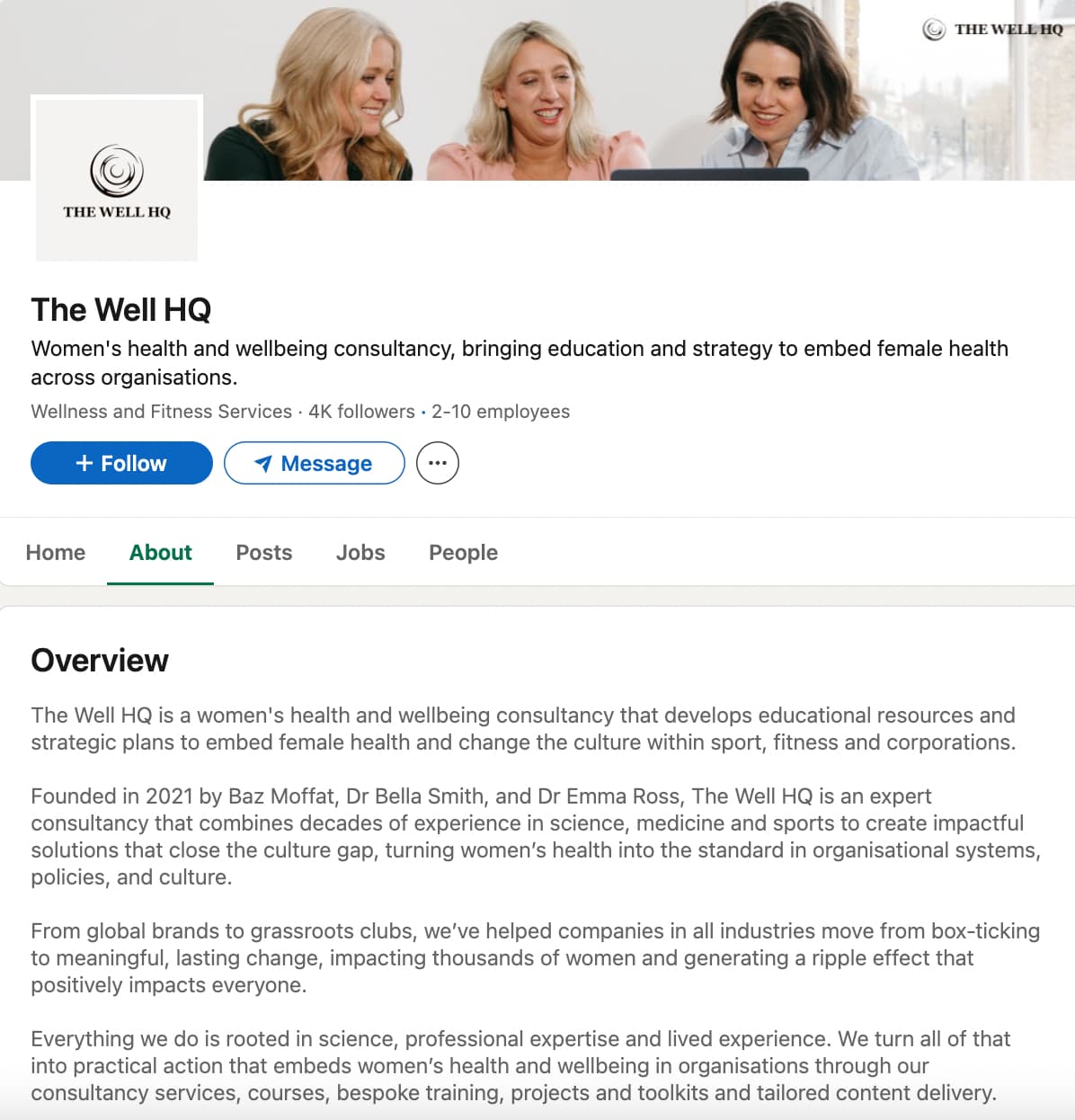
A strong LinkedIn Business Page represents your small business on the platform and automatically gives you credibility.
It’s where potential clients will go if they want to learn more about your business, like your location, company size, contact information and specializations. At the bare minimum, make sure your Page is complete. LinkedIn reports that completed Pages get 30% more views weekly.
As you describe your business, take the opportunity to optimize your Page visibility in LinkedIn search. Add relevant keywords about what you do and what solutions you provide, so your Page has a better chance of showing up in relevant searches.
Source: LinkedIn
Similarly, the personal profiles of your founders, leaders and employees serve as an extension of your presence. Optimize them so they accurately reflect your business values and identity. This is especially critical for small businesses that want to leverage advocacy and thought leadership.
Step 4. Develop your content plan and cadence
A significant part of your LinkedIn success relies on your content plan, as posting frequency and content engagement strongly influence your visibility on the platform. That means you need to post often and consistently. According to LinkedIn, Pages that post daily see 2x more member engagement.
Create a content plan that outlines the topics, angles, formats and cadence. Use this to build out a more detailed content calendar.
Step 5. Launch, measure and iterate
Once you have everything in place, it’s time to create your first piece of content and hit “Post.”
Marketing on LinkedIn doesn’t come easily, so don’t fret even if you don’t immediately see those engagements pouring in. The good news is you can always let data show you what works (and what doesn’t).
Measure how each piece of content performs to see how people are engaging with it. Does a particular format get more engagement? Do people respond well when you add personal anecdotes? Use the data to identify patterns and adapt your strategy accordingly.
LinkedIn content strategy and posting cadence for small business
So what does a strong LinkedIn content marketing strategy look like for small businesses? Here’s what you need to do:
Planning content pillars and formats
Organize your content strategy by focusing on certain pillars and core topics. For small businesses, this may include:
- Thought leadership from founders and executives
- Educational content
- Client stories and testimonials
- Employee advocacy
- Industry news and updates
- Community-centric content (highlights from local events and community participation)
You can then break down the content types to use for these pillars. LinkedIn is where text posts still reign supreme, with 51% of users in the 2026 Social Media Content Strategy Report preferring it. User-generated content (34%), short-form video (27%) and static images (22%) are also popular with users.
Mix things up between these different content formats to engage users with varying preferences. Check out our guide on LinkedIn post ideas for inspiration.
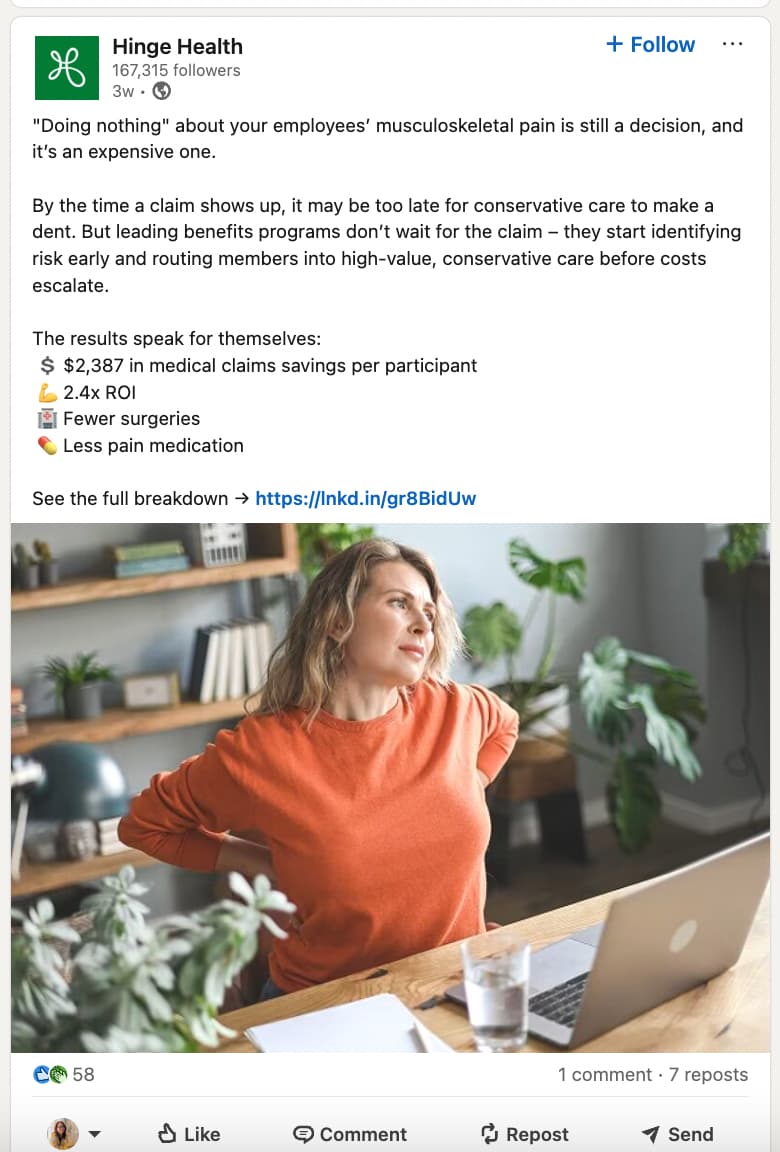
Hinge Health focuses on high-quality visuals and intriguing text posts to share company updates, educational content and case studies.
Source: LinkedIn
Finding the right content mix
Formats and pillars aside, you need to diversify between different types of posts. Consider using popular formulas like the 5-3-2 rule, where out of every 10 posts:
- Five are curated posts from others (industry news, thought leadership from others, etc.)
- Three are original content (educational content, product guides, thought leadership pieces, company news, product updates)
- Two are personal posts with a human touch (behind-the-scenes, employee spotlights, client stories)
Using the right hashtags and keywords
Hashtags and keywords still matter for LinkedIn discovery. You want people to find your posts when they search for specific hashtags or keywords. Make sure you’re sprinkling in relevant search terms naturally into your captions—doing some hashtag research for LinkedIn first will help you find the right ones. Similarly, turn those keywords into hashtags and add them at the end of the post so they look less organized. See how Scoop Commute does it.

Source: LinkedIn
Posting at the right time
The LinkedIn algorithm considers engagement signals when deciding what content to rank in a user’s feed. So getting those initial interactions will add to your post visibility.
That’s why you need to get your timing right, mainly focusing on posting times and frequency.
Experiment with various posting cadences to see what works best for your business. While some businesses get away with a few posts a week, others might need to post more often.
Regardless of your posting frequency, your posts need to go out at a time when your audience is most active. According to Sprout Social’s analysis, the best times to post on LinkedIn are:
- Monday 1–2 p.m.
- Tuesday 11 a.m.–5 p.m.
- Wednesday 11 a.m.–4 p.m.
- Thursday 11 a.m. and 1–5 p.m.
- Friday 11 a.m. and 1–2 p.m.
Use these as benchmarks and check your analytics to see which timings get you the most engagement.
How to maximize LinkedIn Employee Advocacy for small business
LinkedIn users value human-led content. The explosive popularity of personal stories on the platform serves as proof.
That’s why employee advocacy is so effective, as it humanizes your business by showing that there are real people behind it. Sprout’s #BrandsGetReal survey even found that 72% of people feel more connected to a brand whose employees share information on social media.

Activate employees to extend reach beyond your Page. Have them share company news, product updates and personal experiences. Encourage them to showcase their expertise to add voice and credibility, strengthening people’s trust in your business.
Creative firms like That Lot encourage employees to share their work on LinkedIn. This helps to prove the expertise and creativity of the people behind the agency.

Source: LinkedIn
Tools like Sprout’s Employee Advocacy make it easy to scale your employee advocacy efforts. It lets you curate shareable content and create pre-approved message ideas so employees can easily find what to share and stay on-brand.
LinkedIn advertising for small business
Organic LinkedIn marketing takes time to show results, especially for small businesses running on limited resources. A paid advertising campaign is a great way to speed up the process of building awareness and attracting leads.
The latest LinkedIn stats show that ads on the platform lead to a 33% increase in purchase intent. That explains why conversion rates are 2x higher on LinkedIn.
However, ads on LinkedIn typically cost more than on other platforms.
On average, companies spend between $2 and $3 per click. This is mainly for sponsored content and dynamic and text ads. For sponsored InMail campaigns, you can expect to spend around $0.26 to $0.50 per send.
More accurate targeting will help you bring down costs.
Use the platform’s advanced targeting tools to get your ads in front of a highly specific audience. LinkedIn lets you target audiences by:
- Location
- Attributes (demographics, company, job experience, education, interests and traits)
You can also target custom audiences from Matched Audiences based on contact information and retargeting actions.
Be sure to choose the right type of LinkedIn ad to fit your goal. The platform offers versatile advertising solutions:
- Sponsored content: Lets you reach targeted users on the news feed. Formats include images, videos, carousels, documents, thought leadership posts, connected TV, articles and newsletters and jobs.
- Sponsored messaging: Features conversation ads or message ads to drive one-on-one engagement.
- Lead Gen forms: Features pre-filled forms to speed up lead generation.
- Text and dynamic ads: Personalized ads that show up on the right rail. Used for spotlight ads and follower ads.
How to measure small business LinkedIn performance and improve with analytics
Successful LinkedIn marketing for small businesses (or businesses of any size, really) is all about constant improvement. You need to closely monitor your LinkedIn analytics to see how your Page is growing and how people are engaging with your content.
These performance insights will inform how to optimize your content strategy and posting cadence. Are people engaging with your thought leadership text posts over educational visuals? Do you get more impressions when you post three times a day vs. once a day?
Additionally, use the ad reporting tools to get data-driven insights on how to improve your ad creative and targeting.
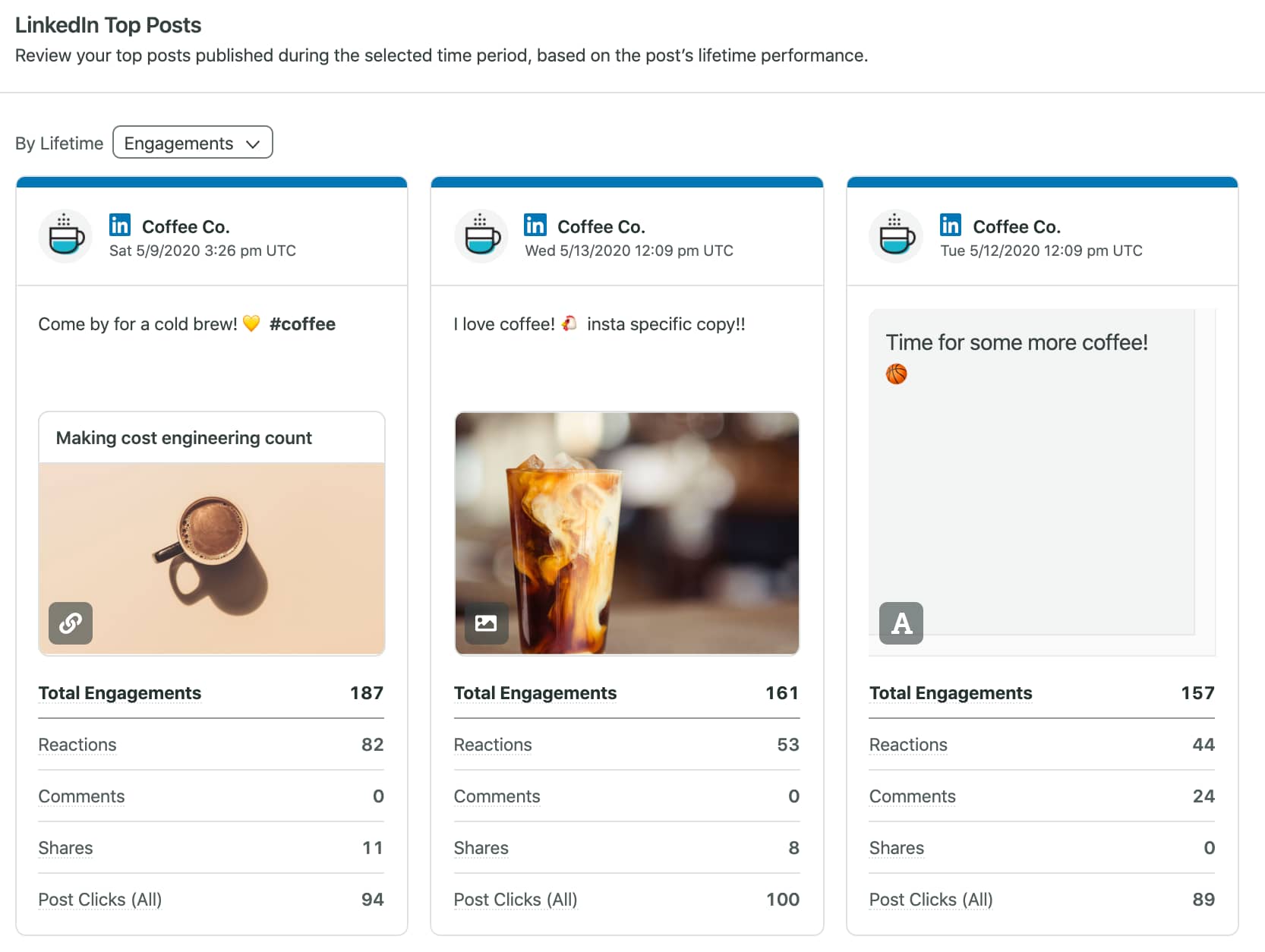
Sprout’s LinkedIn integration comes with comprehensive analytics tools to measure your organic and paid performance. Use it to track Page growth, engagements and post-specific insights in one place.
Finding LinkedIn success for small businesses
LinkedIn marketing success requires consistency, no matter the size of your business. But this gets challenging for smaller operations with limited resources. Investing in smart social media management tools for small businesses can streamline various aspects of your LinkedIn marketing strategy.
Sprout’s Essentials plan helps you stay on track with your LinkedIn publishing schedule and see how your posts are performing. It gives you data-driven suggestions and robust planning tools on a budget.
Ready to grow your small business presence on LinkedIn? Sign up for a free Sprout Essentials trial today.
LinkedIn marketing for small business FAQs
Is LinkedIn marketing worth it for a small business?
Yes, LinkedIn marketing helps small businesses improve visibility and engage prospects. It’s highly effective for generating leads and driving conversions.
How much should a small business budget for LinkedIn ads?
Small businesses should start out small with a budget of $500 to $2,000 per month to test LinkedIn ads.
How often should a small business post on LinkedIn to be effective?
Small businesses should post at least 3-5 times per week to engage their LinkedIn audience. More than frequency, consistency is the key to gaining visibility on the platform.
How can a small business use AI in its LinkedIn marketing strategy?
Small businesses can use AI to suggest content ideas, optimize content and recommend the best times to post for their LinkedIn marketing strategy.
39 free social media strategy templates that will elevate your workflows
Published on August 20, 2026 Reading time 15 minutes







Share