How to batch a month of TikTok content in one day

Written by Mahnoor Sheikh
Published on August 7, 2026
Reading time 6 minutes

Table of Contents
TikTok rewards brands that show up consistently with relevant, engaging content. But for a small business, maintaining that presence can quickly turn into a full-time production cycle.
Thankfully, you don’t need to brainstorm, film and edit a new video every day. TikTok content batching helps you turn one focused production day into an entire month of posts. By grouping similar tasks, you can keep your calendar moving without scrambling for an idea every morning.
Here’s how to plan, produce and schedule 20 TikTok videos in one realistic workday.
What is TikTok content batching? A quick summary
TikTok content batching is a high-efficiency workflow designed for solo social media managers and small businesses to script, film, edit and schedule multiple short-form videos in a single dedicated time block. Clustering similar tasks prevents creative friction, protects your bandwidth and maintains a consistent presence while freeing you up to run your business.
While this playbook breaks down short-form video execution, you can scale social media content batching across your entire marketing mix.
How do you map out a 30-day TikTok content calendar?
A month of TikTok ideas feels more manageable when you organize them into content pillars. Pillars are themes that give each post a strategic purpose. They also keep your calendar varied so your feed doesn’t feel overly promotional or repetitive.
Example: For five posts a week, divide 20 videos across four pillars: educational, behind-the-scenes, product spotlights and social proof.
| Content Pillar | Description | Frequency | Example Post Idea |
|---|---|---|---|
| Educational | Demystify a common industry question or share a quick tip. | 2x per week | “3 mistakes SMBs make when launching a product.” |
| Behind-the-scenes | Humanize your brand by showing your team, workspace or daily routine. | 1x per week | A packaging order timelapse with a trending voiceover. |
| Product spotlight | Showcase your product/service features and real-world value. | 1x per week | A quick video showing “before vs. after” using your tool. |
| Social proof | Share customer success stories, testimonials and positive reviews to build trust. | 1x per week | Green-screening a customer email saying how much they love your brand. |
This framework helps you batch posts for the entire month without losing your mind inventing 20 new, unrelated ideas. It also keeps your calendar balanced:
- Educational content builds authority
- Behind-the-scenes posts make your brand feel relatable
- Product videos connect features to tangible value
- Social proof gives potential customers a reason to trust and buy from you
Use the remaining days as breathing room. You can engage with comments, respond timely to trends or replace a planned post when a better opportunity pops up. Remember, batching should create flexibility, not lock your brand into a calendar you can’t touch.
Sample one-day TikTok batching schedule
| Time | Focus | Output |
|---|---|---|
| 9:00 AM – 10:30 AM (90 mins) | Content pillar mapping and scripting | 20 concepts, hooks and calls-to-action |
| 10:45 AM – 1:15 PM (2.5 hours) | Production sprint | 20 filmed videos plus reusable B-roll |
| 1:15 PM – 2:00 PM (45 mins) | Lunch break | Recharge your creative energy |
| 2:00 PM – 4:00 PM (2 hours) | Rapid editing and asset polishing | 20 captioned, branded and export-ready videos |
| 4:00 PM – 4:30 PM (30 mins) | Scheduling and optimization | A complete month of TikToks on your calendar |
What’s the step-by-step workflow to batch a month of TikToks in one day?
Now let’s break down the full-day batching schedule above into realistic steps that you can follow when planning your own TikTok strategy.
Step 1: The scripting strategy (9:00 AM – 10:30 AM)
The first thing you need to do is map out your 20 concepts for the month. Use your content pillars to guide the mix.
Don’t write word-for-word scripts for every video unless your topic requires precision (e.g. in medical, finance or scientific industries). It will help you sound more natural on camera.
Write your hooks and calls-to-action (CTAs) first. They determine whether the middle of your video has direction and makes sense.
Hook structures to try:
- “If you’re struggling with [problem], start here.”
- “Three things I wish I knew before [task].”
- “Stop doing [common mistake] if you want [outcome].”
- “Here’s what nobody tells you about [topic].”
- “Before you buy [product category], check this.”
- “We tested [approach]. Here’s what happened.”
Additionally, keep your CTAs specific to the post. Avoid generic phrases like “follow for more”. Instead, opt for strong, actionable words, such as:
- “Save this checklist for your next launch.”
- “Comment with the step you’re stuck on.”
- “Send this to someone planning their next launch.”
Pro tip: If you get stuck on a caption, enter at least 10 characters in Sprout Compose and use Suggestions by AI Assist to generate three alternatives. Treat those suggestions as a starting point. Edit the strongest option until it sounds exactly like your brand.
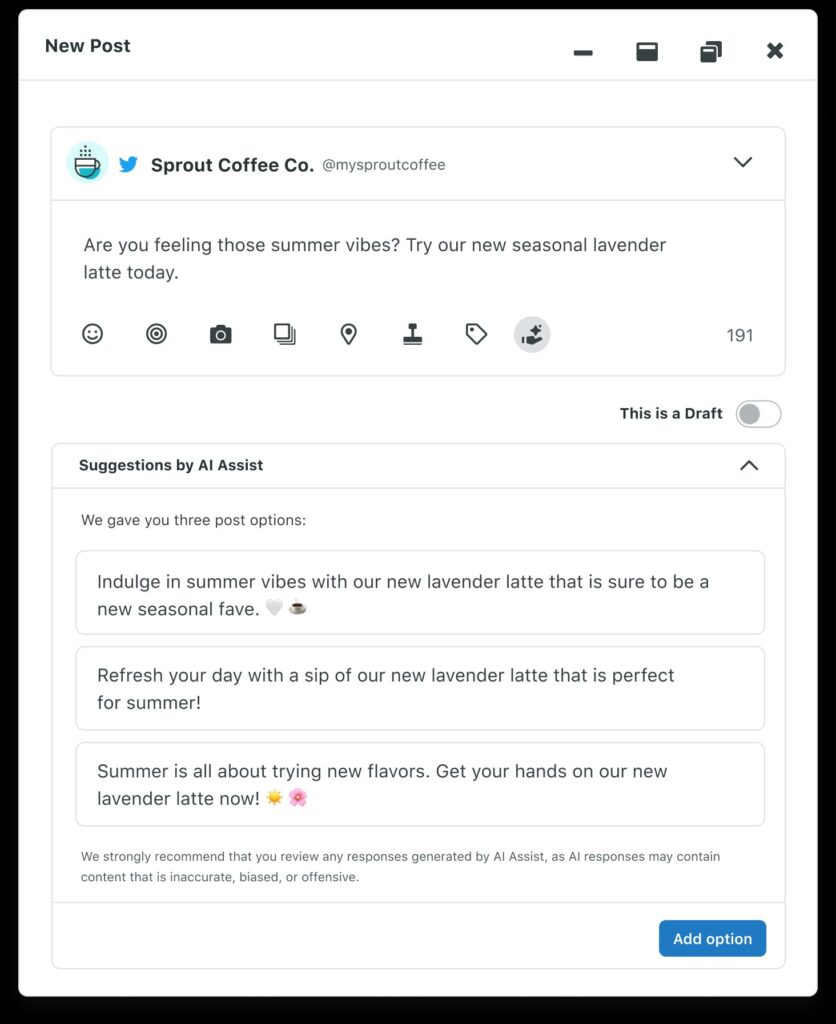
Before moving into production, create a simple shot list with the title, format, props and wardrobe for each video. Consider it the final step in your scripting process.
Step 2: The production sprint (10:45 AM – 1:15 PM)
Now it’s time to execute your plan: filming content for 20 videos back-to-back.
Film by format instead of following your content calendar. For example, you could record all your talking-head videos first, then move on to product demos, voiceovers and B-roll. You’ll spend less time changing your setup and stay in the ‘zone’ longer.
More tips to make a month of content feel organic and varied:
- Bring four or five easy layers, such as jackets, sweaters or scarves
- Alternate between standing and sitting
- Shift the framing between close-up and medium shots
- Use two or three simple backgrounds
- Change the product or visual prop in the frame
Make sure you film two takes of each hook. The opening seconds carry the most pressure, and a second option can save an otherwise strong video during editing. Once you move into the main point, prioritize clarity and energy over perfect delivery.
Also, capture more B-roll than you think you need. Film hands using your product, packing an order, typing, preparing materials or moving through a routine. These clips can cover edits, add context and support future voiceover videos.
Step 3: Rapid editing and asset polishing (2:00 PM – 4:00 PM)
With filming complete, the most setup-heavy part of the day is behind you. After lunch, shift from production mode to editing mode and use the same process for all 20 videos.
The key is to move fast. Bulk-import your clips into your video editor and organize them using the same numbering system as your scripts. Then edit in three passes:
- Trim: Remove false starts, long pauses and dead air
- Add context: Insert B-roll, screenshots or product shots where needed
- Polish: Add on-screen captions, cover thumbnails and brand elements
Stick to one or two editing templates across the batch. Also, reuse captions, transitions and covers to save time and keep your videos consistent. If you’re adding automated TikTok captions, make sure to review them manually to catch any errors.
Step 4: Automated scheduling (4:00 PM – 4:30 PM)
By now, you have 20 finished videos sitting in your camera roll or TikTok drafts. Use these last 30 minutes to schedule them all for the next month.
Use Sprout Social to speed up this process. Schedule your TikTok videos on a social media calendar alongside other social posts so they’re part of your larger publishing strategy.
For each TikTok:
- Add the details: Upload a cover and write the caption, hashtags and mentions
- Set the timing: Select the exact time and date you want your post to go live
- Preview and schedule: Check the finished post before adding it to your calendar
Once all 20 posts are scheduled, review the month as a complete system. Check that your pillars are balanced, the same message doesn’t appear twice in a row and promotional posts have enough value-led content around them.
Then step away. Your month is ready.
How can you schedule and optimize your batched TikToks with Sprout Social Essentials?
With Sprout Social Essentials, you can schedule and optimize an entire month of TikTok content in a few minutes. Upload your TikToks, organize them in a calendar view and schedule each one to automatically go live at the best possible time. You can also track the performance of your TikToks alongside other social content using Sprout’s detailed insights and cross-network reports.
Essentials is built for solo marketers and small teams. It starts at an affordable price of $79 per seat per month (for up to five social media profiles). Here’s how its top features help you batch TikTok content:
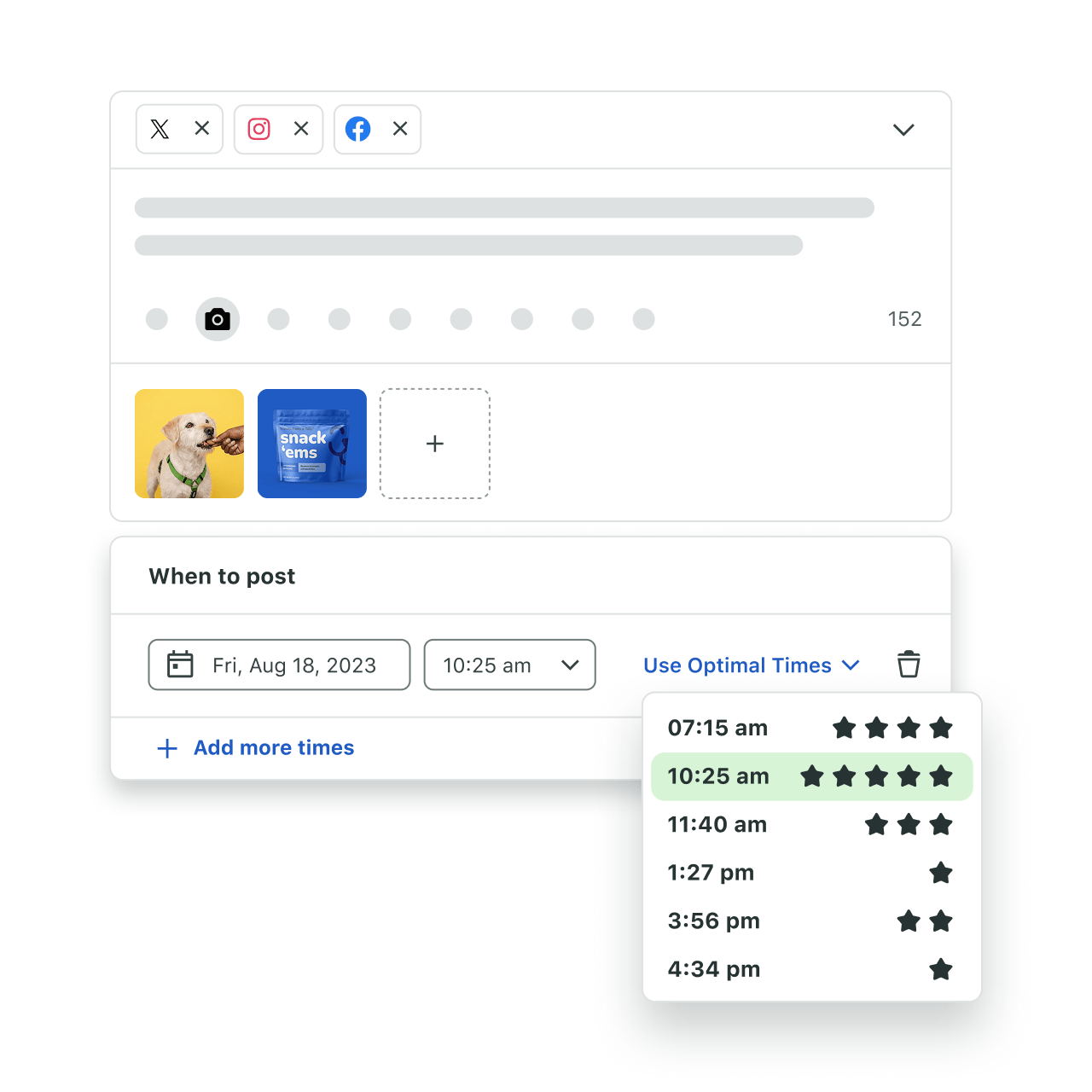
- How do Optimal Send Times eliminate guessing? Sprout’s ViralPost® Optimal Send Times automatically calculates when your audience is most active and drops your batched content into those high-performance windows. This ensures small businesses on TikTok hit peak hours without manually publishing.
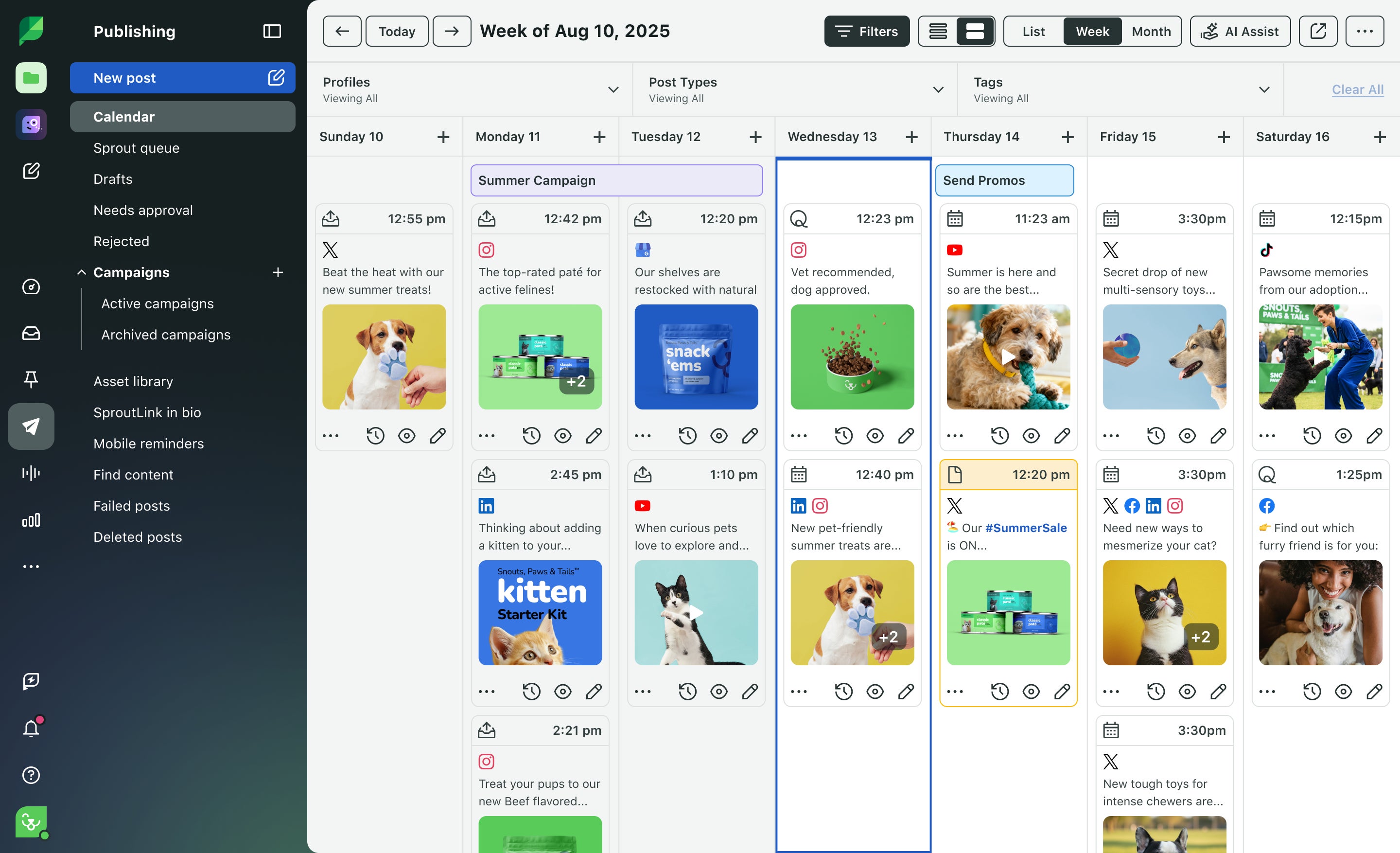
- How does the Publishing Calendar keep your month organized? Sprout’s collaborative calendar brings your entire month of content into one visual view. Drop your drafted videos directly onto the calendar, and switch between month and week views to avoid accidentally scheduling identical topics back-to-back. You can also share your calendar with the other team members so everyone’s on the same page.
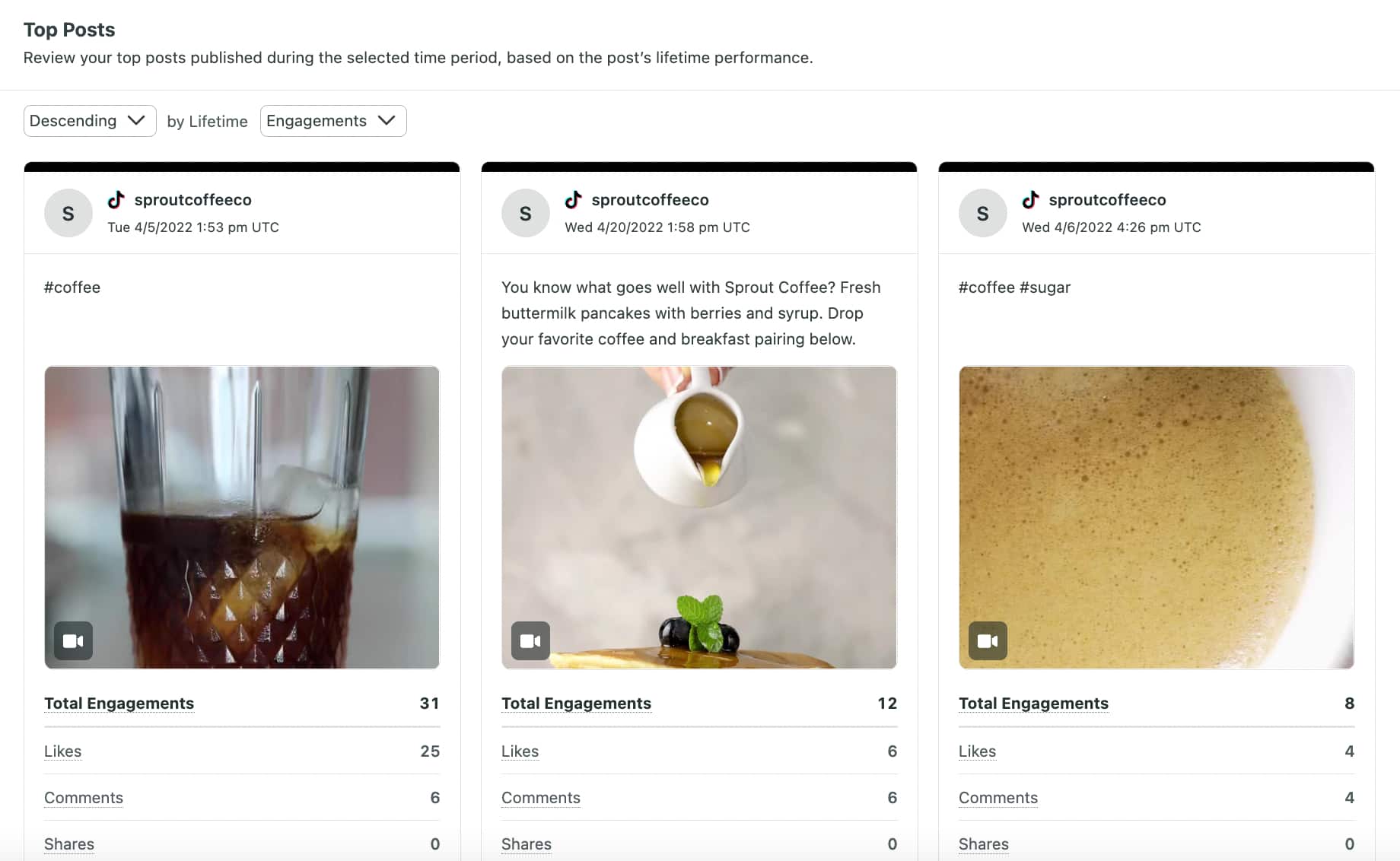
- How do you measure which batched hooks performed best? Use Sprout’s Post Performance Report to understand how well your hooks worked. Compare your videos using metrics like TikTok video views, watch time, saves, shares, comments and engagement rate, identify patterns in your top-performing content, then use those insights to optimize your next monthly batch.
Ready to make your next batching day a little easier? Let Sprout handle the scheduling and reporting so you can focus on creating content your audience loves. Try Sprout Social Essentials free for 30 days.
FAQs about the TikTok content batching workflow
Can I schedule TikTok videos ahead of time?
Yes. Creators and social teams can use Sprout Social’s Advanced Post Scheduler to plan, draft and schedule TikTok posts days or weeks in advance. This lets you map out your video calendar seamlessly from a single desktop dashboard rather than manually uploading clips from your phone every day.
What is the benefit of using AI for TikTok posting times?
Using AI tools like Sprout’s Optimal Send Times eliminates the trial-and-error of manual scheduling. Sprout automatically analyzes your audience’s active engagement windows to pinpoint exactly when your batched content should go live for maximum visibility, reach and interaction.
Will scheduling TikToks lower my video views?
No. TikTok does not penalize high-quality content uploaded through authorized, official third-party scheduling platforms like Sprout Social. Using an Advanced Post Scheduler simply automates the publishing step so you can post consistently over time, which the TikTok algorithm rewards.
39 free social media strategy templates that will elevate your workflows
Published on August 20, 2026 Reading time 15 minutes








Share