How to master your brand’s TikTok link in bio

Written by Rebecca MacFarlane
Published on May 28, 2026
Reading time 8 minutes

Table of Contents
Although TikTok got its start as an entertainment platform, it’s evolved into a social media marketing powerhouse—especially for businesses seeking top-of-the-funnel impact.
TikTok has become a search engine, particularly with younger generations. Per Sprout’s 2026 Social Media Content Strategy Report, TikTok is the top channel for product discovery among Gen Z, with 49% of consumers checking the app to inform their purchases.
TikTok has also turned into a digital shopping mall, thanks in large part to features like a link in bio. This is the ultimate gateway for driving people to your website and converting followers into customers.
To help you make the most of this tool, we’ve compiled our top tips in this guide.
What is a TikTok link in bio?
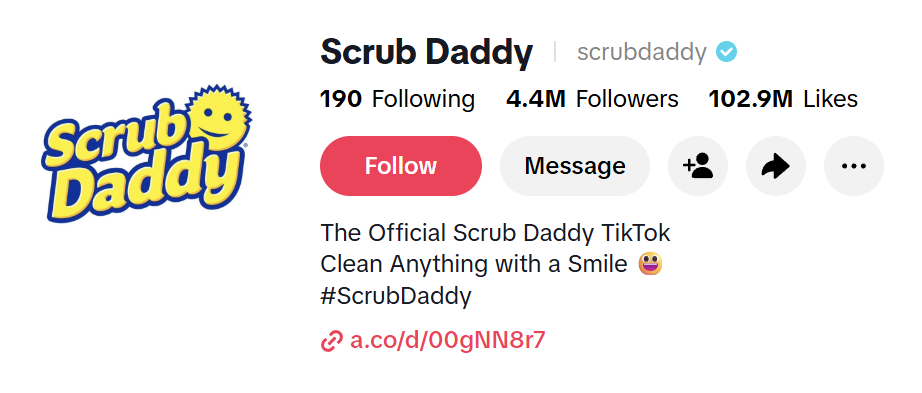
A key tool in levelling up your TikTok marketing, the link in bio is the single clickable URL that appears at the bottom of a user’s profile description.
Why the bio link is essential for social practitioners
On TikTok, you can’t include clickable links in video captions or text overlays; you can only feature them in your bio. As a result, your bio is the sole driver for referral traffic, making it a tool you can’t ignore.
Business vs. personal accounts
Although a TikTok link in bio is a powerful tool, it’s not available to everyone.
On TikTok, there are two types of accounts: Business Accounts and Personal Accounts. But you can only add a clickable link to your TikTok profile if you have:
- A Registered Business Account, or
- A Personal Account with 1000 followers or more.
5-step guide for adding a TikTok link in bio
Ready to add a link to your TikTok bio? Here are the exact steps to make it happen:
1. Switch to a Business Account
If you’re using a Personal Account to promote your brand, it’s worth switching to a Business Account. Doing so will give you access to unique features designed to boost brand awareness and drive sales, such as the Commercial Music Library (CML) and comprehensive analytics.
Change your account type to a Business Account by doing the following:
- In the app, click Profile.
- Tap the Menu button (the hamburger icon), then press Settings and privacy.
- Select
- Select Switch to Business Account, then follow the prompts.
2. Register your Business Account
To use the link in bio function, Personal and Business Accounts must meet different requirements.
As we mentioned, Personal Accounts have a minimum follower count. But Business Accounts simply need to be registered to use the feature.
To verify a Business Account on TikTok, follow these steps:
- In the app, click
- Select Business Suite.
- Select Business verification.
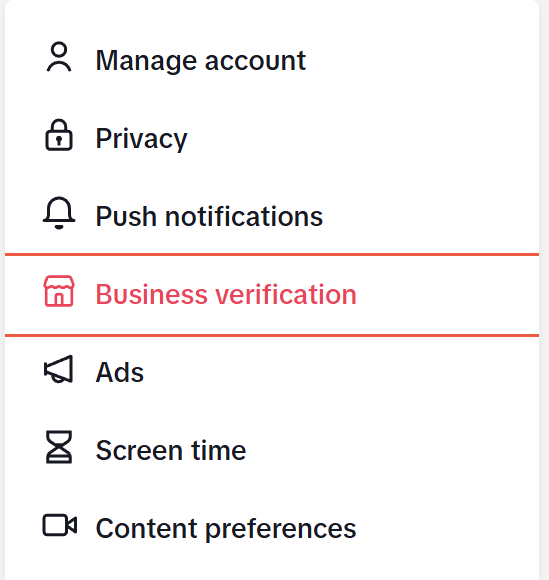
- Enter Basic information.
- Click
- Upload valid, up-to-date documentation as requested.
- Press
Once your application is approved, you’ll receive an in-app notification and a confirmation email.
3. Input your URL
With your account properly set up, it’s time to add the link to your bio.
To do that, here’s what you need to do:
- In the app, click
- Press Edit profile.
- Next to links, click Add, then follow the prompts to add your URL.
4. Test your URL
It’s important to ensure your link is working as it should, especially on mobile devices, since this is how most users will engage with it. A quick manual check can help you avoid broken or incorrect links or identify pages that aren’t mobile-friendly.
Here’s how to test your TikTok link in bio:
- Open the app on your mobile device and visit your profile.
- Click the link in your bio.
- Confirm it loads the correct page.
- Verify the mobile experience (i.e. does the page load quickly? Is the text readable? Are the page elements resized for a smaller screen?)
Repeat these testing steps anytime you change the link in your bio. This will help you avoid errors when making updates.
5. Adding a CTA above the link
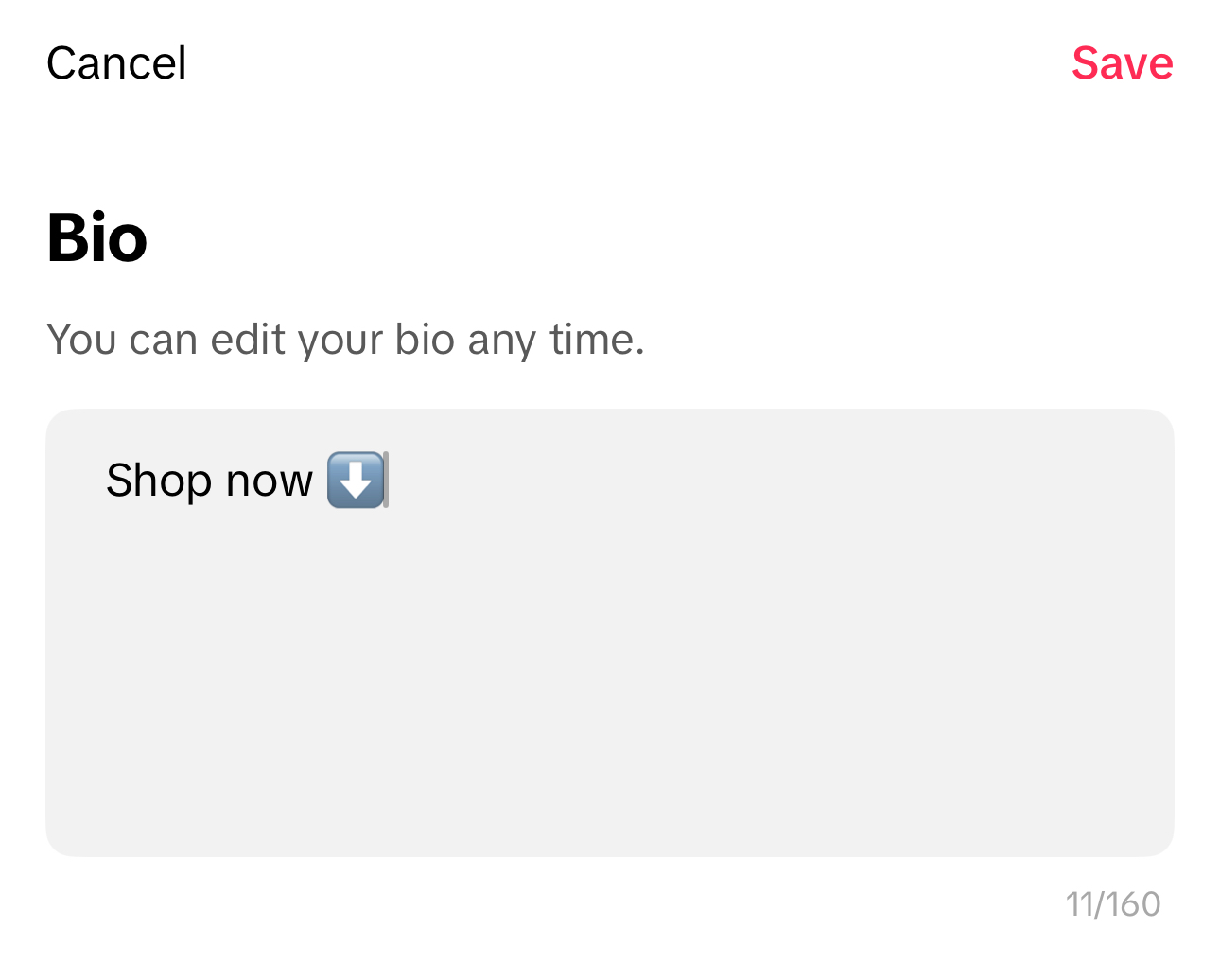
Finally, add a call-to-action (CTA) to your bio. This will draw attention to the link and give users an idea of what to do with it.
We’ll provide further guidance on writing effective copy. But these are the specific steps to follow:
- In the TikTok app, click
- Press Edit profile.
- Click
- Enter your desired TikTok bio, up to 160 characters.
- In the top-right corner, press Save.
TikTok bio optimization tips for more clicks
Now you know the basics of how to add a link to your TikTok bio. Keep the momentum going by learning the best practices that will help you stand out in a saturated social market.
Use clear, actionable language
When writing your bio copy, be explicit about what action you want users to take. Whether it’s making a purchase, downloading a guide or booking in for a consultation, be clear and concise.
Align your bio text with your link
Additionally, match your bio description to your URL. Ideally, the copy should provide context for the link so users know exactly what to expect when they click on it.
Leveraging emojis for visual cues
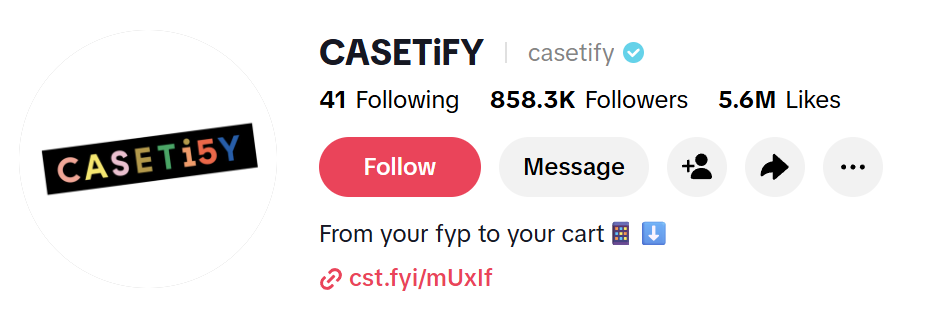
If it’s in keeping with your brand identity, you can even use emojis to pique user interest and draw more attention to the link.
In general, popular emojis include a down-pointing arrow or finger, a shopping cart or a chain link. Many businesses also use emojis related to their industry, products or services. For example, Casetify sells phone cases and features a mobile phone icon in its bio.
Best link in bio tools for TikTok creators and brands
To help you make the most of your TikTok bio links, it’s crucial to have the right tools. Here are a few that will help you simplify your link‑in‑bio setup and guide users with intention.
Custom landing pages vs. link aggregators
When you include a link in your bio, you can decide to link to a single URL or to several at once.
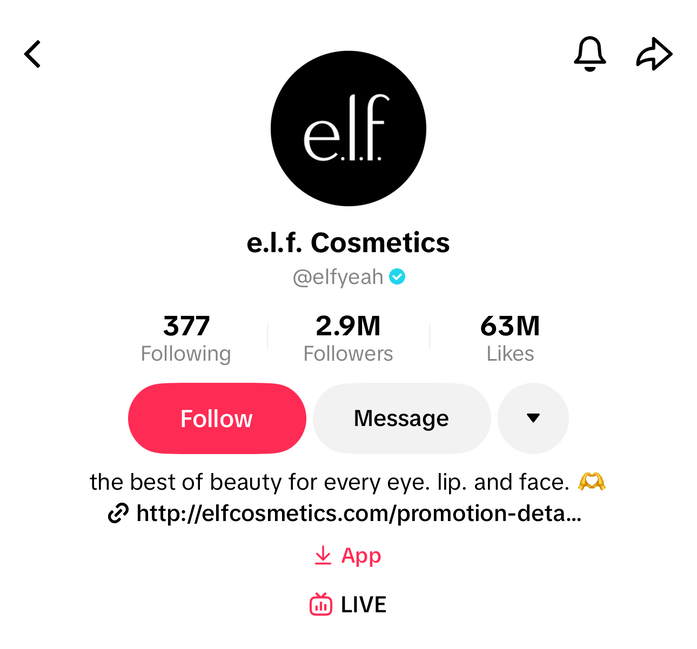
If you opt for the former, linking to a custom landing page is generally best practice. Ideally, this landing page should be aligned with the action you want the user to take. For instance, if you want them to shop a limited-edition collection, provide the URL to that specific line. Or, in the case of e.l.f. Cosmetics, if you want people to enter a sweepstakes contest, link them to the page containing the entry form.
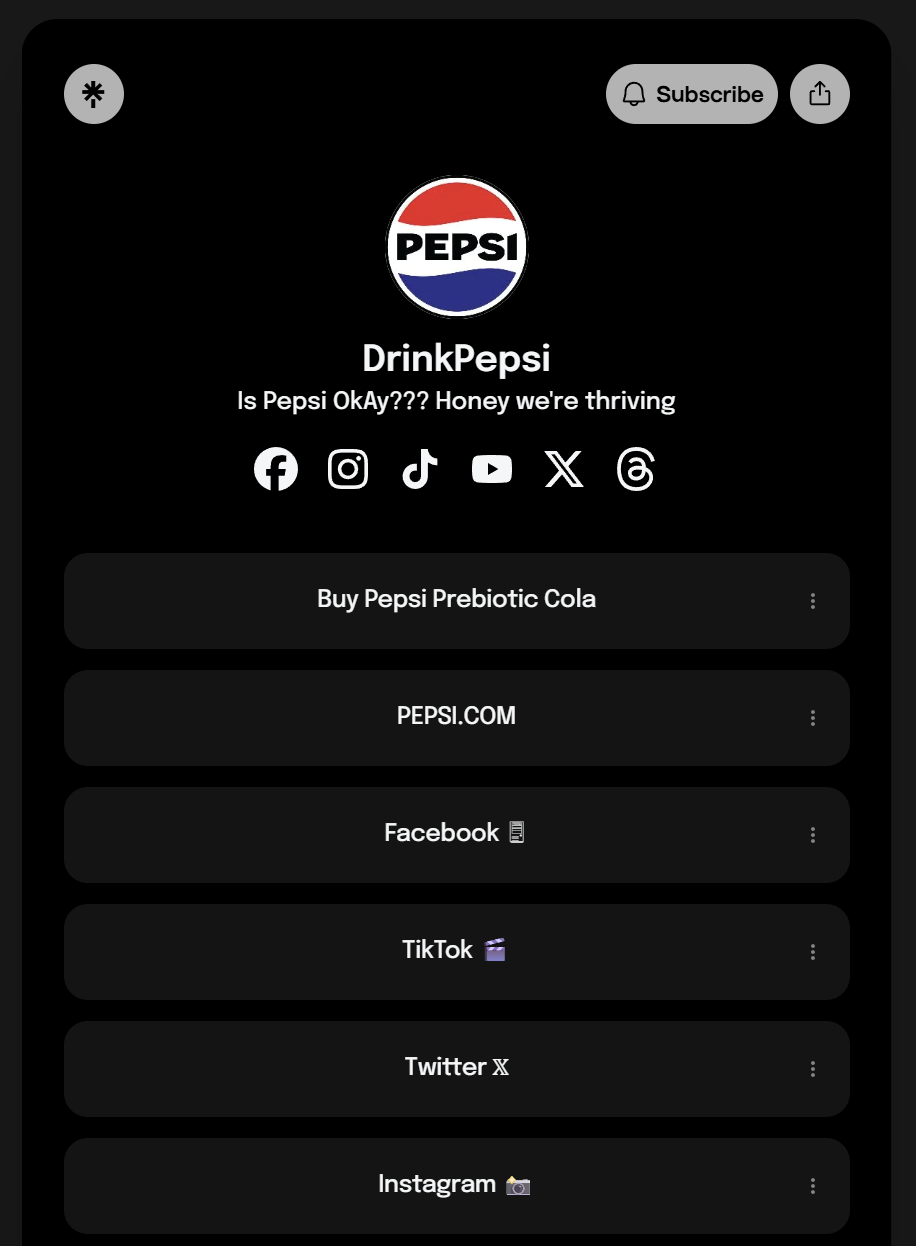
Alternatively, you might want to showcase several links at once. The best way to do that is via link aggregator tools, such as Bit.ly, Stan Store or Linktree. These tools compile and display multiple links on one centralized page. This approach is particularly effective if you want to segment your audience or want to further several business goals simultaneously. For example, you may link to your other social media profiles to grow your overall following and link to your website to drive sales.
Sprout Social offers custom integrations with some of these link aggregation tools, such as Bit.ly. With it, you can track what your audience clicks, then use those insights to refine your linking strategy—all in one place. You can also use Bit.ly to shorten URLs, which improves their appearance and attracts more clicks.
Choose a tool that supports visual grids
If you like the variety and versatility of link aggregators but miss the visual element, there are tools to suit you.
Platforms like Link.Bio and linkin.bio enable you to mirror the look of your TikTok feed and link each post to a unique URL.
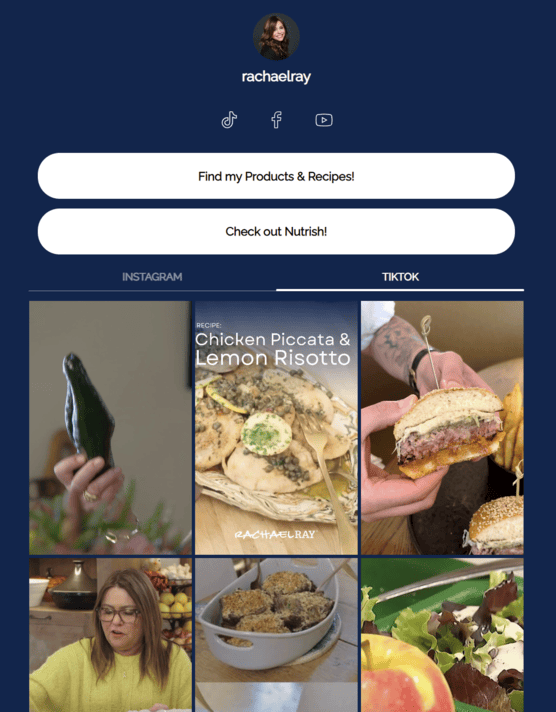
Mimicking the visuals of your account can reduce friction by giving users a familiar, scroll-like experience. People simply spot the original post they saw, tap once and land exactly where you want them to go.
Integrate Sprout Social into your link strategy
With a tool like Sprout, you can plan your social content and link updates in tandem. Tackling these two things at once ensures that your bio always aligns with the story you’re telling on your TikTok feed.
Say your café is about to introduce a new brunch menu. Using Sprout’s social media calendar tools, you can schedule the reveal video on TikTok—as well as other platforms—for the launch date. Then, you can update the link in your bio to the menu landing page once it’s live.
This practice creates a seamless, cohesive journey from content consumption to conversion.
How to track and measure your TikTok bio link performance
When using TikTok bio links, a “set-it-and-forget-it” approach isn’t enough. You have to consistently track how users engage with it to determine if these clicks are driving your desired actions.
Implement UTM parameters
Analytics tools like Google Analytics can offer you high-level insights on the traffic you gain from various networks, including TikTok. However, they can’t provide performance data on specific social posts or campaigns—unless you add UTM parameters.
UTM tracking involves adding unique codes to your URLs; these allow you to easily identify exactly where your traffic is coming from.
There are three basic parameters required in standard UTM tracking:
- utm_source – Specifies the platform the traffic is coming from; in this case, TikTok.
- utm_medium – Specifies what type of traffic it is, be it paid, organic, referral, etc.
- utm_campaign – Specifies the campaign that drove the traffic.
Using the previous café example, the URL for your new brunch menu landing page might look as follows:
https://yourwebsite.com/your-page/?utm_source=tiktok&utm_medium=PPC&utm_campaign=newbrunchmenu-summer2026
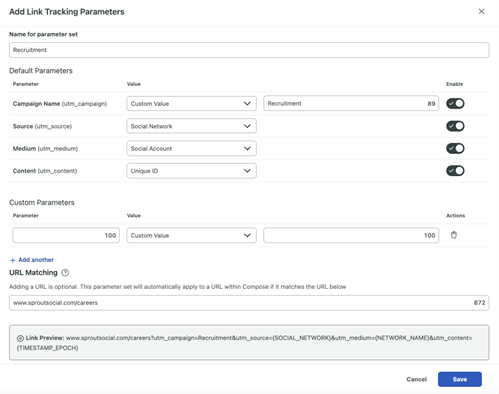
Tools like Sprout’s Link Tracking can even automate this process for you. Sprout automatically appends parameters to your post links and integrates directly with your website analytics. You can then track URL clicks and tie traffic, conversions and revenue back to specific TikTok marketing efforts from one intuitive dashboard.
Analyze TikTok’s native profile analytics
One of the best places to find social media analytics is in the app itself. So, explore TikTok’s native analytics to glean performance insights.
To do so, follow these steps:
- In the app, click
- Tap the Menu button (the hamburger icon), then press TikTok Studio.
- At the top of your screen, press the card labeled
By default, you’ll end up in the Overview tab. Here you’ll find a range of valuable metrics, including post views, profile views and website clicks.
At the top, you’ll also notice other tabs, such as Content, Viewers and Followers. In these sections, you’ll see your top-performing posts and key demographic details about the people viewing your content and following your account, respectively.
You can also change the date range for each of these analytics tabs to assess how your content has performed at different times.
Calculate conversion lift
Conversion lift shows whether your ads are actually causing more people to take action. It works by comparing a group that sees your ads to a similar group that doesn’t; that way, you can measure the extra clicks, visits or purchases your campaign generated.
Sprout’s reporting tools make it easier to spot those patterns by unifying paid, organic, and earned data into actionable reports. These reports allow you to identify the moments your conversions actually increase and which posts are driving those shifts.
Drive conversions with TikTok link in bio
If you’re learning how to use TikTok for your business, the link in bio is a crucial part of that process. Much like your in-feed content, your TikTok bio link is a living asset that requires regular updates.
The first step is to simply start. Begin with an audit of your current bio link to ensure it aligns with your latest campaign goals.
When your link does need updating—whether it’s now or later—use this article as your reference point.
And to round out your toolkit, consider a platform like Sprout Social Essentials. With its centralized content batching and scheduling capabilities, you can plan your link updates weeks in advance and develop a link-in-bio strategy that drives measurable results.
39 free social media strategy templates that will elevate your workflows
Published on August 20, 2026 Reading time 15 minutes









Share