How to schedule Pinterest posts for maximum reach

Written by Kimberly Steele
Published on February 25, 2026
Reading time 9 minutes

Table of Contents
As a social media practitioner, you already know how Pinterest brings a unique creative lift to your publishing flow. But keeping up with daily new Pins while tracking seasonal trends can stretch anyone thin. And because Pinterest is a visual search engine that rewards fresh activity, consistency isn’t negotiable.
Smart Pinterest scheduling gives you that time back and sets you up for steady, predictable growth by optimizing when and how your content shows up. Here’s how to schedule Pinterest posts for business success—and why it matters.
Scheduling Pinterest posts for business success
Pinterest is more than a social media channel; it’s a visual discovery and search engine where users come to plan purchases, projects and ideas. This unique user intent requires a Pinterest strategy focused on both content quality and consistency. When you master scheduling Pins, you move from reactive posting to proactive growth.
Consistency is key to predictable performance
The Pinterest algorithm actively prioritizes fresh, consistent activity from creators. Pinterest rewards fresh, relevant content and maintaining a steady cadence helps you stay present in search and recommendations. Use scheduling to keep your boards updated consistently, then validate impact in analytics.
This shift from posting for the sake of posting to prioritizing engagement is what sets top brands apart, as documented by recent data showing that quality outweighs sheer volume. In fact, the 2025 Content Benchmarks Report from Sprout Social found that brands stand out because they post original content, and not just because they’re posting a lot.
So posting less, but posting with greater consistency and intention, is a highly effective strategy when it comes to Pinterest marketing. By focusing on high-quality content over quantity, you can more easily move the needle on your Pinterest engagement rate, ensuring that every Pin you schedule is actively contributing to your brand’s resonance rather than just filling up a feed.
Maximize your organic reach with optimal timing
Your audience drives higher engagement when you publish Pinterest Pins at their most active times. This is where “optimal send times” come into play. According to Sprout’s data on the best times to post, Pinterest sees increased traffic around 10 a.m.—when people are browsing for inspiration. You’re also likely to see higher engagement during seasonal interest spikes.
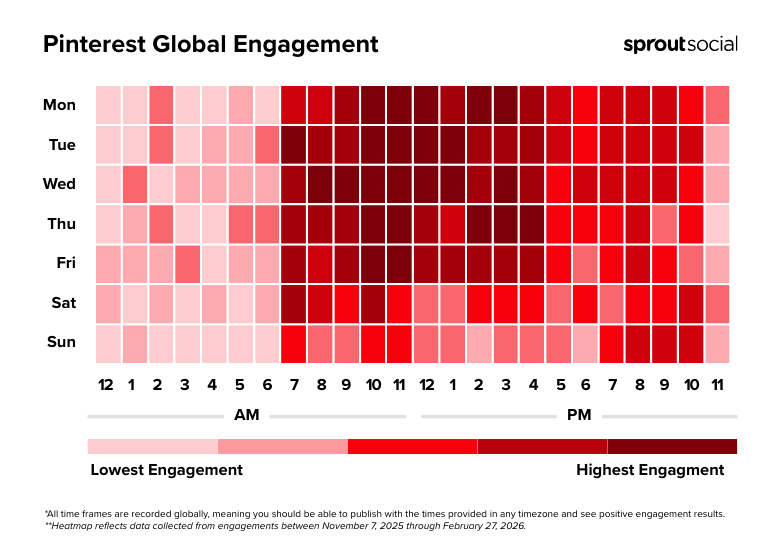
During the weekend, the audience shifts from a work mindset to personal inspiration and planning, making them highly receptive to discovery content.
A strategic Pinterest scheduling tool accounts for these trends, automating the process and ensuring your posts appear in the perfect window. But that also means continuously testing for the perfect post timeframe using Pinterest analytics. What works for a B2C fashion Pinterest account differs from a B2B service, so treat audience behavior as your most valuable data point.
To test this, compare the performance of Pins published at 7 p.m. versus 9 p.m. for a month. Then use the data on outbound clicks and saves to find out your specific audience’s peak time.
Start planning in advance
Unlike other social media networks, Pinterest users often search weeks or even months ahead of a major event, holiday or seasonal trend. For example, searches for summer recipes start in late spring. This user behavior means your Pinterest content pipeline must be well ahead of the curve.
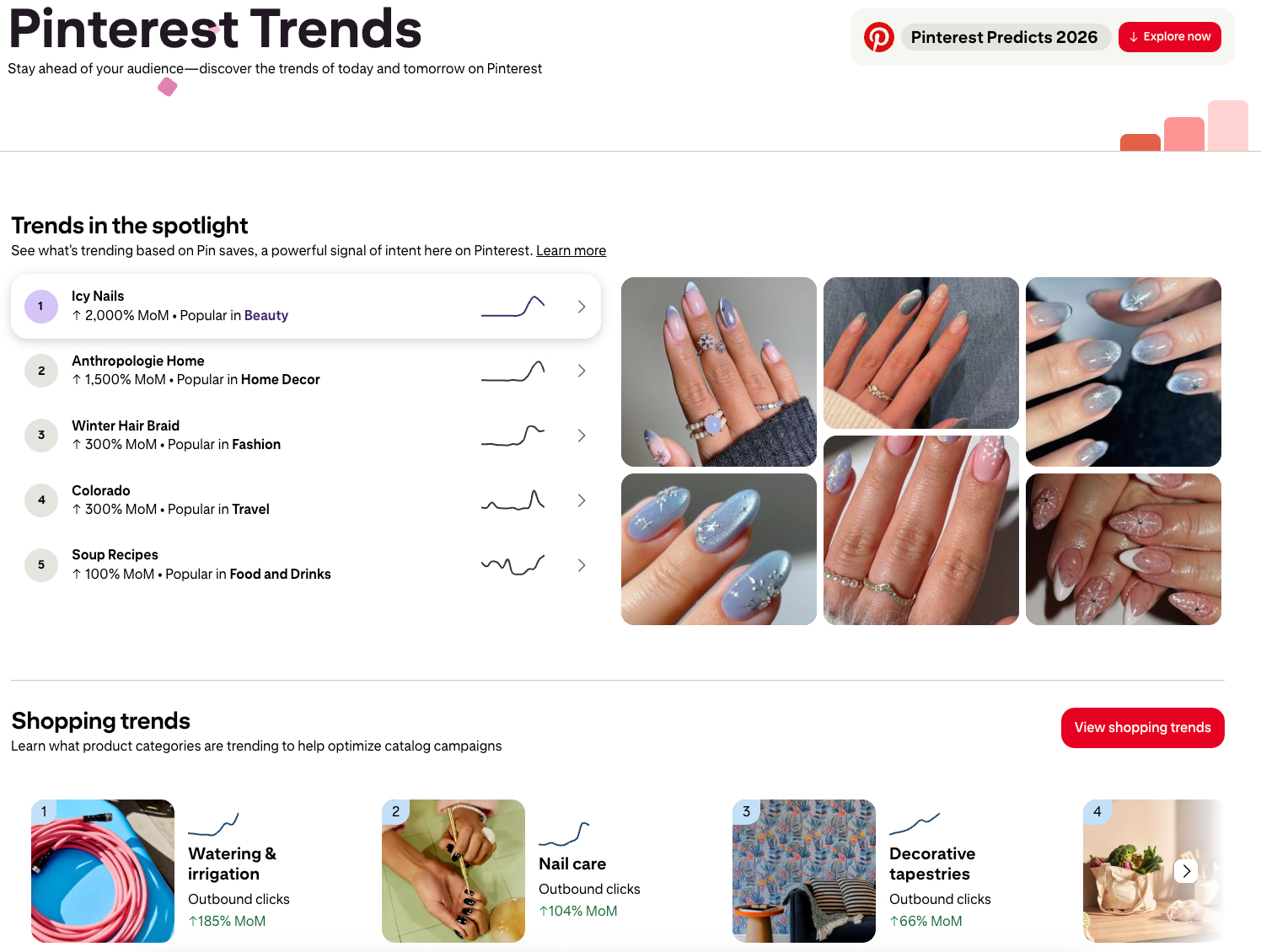
(Source: Pinterest Trends)
Effective post planning allows you to capitalize on this long lead time, so you get to fill up your Pinterest board with relevant content as soon as users begin their searches. This foresight helps you maximize your impact on the platform.
For major holidays or seasonal topics, start posting relevant content 45-60 days in advance to capture the initial surge in user searches. Use Pinterest Trends to identify these high-volume, seasonal secondary keywords and incorporate them into your Pin descriptions weeks before the topic peaks.
How to schedule posts directly from Pinterest
You can schedule Pinterest Pins directly through your business account settings. This is a simple, no-cost way to move from manual posting to an automated workflow. However, be aware of the native scheduling limits: you can only schedule up to 30 days in advance, and keep up to 10 scheduled at a time. This process is best for business owner accounts with a low volume of daily Pins.
The limitations in bulk scheduling and long-term planning are significant pain points that often necessitate a dedicated social media management solution as you scale.
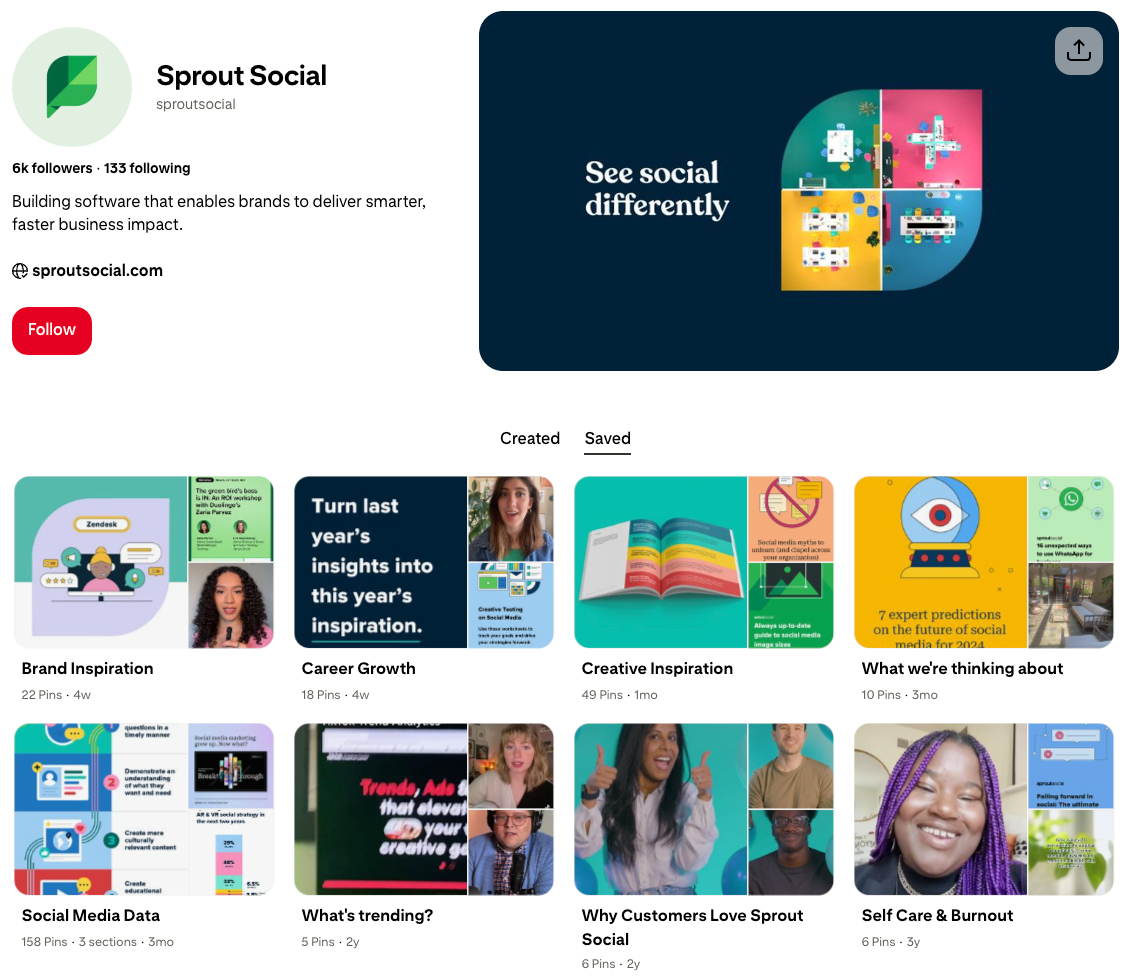
(Source: Pinterest)
1. Create a Pin and upload media
First, navigate to the “Create” menu and select “Create Pin.” You must use a business account to access the native Pinterest scheduling feature. The foundation of a high-performing Pin is the visual, so ensure you follow creative best practices for size and quality.
2. Write a captivating title and Pin description
An effective Pinterest Pin requires a compelling title and description text. This is where Pinterest SEO comes into play. Incorporate relevant keywords and phrases that reflect what your audience is searching for. A description that is helpful, relevant and keyword-rich increases your Pin’s discoverability and organic reach.
Try thinking less like an Instagram caption and more like a blog post title, using natural language that answers a user’s search query. For example, avoid a title like “Cute Outfits” and instead use: “Winter Minimalist Outfits for Work: 5 Essential Pieces.”
3. Set your target board and a future publication date
In the top right of the Pin creation window, select the Pinterest board where you want the Pin to live. Then, choose “Publish at a later date.” Select your time zone and the specific date and time for publication. And that’s how you schedule Pinterest posts natively on the platform.
Remember the 14-day limit and that you must repeat this step-by-step process for every single Pin. If you have a large Pinterest strategy requiring dozens of posts a month, this one-by-one scheduling process becomes time-consuming and prone to human error. So there’s a need for a solution with bulk scheduling capabilities.
How to schedule Pinterest posts with Sprout Social
A comprehensive social media management tool like Sprout Social helps you upgrade from a manual workflow. This helps you maximize efficiency, manage multiple social media profiles and schedule Pins in bulk.
Sprout eliminates the need to manually log into each Pinterest account to schedule Pinterest Pins. You manage everything from a single, centralized platform, streamlining both collaboration and time management. This integrated approach is essential for any growing team looking to scale its social presence without sacrificing consistency or quality.
1. Create your Pinterest post
From the Sprout platform, open the Compose window. The all-in-one solution allows you to manage content for Pinterest alongside other social media networks like TikTok and LinkedIn. You can publish static image Pins and board Pins directly through Sprout.
This process eliminates disjointed assets and the pain point of having to log into multiple accounts every time you create Pinterest content. By centralizing your profile management, you can toggle between your Instagram, Facebook and Pinterest accounts instantly, saving hours of manual login and content uploading.
2. Add media to your post
Upload your visual media directly in the Compose window. For a cohesive and on-brand presence, use the Asset Library to quickly access approved, branded visuals. This feature prevents using disjointed assets across multiple tools and streamlines your workflow while ensuring all of your Pinterest Pins meet brand standards.

The Asset Library ensures team members are always using the correct, up-to-date visual templates and branding. So it solves the common problem of fragmented assets across multiple tools and cloud storage solutions.
3. Preview and optimize your post
A crucial step-by-step element of the Sprout scheduling process is the preview, during which you visualize how your Pins will appear on Pinterest before publishing. It’s a crucial step to ensure text overlays, aspect ratios and branding appear correctly. Just as crucial? Captions.
Optimize your caption for Pinterest SEO by using natural keyword phrases relevant to the Pin image, but avoid keyword stuffing. Pinterest reads both the Pin title and description for context. Unlike other networks, branded hashtags are not essential here; only include them if they’re relevant to your audience’s search behavior.
This optimization step is vital because an incorrectly cropped image or illegible text overlay instantly diminishes the professional appearance of your Pinterest content. That means lower engagement and reduced click-through rates.
4. Finalize your post
Before you schedule your Pinterest posts, don’t forget to submit your content for approval or save it as a draft to collaborate with your team. Use Sprout’s Approval Workflows to ensure every Pin is reviewed and aligned with brand standards before going live. This is essential for large teams or highly regulated industries, as it reduces risk and improves collaboration.
Approval Workflows automate the content sign-off process, eliminating back-and-forth emails and ensuring compliance checks are completed before a high-risk Pin goes live.
5. Schedule your post for publishing
With Sprout’s Publishing tools, you can publish your post immediately, automate it with Sprout Queue or schedule posts for a later date. To achieve maximum impact, use Sprout’s proprietary ViralPost feature to suggest your Optimal Send Times. This eliminates guesswork and ensures your content is pushed out when your specific audience is most active and ready to engage.
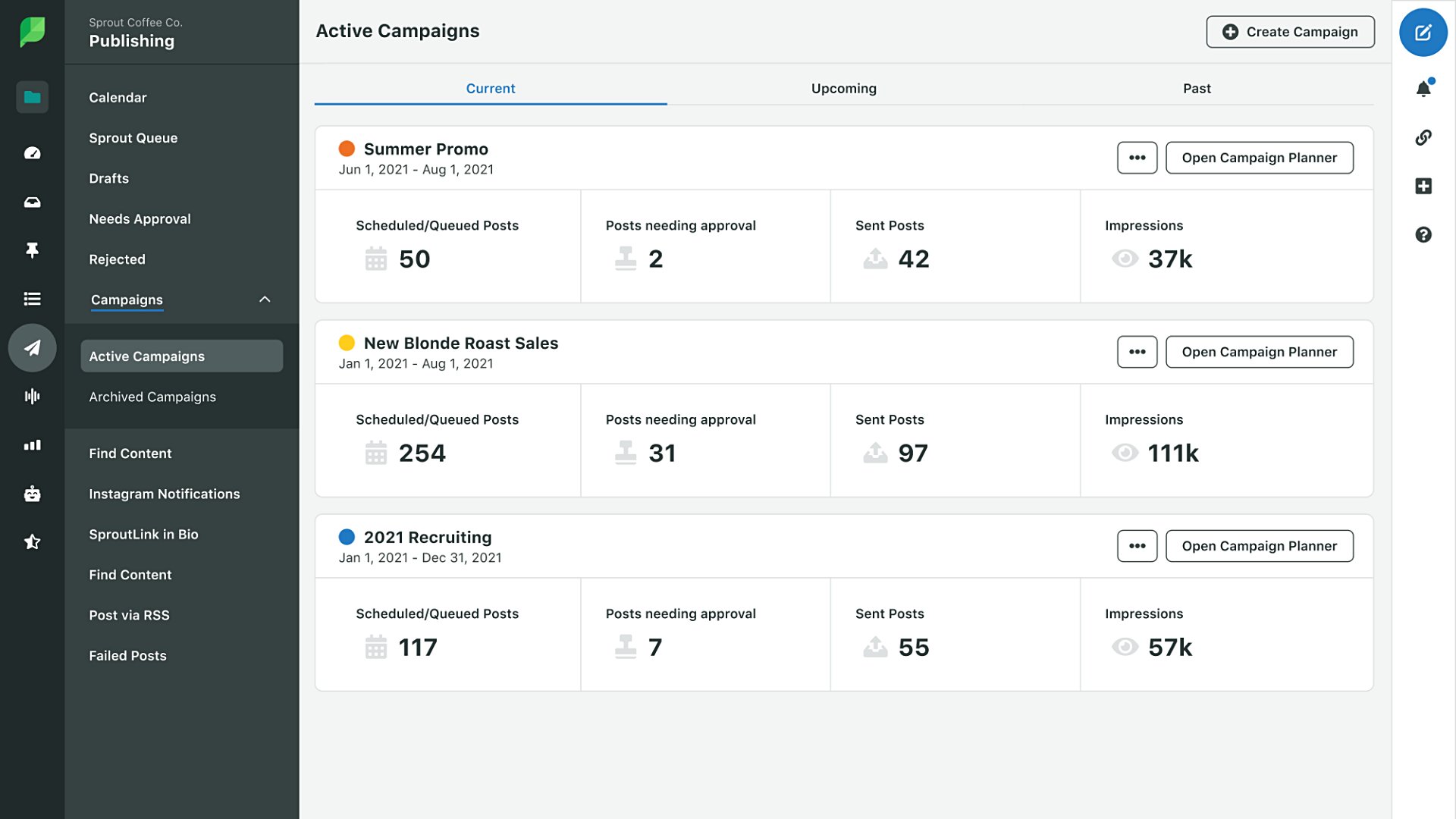
This level of data-backed posting time optimization turns scheduling Pins into a strategic advantage. ViralPost’s algorithm analyzes your profile’s historical metrics to suggest the best times for your audience to engage with your Pins, eliminating the manual guesswork for when to post for high engagement. For high-volume publishing, Sprout Queue ensures you always maintain a steady, consistent publishing cadence without running out of content.
Quick Pin scheduling features to perform natively
While Sprout Social provides robust scheduling and analytics for your core Pinterest content, some formats must be created and published directly on the Pinterest platform. This is a technical limitation based on the API integration for these formats. Being aware of these exceptions allows you to plan your workflow efficiently.
Multi-image Pins
Multi-image Pins, where a single Pin contains a carousel of visuals, must be done natively. This post type relies on the Pinterest interface for content creation, making it difficult for an external social media management tool to support through the standard API.
If your Pinterest strategy relies heavily on showcasing multiple products or step-by-step tutorials in a single Pin, you must integrate native scheduling into your weekly workflow.
Video Pins
Video Pins, a must-have for your Pinterest strategy, are a highly effective Pinterest content format. Due to the specific video processing, aspect ratio requirements and internal tagging that Pinterest performs, you must publish this format natively.
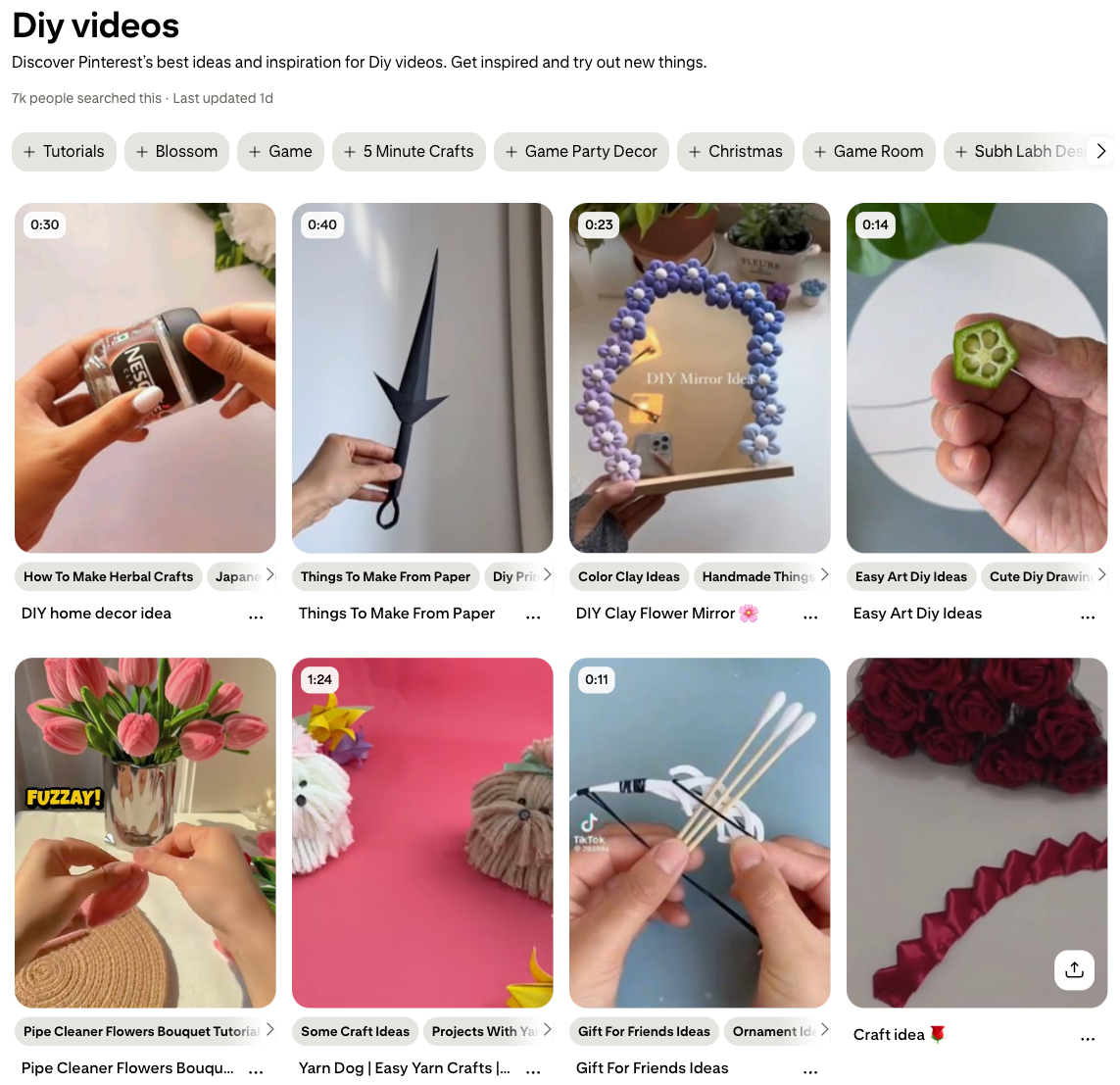
(Source: Pinterest)
Pinterest’s native uploader is essential for optimizing the video’s file size and ensuring the correct aspect ratio (like 9:16) for its vertical, mobile-first feed.
Shopping Pins
Shopping Pins are critical for driving direct sales from your Pinterest account, as they allow correct product tagging and commerce integrations. To ensure accurate pricing, inventory syncing and tracking, you must create and publish Shopping Pins natively through the Pinterest merchant platform.
The complexity of connecting your product catalog and ensuring the tags are accurate and live requires the native platform’s backend integration.
4 Pin best practices to boost engagement
Mastering how to schedule Pinterest posts is only the first step to getting the most out of the platform. To ensure your Pinterest strategy delivers a high return on investment, you must constantly optimize your approach based on what’s working.
1. Use Pinterest analytics to validate your best posting times
Data drives smarter strategies. Move beyond simply checking your metrics and use Pinterest analytics to track your content’s performance. Use Sprout Analytics to identify your high-performing Pins and see what works. Or use the Premium Analytics (a paid add-on) to dive deeper into key metrics like saves, impressions and engagements filtered by tags or content and message type
These reports help you identify your top-performing content and understand when your audience is most active, allowing you to continually refine your Pinterest scheduling strategy.
2. Optimize images for the correct Pin ratio
Pinterest is a visual platform, so incorrect image ratios can make your content look unpolished and unappealing, ultimately hurting your reach and engagement. Always use a 2:3 aspect ratio, such as 1000x1500px, as it’s ideal for mobile viewing and full-screen display.
Ensure that any text overlays are clear, minimal and mobile-friendly. Avoid overly busy designs that distract from the core visual.
3. Incorporate high-performing content from other channels
Don’t treat Pinterest as a silo. Encourage content repurposing by adapting your high-performing visuals from other social media platforms like Instagram or Facebook to appeal to Pinterest’s unique visual-first style. Direct, unfiltered cross-posting is rarely successful. Instead, take a popular concept and use tools like Canva or other creative apps to adjust the image ratio and aesthetic to suit the Pinterest board environment.
4. Drive attention by using rich Pin formats
A dynamic Pinterest profile uses a variety of Pin formats to capture attention and help boost the benefits of Pinterest for business. Rich Pins automatically pull metadata from your site to display more information, such as product pricing, recipe ingredients or article headlines. This format provides a higher-value user experience and can boost your outbound clicks.
Turn consistent Pinterest scheduling into consistent growth
A strategic workflow for scheduling Pinterest posts is a non-negotiable step toward scalable Pinterest marketing. By moving away from manual, reactive posting, you gain the efficiency needed to focus on high-value creative work and data-backed optimization.
Consistency drives the Pinterest algorithm, and automation ensures you always hit the optimal posting time. This process transforms Pinterest from a low-priority task into a powerful engine for consistent growth.
Ready to build a strategic system that drives real results? See how you can achieve smarter, faster impact from your social media strategy today with a Sprout demo.
FAQs for scheduling Pinterest posts
How many Pins should you schedule per day on Pinterest?
There is no single magic number, but quality always outweighs quantity. Rather than overwhelming your audience, focus on consistent posting. There’s no universal “right” number of Pins per day. Start with a cadence you can sustain and prioritize fresh creativity. Then, use Pinterest and Sprout analytics to calibrate frequency based on saves, outbound clicks and impressions.
What types of Pins can you schedule directly from Sprout Social?
You can schedule static image Pins and Board Pins (linking to a Pinterest board) directly from Sprout Social. You must publish multi-image Pins, video Pins and Shopping Pins natively through the Pinterest platform.
Does scheduling Pins hurt your performance with the Pinterest algorithm?
No, using a reputable social media management tool or native Pinterest scheduling does not hurt your performance. The Pinterest API is designed to support third-party scheduling tool integrations like Sprout Social. In fact, scheduled consistency is rewarded by the algorithm, so mastering scheduled Pinterest posts actually helps your performance.
37 free social media strategy templates that will elevate your workflows
Published on December 5, 2025 Reading time 15 minutes










Share