8 steps to a successful social media video marketing strategy

Written by Jamia Kenan
Published on December 16, 2025
Reading time 19 minutes
Table of Contents
Video is the champion of attention on social.
As every network continues to prioritize video, the brands breaking through think like media companies. They’re investing in storytelling, partnerships and in-house content creation. They view video as a long-term content growth engine, not a one-off campaign deliverable.
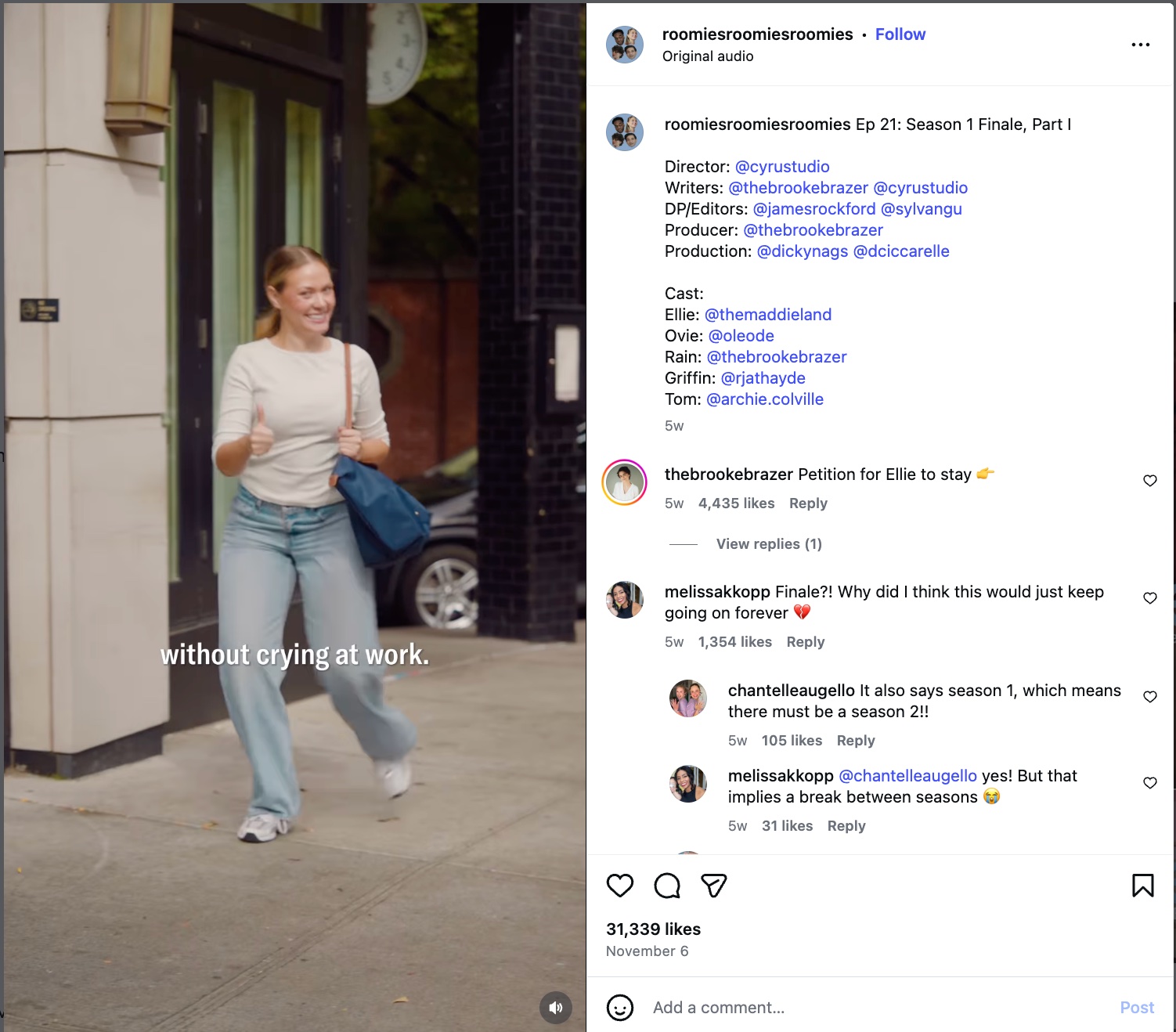
Under Armour’s launch of Lab96 Studios—an in-house content studio producing everything from short-form social videos to docuseries—reflects that shift. Branded series like Bilt’s Roomies feel more like bingeable entertainment than traditional brand content. Both brands signal how brands design video marketing strategy to build awareness and loyal viewers.
Creating a successful social media video marketing strategy isn’t just about short-form vs. long-form content anymore. It’s about adapting to the broader evolution of how video works across networks. Lo-fi formats are the norm. Episodic content keeps audiences coming back for more. Intellectual influencers create impact with expertise and perspective, not just aesthetics and product recommendations. AI supports all areas of production from storyboarding to audio cleanup.
Video has shifted from a “nice to have” to a core content format. It requires creating a sustainable, on-brand strategy that drives results. In this guide, we’ll break down how to build a strong video strategy step by step, the popular types of videos to use and best practices to help your content perform.
You can also watch the video below for a crash course, including tips for scaling your video process from pre-production to post-publishing:
What is a video marketing strategy?
A video marketing strategy defines how video supports your overall marketing and content strategy. It outlines the types of video you will use and key networks. Rather than existing as a standalone effort, it aligns video with brand goals and business outcomes.
It clarifies why video is being created, who it’s for and where it fits across the customer journey, while establishing consistency around messaging, formats and distribution.
Why social media video marketing is so important
Video supports every stage of the marketing funnel. It attracts attention fast, builds trust quickly and helps audiences understand your brand in seconds. It converts customers and gives a platform for advocates. Across platforms, short-form video is the top ROI driver for 71% of video marketers.
Beyond the bottom line, video plays a key role in social media search. Consumers discover brands through Reels, TikTok videos, YouTube Shorts and Reddit threads. They’re also finding video on search engine results pages (SERPs) like Google, and using LLMs for live search like ChatGPT and Perplexity.
Here’s what strong social video unlocks:
- Improves brand recognition. Visual storytelling sticks, making your brand easier to remember.
- Improves engagement. Video stops the scroll, encourages interaction and keeps people watching longer.
- Increases discoverability. Networks prioritize video in feeds, search and recommendations. SERPS and LLMs give visibility beyond social.
- More conversion opportunities. Tutorials, demos and product explainers move people toward action.
- Higher conversion rates. Creator and influencer collaborations in particular bring credibility and tap into built-in trust.
- Better user experience. Video clarifies complex ideas and helps audiences understand your product faster.
When done well, video works like a conveyor belt, moving audiences from awareness to action without friction.
Popular types of video
There’s no one way to succeed with video. Different formats help you meet different goals, from educating your audience to showcasing your product to humanizing your brand. Here are some of the most common types of social video, along with real examples to inspire your approach.
Educational
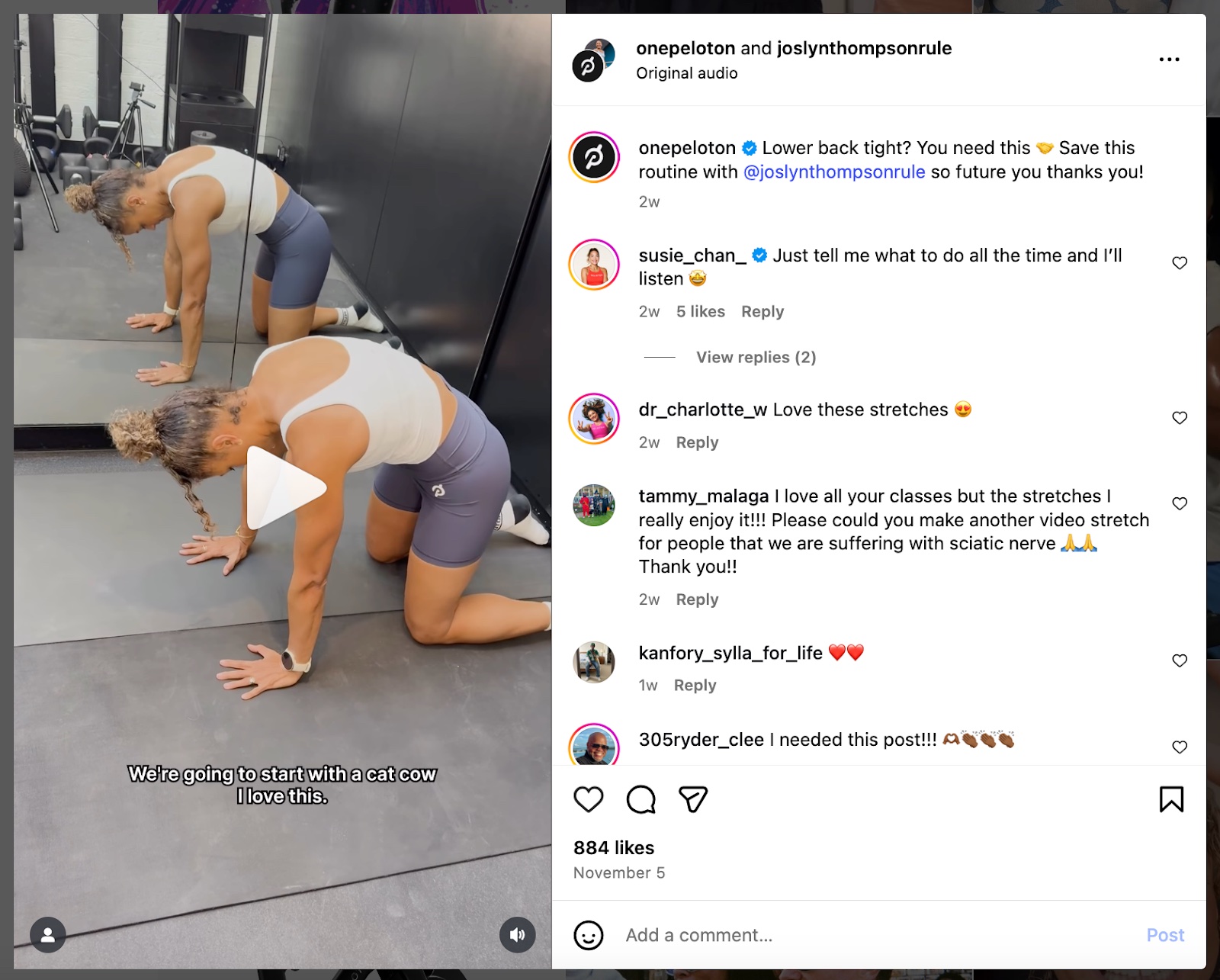
Educational videos teach something useful and position your brand as an expert. Peloton does this well by sharing trainer-led technique videos—like this lower-back stretch routine—which helps both new and current customers get more value from their workouts.
Explainer
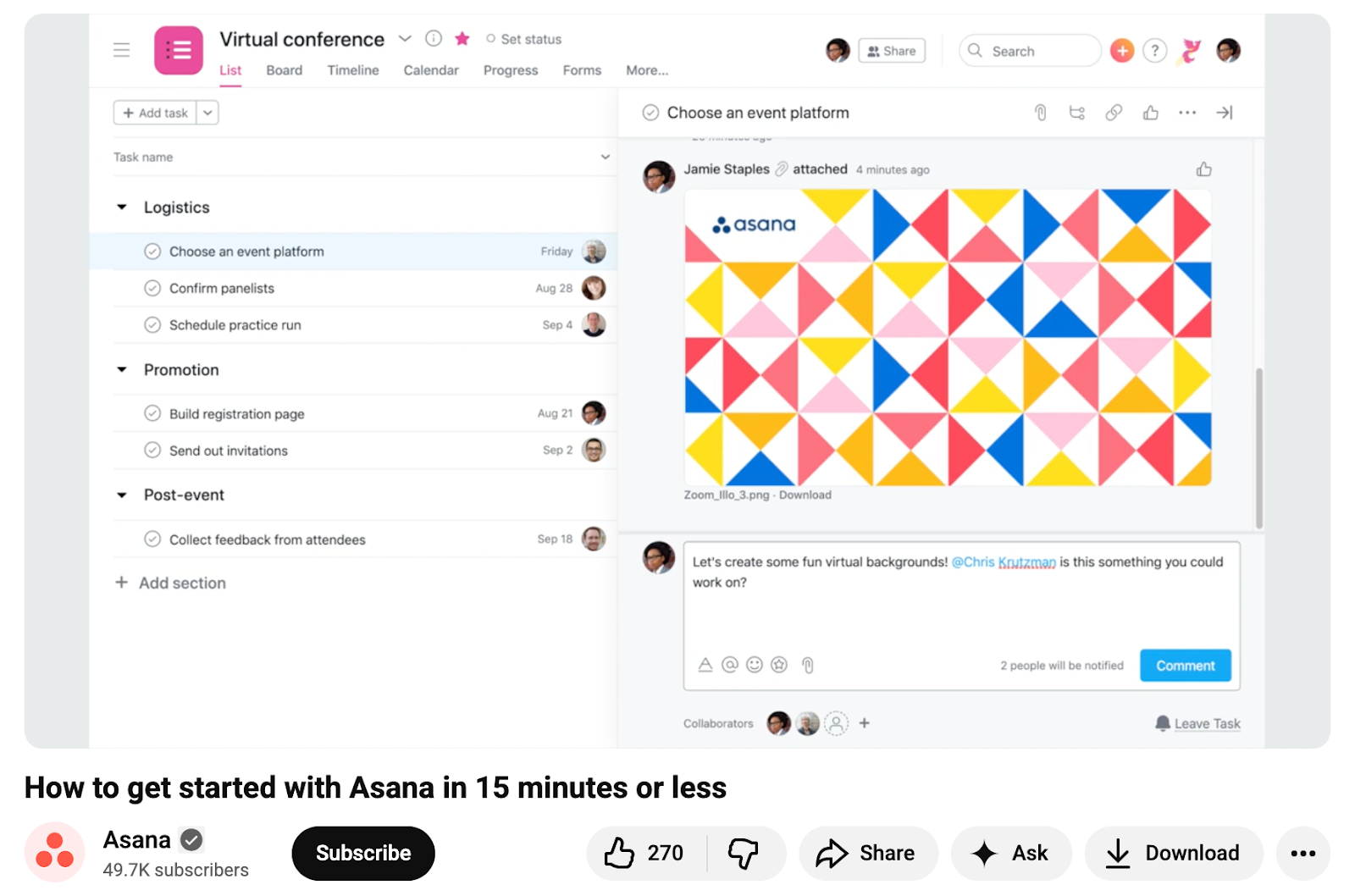
Explainer videos break down how your product or service works. Asana’s beginner guide is a strong example. It walks new users through projects, tasks and inbox workflows to reduce onboarding friction.
Behind-the-scenes
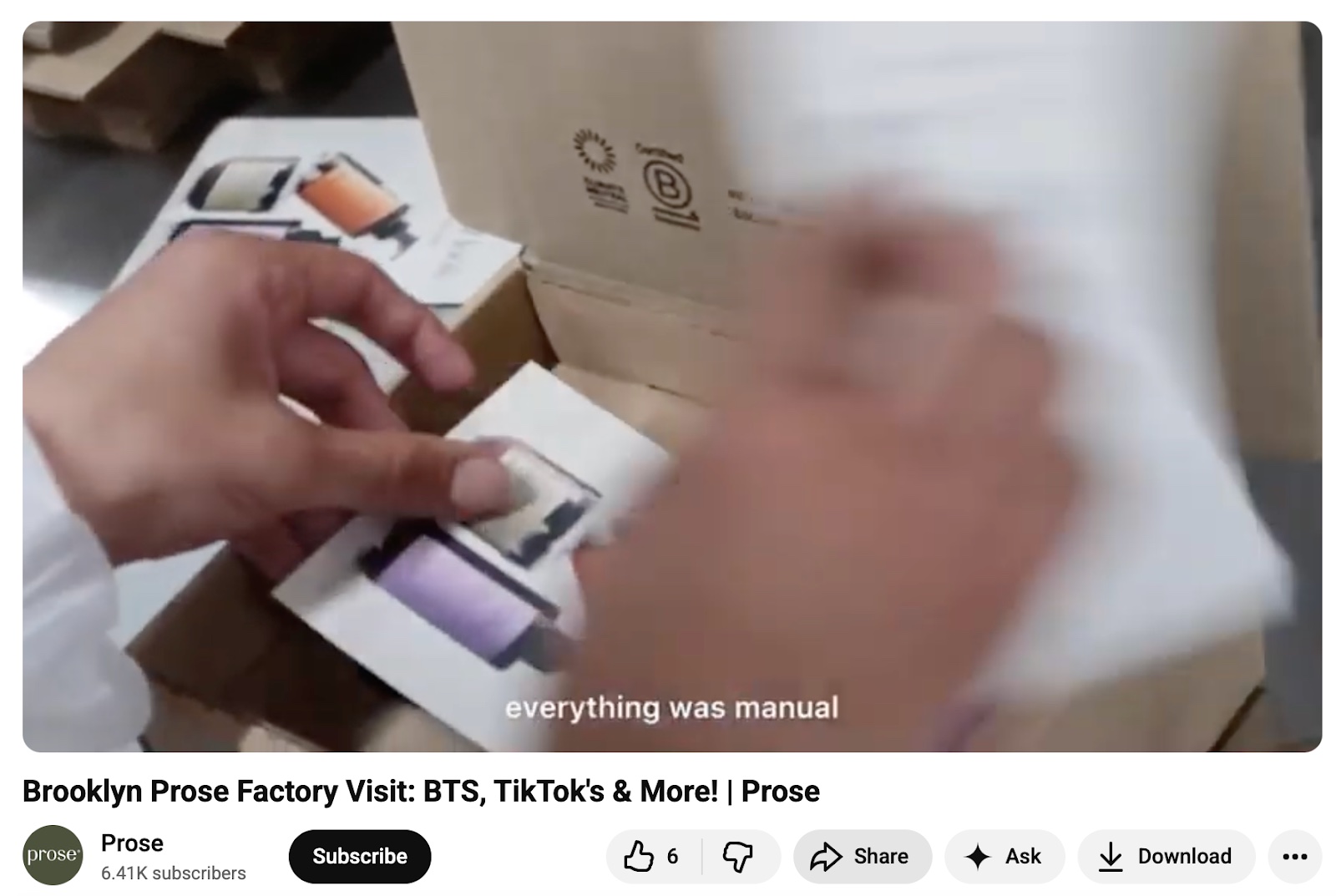
Behind-the-scenes content gives audiences a peek into how your company operates. Prose’s factory tour, led by their social team, humanizes the brand while showcasing how their products are made to order.
Interviews
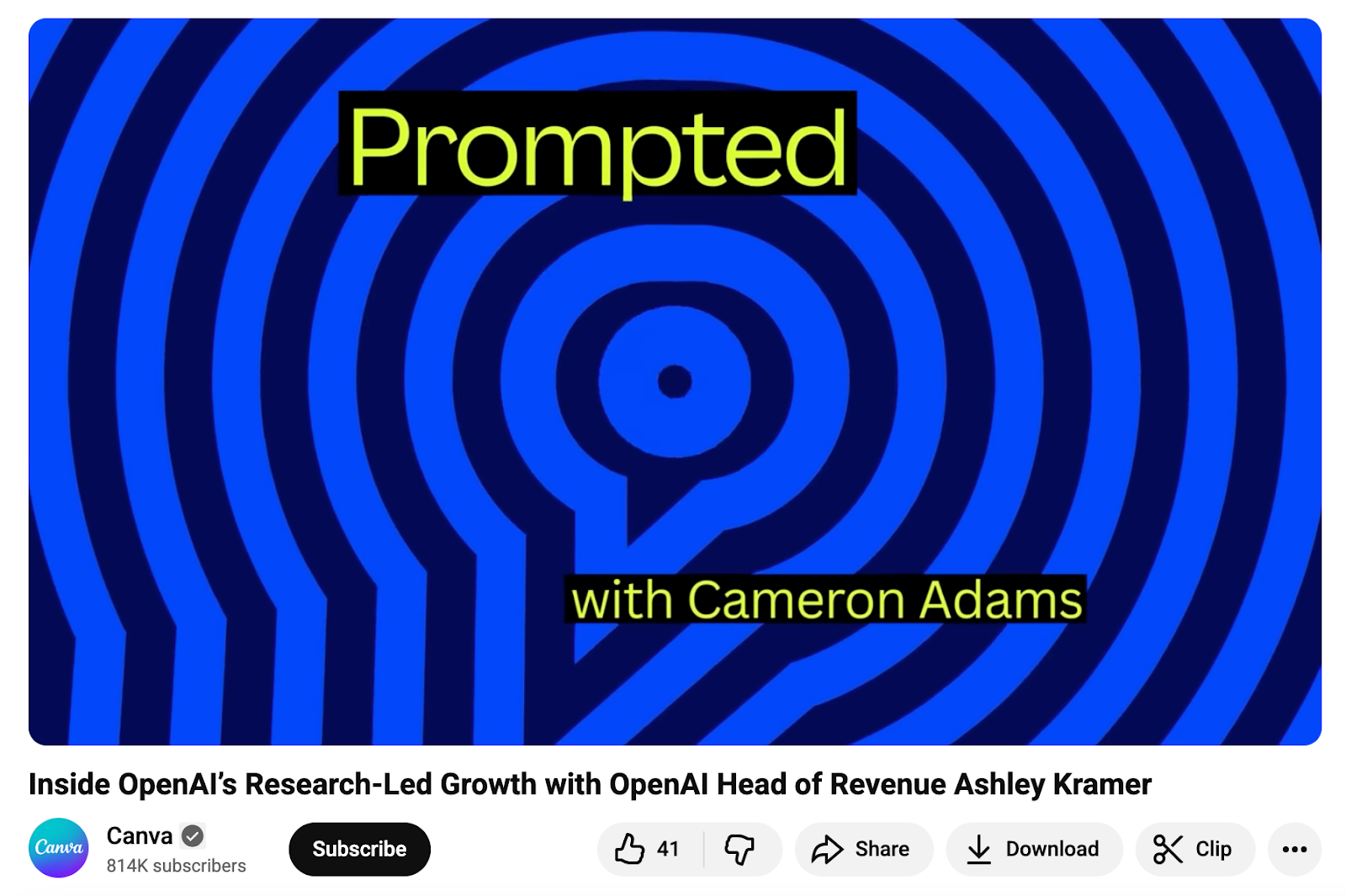
Interviews introduce your audience to new perspectives while adding credibility. This conversation between Canva Co-founder and Chief Product Officer Cameron Adams and OpenAI’s Head of Revenue pairs expert insight with an engaging guest format.
Entertaining
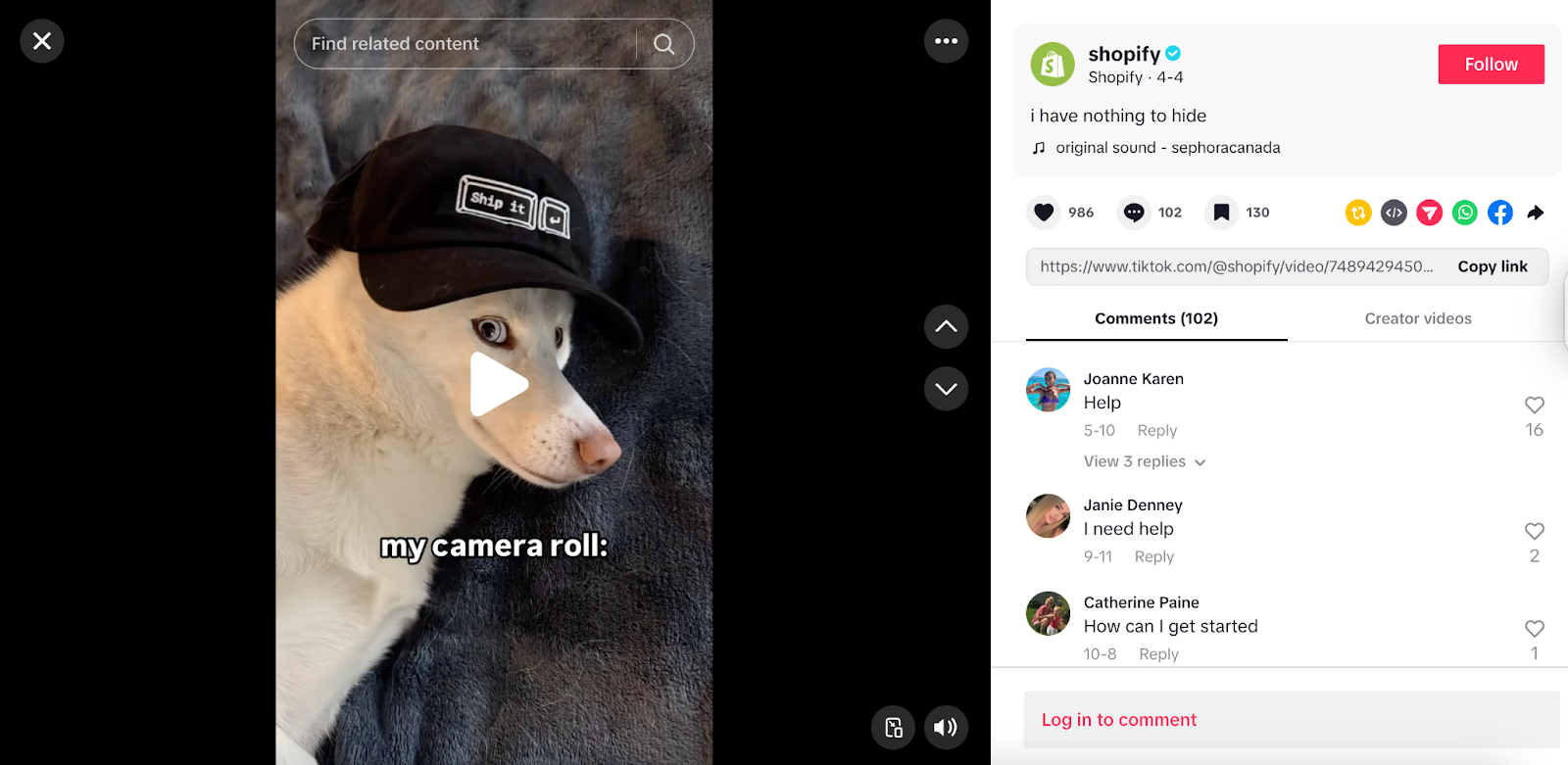
These videos use humor or relatable moments to build community. Shopify nails this with playful TikTok videos like this “entrepreneur’s camera roll” bit, which reinforces their brand personality while making viewers laugh.
Testimonials
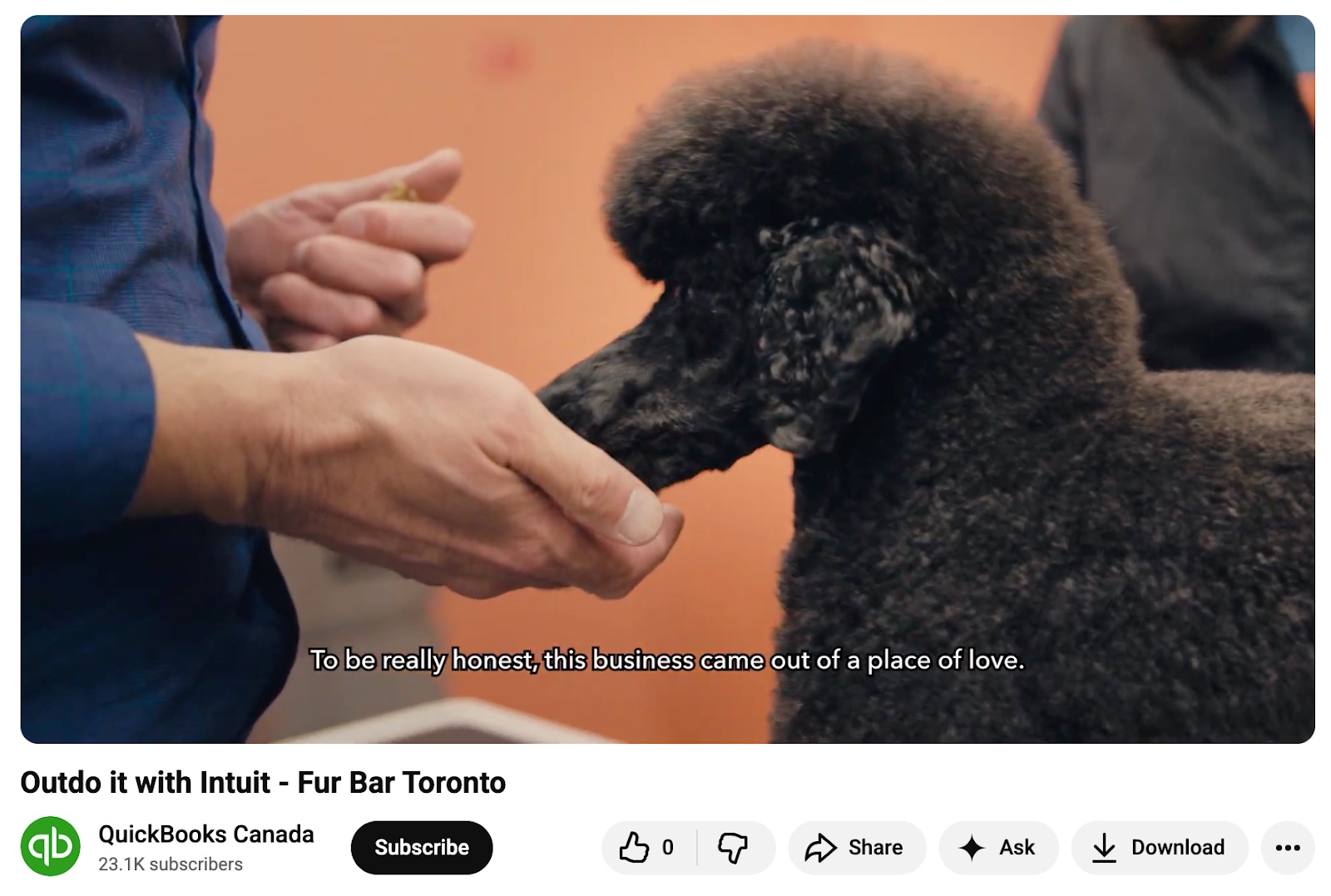
Testimonials build trust by showing real customers and outcomes. Intuit’s story featuring Fur Bar Toronto shows how their tools help a small business grow, so the value feels tangible.
Product
Product videos highlight features in action. Dyson’s engineer-led demo of their V16 Piston Animal showcases innovation and performance in a clear, visual way.

Narrative
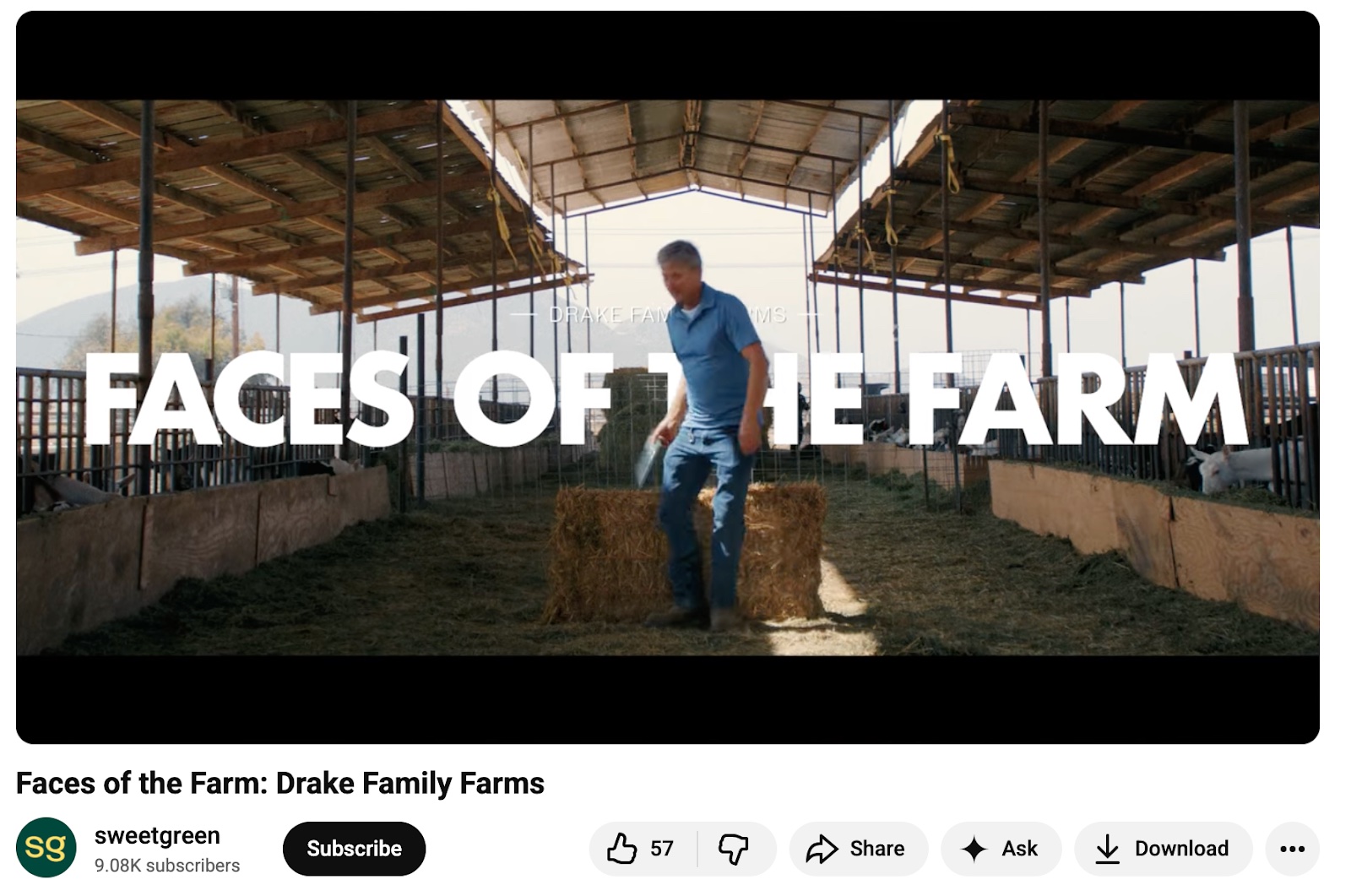
Narrative videos tell a story that connects emotionally. Sweetgreen’s “Faces of the Farm” series introduces real farmers, like Dan Drake, adding authenticity and depth to their sourcing story.
Company culture
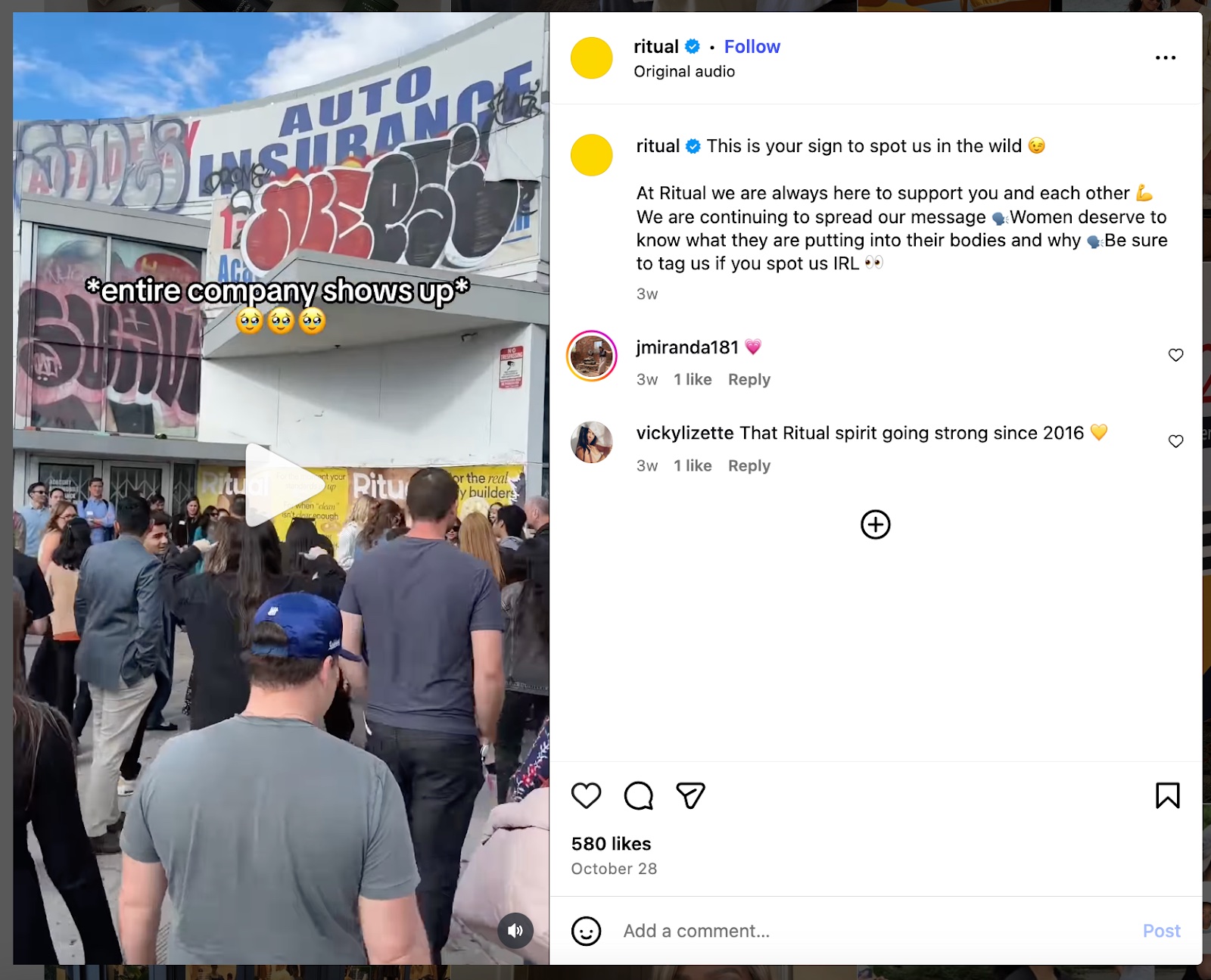
Culture videos spotlight your people and values. Ritual’s team-centered clips, like this IRL “spot us in the wild” moment, showcase their mission and community in action.
Thought leadership
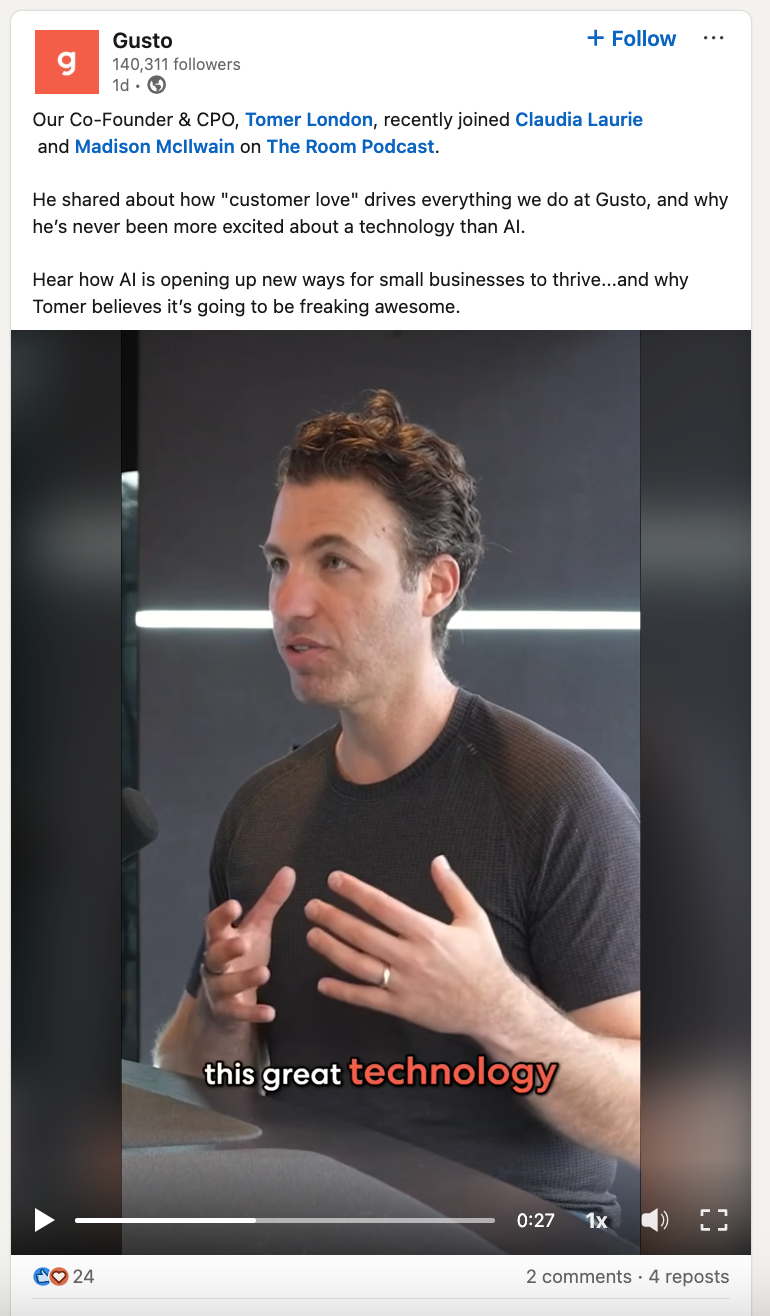
Thought leadership videos feature experts sharing insights. Gusto’s clip of their co-founder on The Room Podcast positions the brand as a leader in small business tools and AI innovation.
Brand story
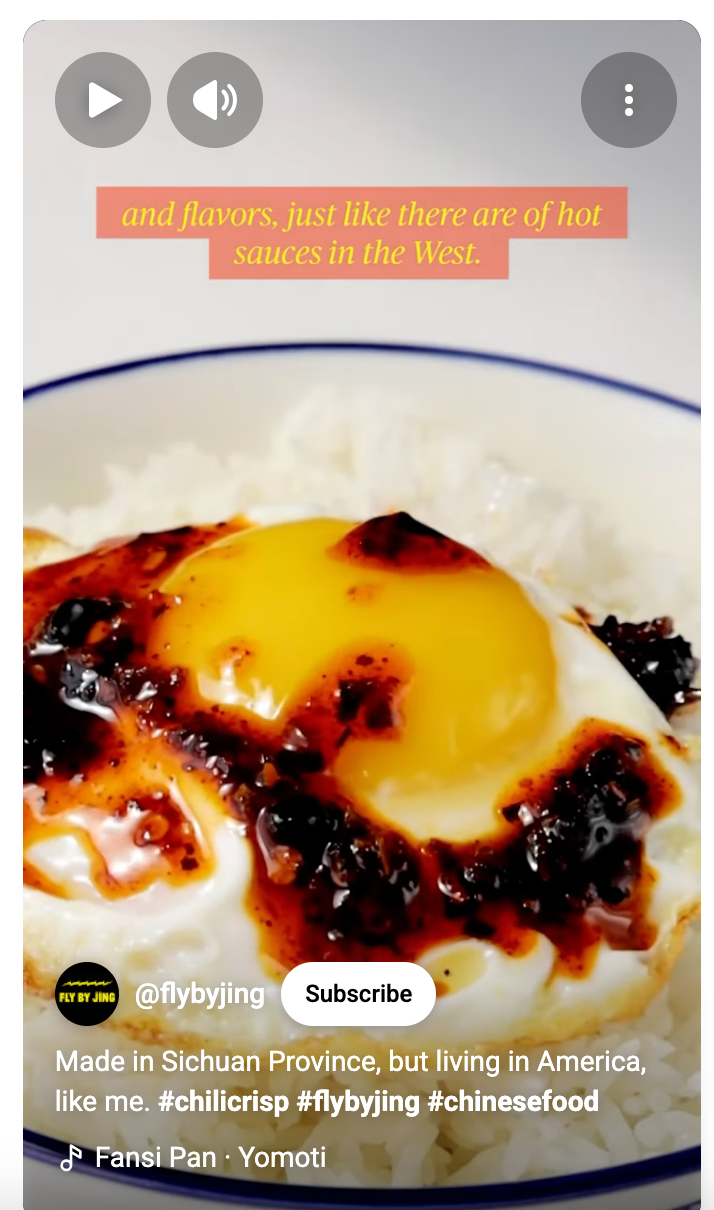
Brand story videos explain who you are and why you exist. Fly By Jing’s YouTube Short about its founder’s Sichuan origins captures the brand’s heritage and mission in a simple but powerful way.
How to create a social media video marketing strategy
Everyone’s making videos, but not everyone is strategic about it. A focused plan helps you choose the right formats, platforms and stories for your brand. Here’s how to create a strategy that’s intentional and effective.
1. Set goals for video marketing
At the beginning of any new marketing strategy, you’ll start by setting goals. What do you want your videos to achieve?
If you’re just starting, we recommend setting only a few goals to avoid getting overwhelmed. An example of a video marketing goal is to generate brand awareness.
But with the right script and creativity, your video marketing strategy can do more than boost brand awareness. It guides prospects through the decision stage, educates customers and fuels a brand’s advocacy plans. Video can fall into each of the five stages of the marketing funnel as long as you develop your video marketing strategy to align with each one.

As you reflect on your video marketing goals, consider how they align with each stage of the buyer’s journey, and use that insight to inform your social media video ideas. Identifying the funnel stage will also help you create highly effective calls to action in your video content.
Here are five example goals you can achieve within each funnel stage:
Awareness: Reach new customers
According to The 2026 Sprout Social Media Content Strategy Report, social media users are increasingly turning to video-centric channels for product discovery and education. In fact, 52% of consumers now prioritize short-form videos (under 60 seconds) when interacting with brands, citing a growing appetite for human-generated, authentic storytelling over high-fidelity production.
In the first stage of the buyer’s journey, brands are trying to capture consumers’ attention and introduce themselves. Social media video marketing is an effective way to reach new customers and showcase who you are, what you value, what your brand offers and what sets it apart from competitors.
In a video, you may have only seconds or minutes to capture your audience’s attention. Get right to the point when you’re creating awareness-stage video content. For example, eye-catching educational videos or opinionated thought leadership can establish credibility and your brand identity, so when consumers intend to buy, your brand is top of mind.
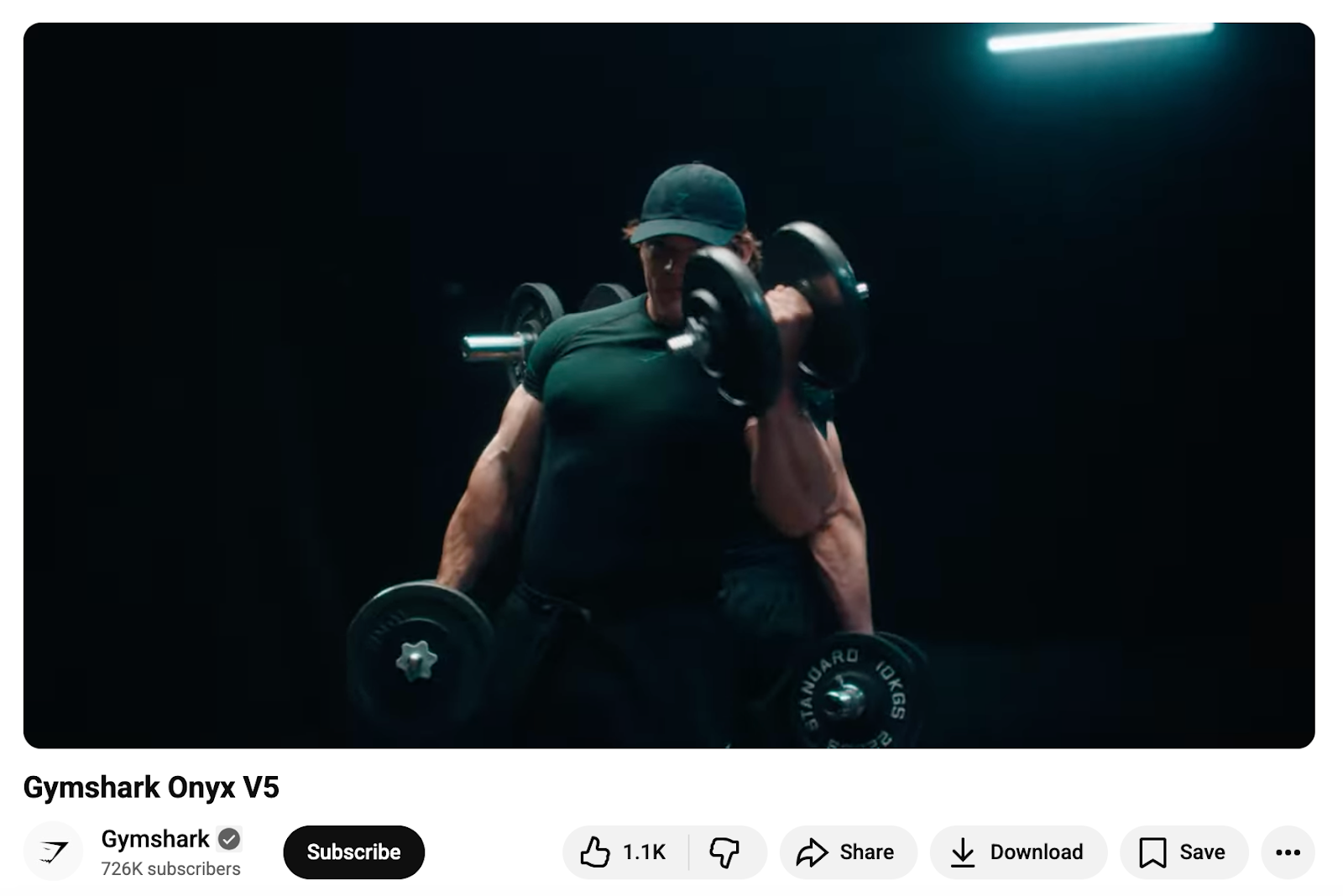
Some brands rely heavily on videos for advertising. These videos can appear on a brand’s website, product pages or in social ads across networks. This is especially useful for direct-to-consumer brands like Gymshark, where product videos help consumers visualize how to use the gear and understand what makes each collection stand out.
Gymshark recently spotlighted the return of their fan-favorite Onyx V5 collection. The cinematic clip features Gymshark athletes training in the new pieces, shot in an action-movie or superhero-sequence style. The dramatic lighting, slow-motion lifts and close-ups of the fabric create a high-impact moment that immediately communicates the strength and performance the collection is designed for.
The video is bold, visually engaging and optimized for quick attention across channels. It works as an organic Instagram Reel, TikTok post, YouTube Short or a paid social ad.
Consideration: Generate demand
Once consumers have reached the consideration stage, they may know about your brand and what you offer, but it’s still your job to generate demand for your products and services.
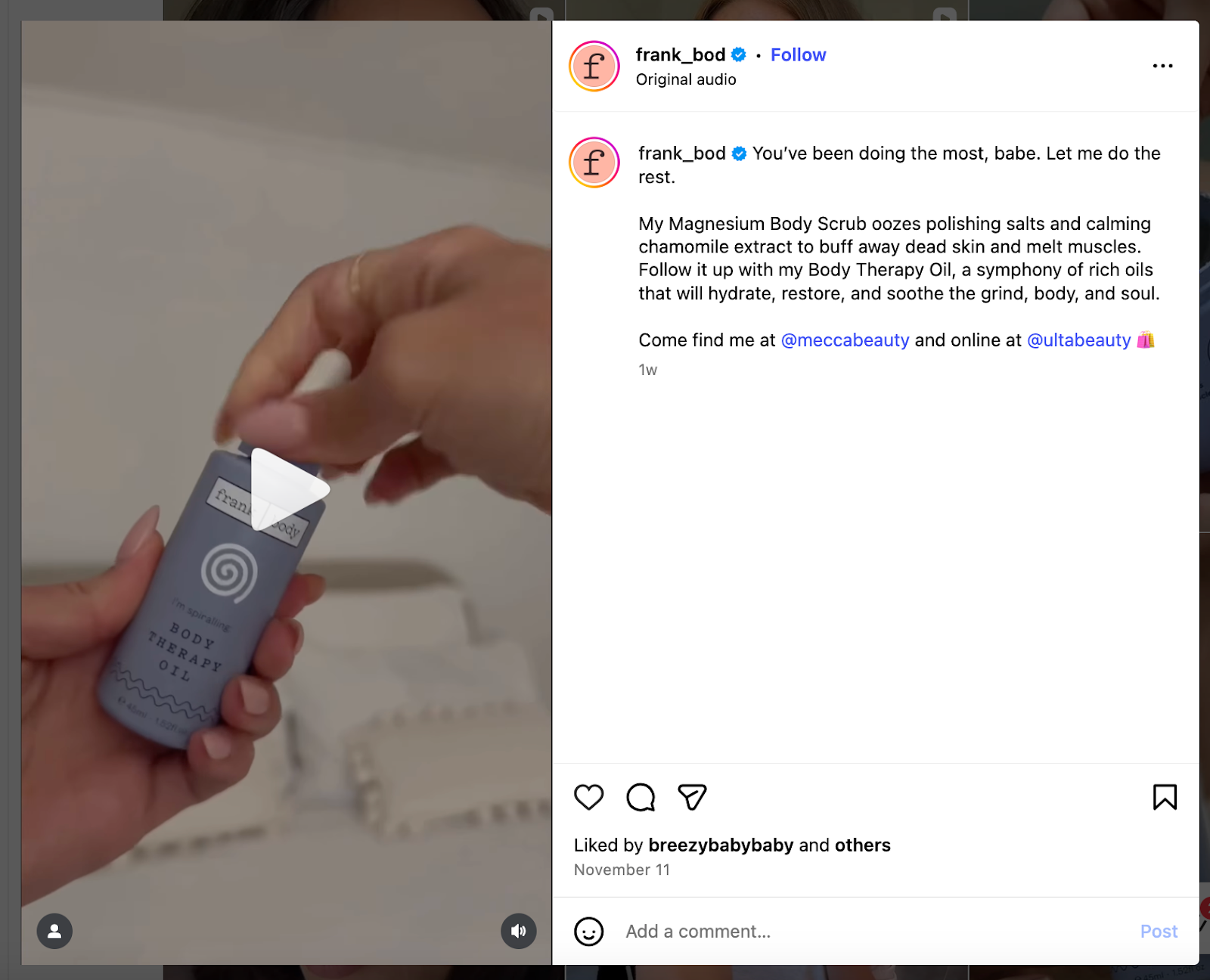
There are several ways to achieve this goal through social media video marketing. For example, how-tos and tutorials show your product in action and help consumers envision how they’d use it. Brands in the skincare, makeup and wellness spaces—such as Australian beauty brand Frank Body—excel at consideration-stage video.
Frank Body frequently shares short-form videos featuring influencers, creators, customers and staff members using the brand’s products in their daily lives. In the example below, nano-influencer @maya_andrejev walks through her nighttime ritual using Frank Body’s Tired Babes Kit, first applying the magnesium scrub and then the Body Therapy Oil. The content feels cozy, relatable and perfectly aligned to the results the product promises.
When people can see how someone else uses your product to solve a problem or elevate their day, it becomes easier to imagine themselves doing the same.
Animated explainer videos are an alternative option to live-action demonstrations. Though more abstract, they’re still an opportunity to put the customer’s problem into perspective and introduce your services as the solution.
Lean into this consumer interest by using video to highlight your brand story and core values. You’ll establish an emotional connection with your audience, making it more likely they’ll choose your company over a competitor.
Decision: Drive conversion
The decision stage is when prospects are weighing their options and are closest to becoming customers. Here, customer testimonial videos can go a long way to show the real potential and payoff of your products and services.
An example of this comes from Monday.com, which shares polished customer stories that highlight how teams use their platform to solve real operational challenges. In the video below, the company features three members of Knight Frank’s global marketing team.
Each person shares how they unified fragmented workflows across four divisions using Monday.com. Their interviews are intercut with clear visualizations of dashboards and automations, giving viewers a tangible look at how the platform transforms day-to-day operations.
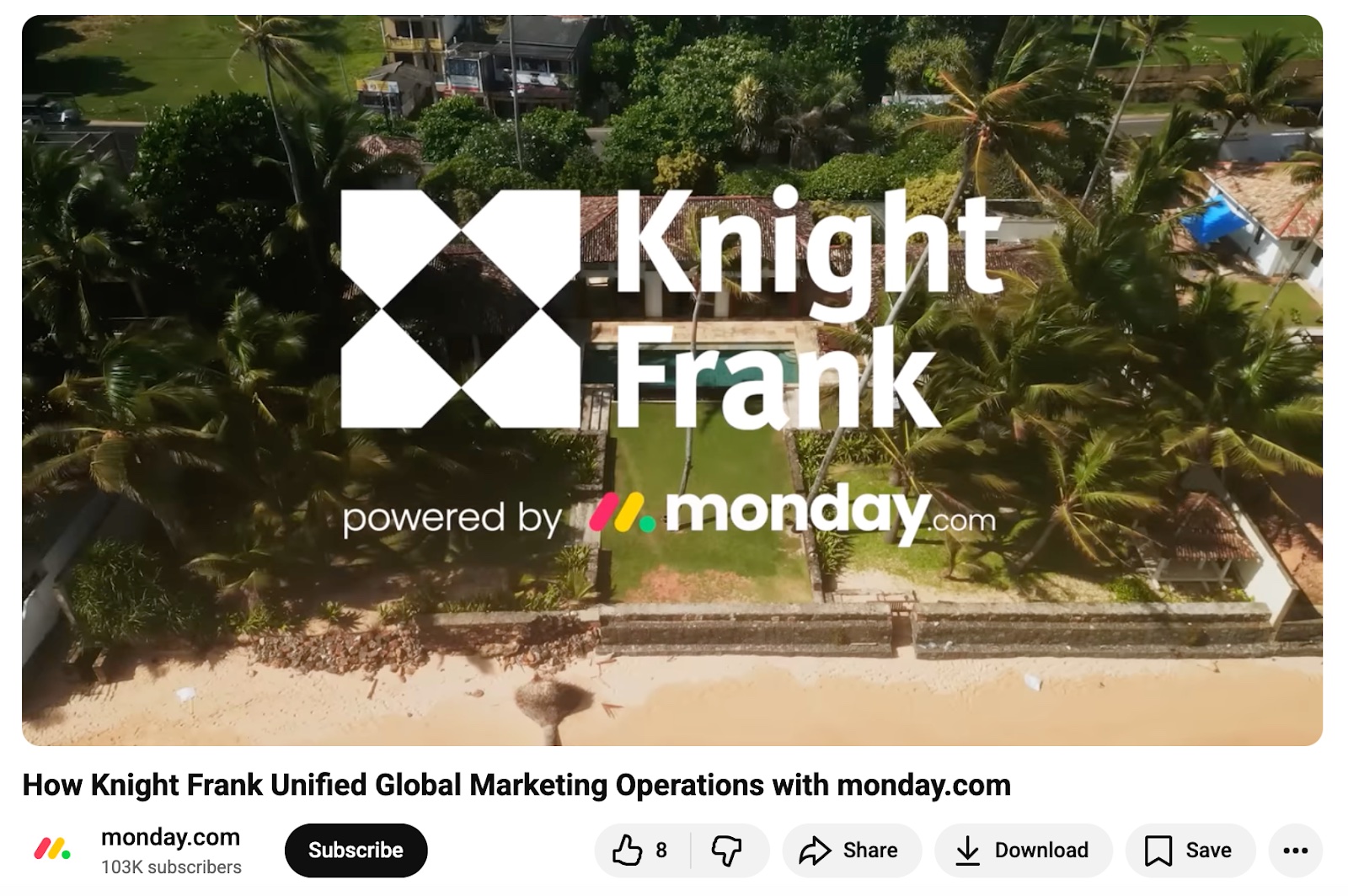
It’s aspirational, but rooted in reality. Viewers can easily picture their teams overcoming similar obstacles, which makes this a high-impact conversion asset. When prospects see how someone in their role, industry or challenge set succeeded with your product, it builds trust and reduces friction in the buying process. Also, note that they include several call-to-action links in the description.
Use this type of video content to show potential customers the results and tangible benefits others have achieved, and what they stand to gain by choosing your business.
Adoption: Educate customers
It’s not just marketers who want to make sure they’re seeing a return on their investments. Once a prospect becomes a customer and enters the adoption stage, educate them on how to get the most out of your products and services.
An energetic how-to video is ideal for platforms like YouTube, LinkedIn or Instagram Reels, where people are willing to spend more time watching and learning.
You have a few options:
- Educational video: If your products or services have many features tailored to specific needs or a learning curve, lean into educating your audience. Content focused on hacks, tips, optimization, or special features can put complex topics into perspective and build customer confidence.
- Webinars: These can be highly effective because they give customers a chance to engage with your brand in real time and ask questions.
- Live stream: Going live can help you capture a broader audience. However, it’s your biggest fans and existing followers who are most likely to tune in. Followers who have their app open when you go live will also receive a notification that you’re broadcasting, so they can easily tune in to get the latest from your brand.
Advocacy: Inspire evangelism
By the advocacy stage, you have satisfied customers who’ll sing your praises and champion your brand.
The beauty of advocacy videos is that customers don’t feel like they’re being sold to. Capitalize on organic, genuine love for your brand and product using social listening tools like Sprout Social. With Sprout Social Listening, you can capture brand mentions from engaged profiles and surface user-generated content.

Not every advocacy video will be viral or come straight from your fans. Consider creating employee advocacy content with your colleagues to show the ins and outs of your company and why they love working there.
2. Decide on your social media platforms for video marketing
Every major social media network has a form of video, so there’s plenty of real estate to incorporate it into your strategy.
Here’s a quick breakdown of the most popular video-friendly networks and what they’re best for:
- Facebook: Strong for broad reach, especially with older demographics. Useful for product videos, testimonials, community-focused content and paid distribution.
- Instagram: Great for short-form discovery, product showcases, creator collaborations, behind-the-scenes clips and visual storytelling across Reels, Stories and Lives.
- Threads: Builds lightweight video into conversational content. Best for thought leadership, community engagement, quick product teases and reactive, personality-driven clips shared alongside text-based posts.
- YouTube: Best for search-driven discovery, tutorials, long-form educational content, episodic series and product explainers. Shorts boost reach and complement your long-form strategy.
- TikTok: Ideal for trend-driven reach, authentic creator-led content, lo-fi videos, edutainment and cultural relevance. A strong awareness driver with conversion potential through community-led trends.
- X (Twitter): Best for timely reactions, commentary, event-driven clips and fast takes. Video supports conversation more than polished storytelling.
- LinkedIn: LinkedIn videos are great for thought leadership, B2B storytelling, company culture highlights, customer success videos and executive POV clips.
- Pinterest: Optimized for tutorials, step-by-step content, DIY, recipes and evergreen ideas. Pinterest videos perform well for planning moments and visual search.
- Reddit: Great for niche communities and interest-specific discovery. Video works well for demos, how-tos, reviews and AMA-style explanations.
If you’ve never used video on any platform, begin with the ones where you already have an active audience. Then expand into platforms that align with your goals and your content style.
Social media video formats and features
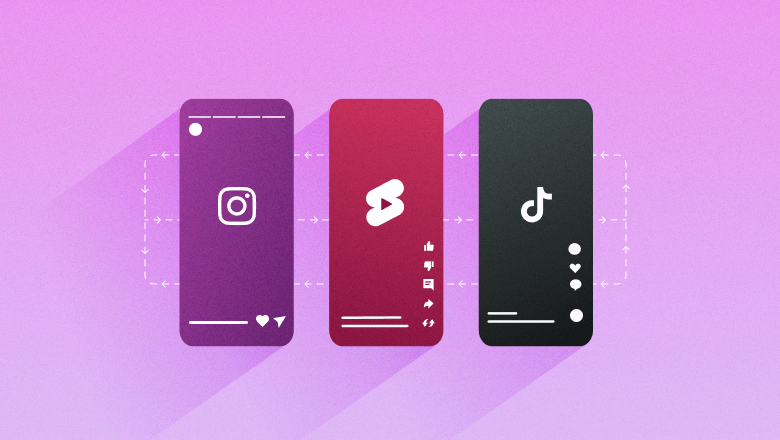
To choose the right platform for your brand’s video marketing, you need to understand what each platform offers and which video dimensions it supports. If you’d like to repurpose your videos, it’s best to choose platforms that complement each other. Many platforms (including Reels, TikTok and YouTube Shorts) use a 9×16 vertical video aspect ratio, making it easy to cross-post your video on all of them.
As different social platforms add more features, it can be hard to keep track of which types of video content to post where, or when you might need to do some additional editing.
See below for a quick reference, but visit our full social media video specs guide for all the details you need to upload on each network.
- Landscape and portrait feed video
- Reels (native or cross-posted from Instagram)
- Facebook Live (live streaming)
- Facebook Stories (disappearing content)
- Video in Groups
- Video ads (feed, Reels, in-stream, Stories)
- Landscape and portrait feed video
- Instagram Reels (short-form and long-form content)
- Instagram Stories (disappearing content)
- Instagram Live (live streaming)
- Collab posts and Remix (video-based collaboration tools)
- Reels and Story ads
Threads
- Landscape and portrait feed video
- Reactions (quote-style video responses)
- Cross-posting from Instagram Reels
- In-thread video replies
YouTube
- Landscape video (long-form)
- YouTube Shorts (portrait, short-form video)
- Portrait video (may use pillarboxing on some uploads)
- Live streaming
- Podcasts (video-supported)
- Community tab video posts
TikTok
- Portrait feed video (short-form and long-form up to 10 minutes)
- Live streaming
- TikTok Stories (disappearing content)
- Duets, Stitches and Collabs
- TikTok Shop video (shoppable video and live shopping)
X (formerly Twitter)
- Landscape and portrait feed video
- Live streaming
- Long-form uploads (up to 2 hours for premium users)
- Landscape and portrait feed video
- LinkedIn Live (livestreaming)
- Video ads
- Portrait feed video
- Idea Pins (set of images, videos or text similar to Stories)
- Shoppable video Pins
- Video ads
- Feed video (portrait and landscape)
- RPAN (Reddit Public Access Network) live streaming
- Crossposting video across subreddits (where allowed)
- Reddit ads with video placements (in-feed, Discover tab)
3. Determine your video branding
Once you’ve identified the video formats you want to use, the next step is to define how those videos should look, sound and feel across platforms. Your video branding shapes how easily people recognize your content and how well it reflects your brand identity.
Start by choosing the video types that best support your goals, whether that’s educational Reels, product explainers, behind-the-scenes clips or narrative storytelling. From there, think through your branding approach. Will each format have a unique visual style, or will all content adhere to your overarching brand guidelines? Some brands use consistent color palettes, music, motion graphics or on-screen text, while others opt for a looser style that feels native to each network.
Also consider how prominent you want branding to be. For some videos, subtle branding, like a recognizable editing style or tone, is enough. For others, especially product or testimonial videos, more explicit branding helps reinforce trust and recall.
Influencer and creator content is another variable. If you often work with influencers, the video will likely be more personality-driven and your branding may be more flexible.d. If you’re producing most videos in-house, you may have tighter brand control.
Clarifying these choices early will help ensure your videos feel cohesive, recognizable and aligned with your strategy as you move into production planning.
4. Establish content themes
Content themes give your video strategy structure. Think of them as the core pillars that guide what you talk about, how you show up and each video’s objective. Themes help you maintain consistency across platforms, streamline ideation and keep your content aligned with your larger marketing goals.
Start by defining three to five themes that support your strategy. For example: product education, customer success stories, thought leadership, company culture or behind-the-scenes storytelling. Each theme should connect to a business objective, such as building awareness, driving consideration or supporting conversion.
Once you’ve set your themes, use them to shape your topics, video formats and creative style. If one of your themes is “customer proof,” you might plan a mix of testimonial clips, case-study snippets and creator-led “I tried this” videos. If another theme is “brand expertise,” you might focus on explainers, tutorials or thought-leadership content.
With defined themes, your video library becomes easier to plan and scale, and more cohesive for your audience. Every piece of content has a purpose, and every video contributes to your broader story.
5. Plan the content production
A good content production plan will save you time and money in the long run.
Start by mapping out your content calendar. It should outline video topics, filming schedules and publishing dates. A clear calendar helps you batch similar shoots, manage approvals, coordinate talent and ensure your videos ladder up to broader campaign timelines. It also keeps your publishing schedule consistent across networks.
Then evaluate your content production and post-production options. Hiring an agency or production company can help you handle all the planning and approvals while you provide guidance.
If you’re keeping it in-house, you’ll need to consider these steps:
- Identifying budget, equipment, props and any accessibility needs
- Writing and editing scripts
- Storyboarding or outlining the visual flow
- Planning shoot logistics (timing, locations, lighting, daylight)
- Coordinating talent (creators, employees, customers, etc.)
- Managing footage handoff and editing
- Assigning reviewers and approvers
Ensuring music and assets are properly licensed
As you run through the content plan, you’ll find ways to tweak it or things you missed earlier, especially if this is one of your first efforts at putting together a comprehensive video content plan. Be ready to adjust where needed. Once you have a solid plan and production workflow, you’re ready to move into post-production.
6. Know what post-production entails
Allow plenty of time for post-production, especially if you will use videos for ads or have heavier editing needs. Post-production does not mean simply cutting scenes and reassembling them to music. It also includes features such as closed captions, text overlays, call-to-action screens, and more. The more you film and the more polished you want your video to be, the more time you’ll need.
Some videos will only require light post-production edits. For example, if you host a Facebook Live, the video is published immediately after it ends. You’ll be able to edit the caption and title, but not much else.
Uploaded videos will go through post-production. On YouTube, for example, you’ll be able to add tags, multiple language closed captions, detailed captions and more.
Know what you’re getting yourself into before you start: formal, polished videos on YouTube require a lot more work than a basic livestream.
7. Publish and promote the videos
Now that you have the completed video, it’s time to schedule and promote it. Some management platforms, such as Sprout Social, offer video publishing options.

Sprout supports scheduling and publishing video across all major networks—including Instagram, TikTok, Facebook, YouTube, LinkedIn and X—directly from a single unified calendar. Our built-in Video Editor makes it easy to trim clips, and Generate Subtitles by AI Assist creates accurate, accessible captions in a few clicks.
Don’t think of videos on social media as one-and-done. One film recording session can produce multiple videos that you can repurpose across channels. Use different cuts and formats to create new variations. Think big when you’re promoting videos.
Owned distribution channels
Use your owned channels to extend the reach of every video. On top of posting on your socials, embed videos on relevant website pages, include them in email newsletters, repurpose clips for blog posts and share them across your brand’s community spaces. Consistent cross-channel distribution reinforces your message and increases discoverability.
Paid distribution channels
Paid social gives your videos an added boost. Use paid placements on networks such as Facebook, Instagram, TikTok, YouTube and LinkedIn to reach new audiences or retarget warm prospects. Also consider turning influencer content into ads and boosting them through your brand accounts to reach a wider audience.
Social search
Optimize your video SEO for discovery across social search and beyond. Add keyword-rich titles, captions and descriptions, use native tagging features and design your opening frames to align with user intent. Social videos increasingly surface in external search engines (like Google) and in LLMs with live search, so clear metadata and accessible formats help your content get found wherever people are looking.
8. Understand and analyze metrics
The last step in any strategy is the most important: analysis and reflection. You won’t know how a video performs unless you review the underlying data. What are the view counts? The watch times? The shares, likes and comments? Are people completing the video or dropping off early? How many clicked through or converted?
Each network provides a different set of video metrics, so you need to know which ones it offers before you start production. The metrics you track should map directly to your goals:
- Awareness (impressions, reach, video views)
- Engagement (watch time, comments, saves, shares)
- Consideration (click-throughs, profile visits)
- Conversion (link clicks, attributed sales).

Sprout offers a full suite of cross-network analytics that make it easy to compare performance across networks, track trends over time and identify what’s resonating.
Use analytics and social listening together to refine your strategy. While performance data tells you what worked, listening reveals what audiences are saying, searching for and responding to. Combined, they help you improve creative decisions, adjust your themes and identify new opportunities for video content.
Keep in mind that audiences will watch your older videos. With the right combination of keywords and an evergreen topic, a three-year-old video might still be relevant to your users today.
9 video marketing best practices
Every brand wants to unlock the power of video, but few feel confident doing it.
According to VEED’s Ultimate Guide to Video Marketing, 98% of UK and US marketers say video is important to their strategy, yet 83% aren’t sure where to start. Only 38% feel confident creating video, and 62% experience negative emotions when asked to do it. Two-thirds describe the process as overwhelming or creatively blocking.
The attention economy amplifies pressure, with short-form video and video ads often the fastest way to stop the scroll. These best practices help you cut through the noise and create video content that drives results.
1. Know your audience
Analyze your audience’s demographics, behaviors and platform preferences to understand which styles and formats resonate. Review your top-performing videos and use social listening to identify the questions, challenges and moments your audience cares about. Aligning your content with real needs and motivations will make your videos more relevant and engaging.
2. Consider video lengths
Short-form video dominates most networks, but long-form still thrives on YouTube and other search-driven platforms. Use a mix of both to support your full funnel, based on your goals, resources and capacity. If you invest in long-form, repurpose it into multiple short-form clips to extend reach and maximize ROI. Think of longer videos as raw material for bite-sized content across networks.
3. Lean into storytelling
Great storytelling pulls people in, holds attention and leaves an impression long after the scroll. We love the short-form storytelling framework Craft & Release shared at CultureCon 2025:
- Create a fantastic hook. Capture attention within the first five to 10 seconds. Combine audio and visuals with standout angles, lighting, transitions and sound design.
- Create stakes. Give viewers a reason to keep watching. Introduce tension, pose a challenge or hint at a payoff.
- Evoke emotion. Tap into relatable problems, joyful moments or shared experiences that make your message stick.
4. Recruit engaging talent
Talent can make or break your video. Choose creators, influencers or employees who appear natural on camera and embody your brand’s personality.
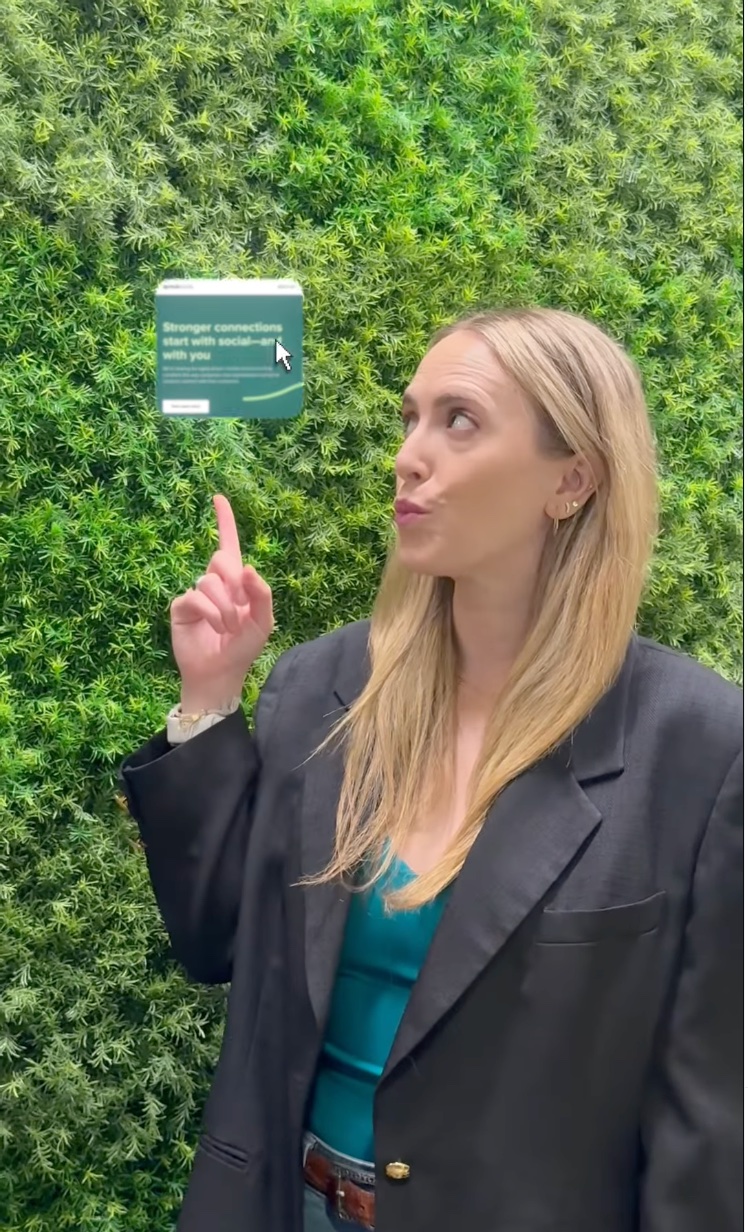
At Sprout, we activate employees through our Employee Creative Network. It’s a group of 100+ individual contributors and leaders who contribute authentic, employee-led video content. Employee-generated content (EGC) consistently outperforms polished branded content, so don’t overlook your internal talent pool. Use Sprout Tagging or custom tracking to measure what styles and voices resonate most.
5. Clearly outline creative requirements
Well-defined expectations and timelines reduce delays and protect the quality of the final product. Set creative requirements upfront: scope, visual guidelines, brand guardrails and non-negotiables. Designate approvers and set a cutoff for feedback so revisions don’t spiral out of control.
6. Stick to your budget
Map out costs for pre-production, equipment, talent, editing, paid distribution and accessibility needs. Prioritize the formats and themes that offer the highest ROI for your goals. A clear-cut budget helps prevent scope creep, keeps teams aligned and ensures every dollar contributes to a measurable outcome.
7. Use quality audio and captions
Good audio instantly elevates your video quality. Use a reliable microphone or quiet recording setup, and avoid distracting background noise. Always include captions for accessibility and sound-off viewers. Captions improve comprehension, boost watch time and increase discoverability across platforms.
8. Leverage AI throughout
AI streamlines video creation from start to finish. Use it to surface insights from past performance, generate ideas, outline scripts, refine messaging and optimize posting. In production and post-production, AI tools can help trim clips, format videos, generate subtitles and speed up editing. Treat AI as an assistant that reduces manual work, enabling your team to focus on storytelling and strategy.
9. Repurpose content across networks
Repurposing multiplies your video’s impact. Reels, TikToks and YouTube Shorts share the same 9×16 vertical format, making cross-posting simple with minor edits. Break long-form videos into short clips for broader reach across platforms. Repurposing ensures more people see your best ideas, extends the lifespan of your content and helps you maintain a consistent publishing cadence without starting from scratch.
Start your video marketing strategy today
Social media video marketing is one powerful piece of your broader content strategy. Setting clear goals and aligning your video approach with your overall social plan helps you choose the right platforms, formats and workflows. With thoughtful production, intentional promotion and ongoing analysis, you’ll be ready to create videos that stand out and earn attention in a fast-moving feed.
As social becomes the new search engine, your content also needs to be easy to find. Strengthen your visibility, sharpen your strategy and help your videos reach the audiences already searching for them with our Social Search Optimization Strategy workbook.



Share