Facebook marketing for small business: A complete guide for 2026

Written by Nader Nekvasil
Published on April 1, 2026
Reading time 11 minutes
Table of Contents
Summary
- Learn how to build a professional foundation by optimizing your Facebook Business Page and establishing a repeatable, AI-enhanced content engine tailored for the 2026 algorithm.
- Learn how to foster genuine community and brand loyalty by leveraging Facebook Groups and delivering fast, personalized customer care through Messenger automation.
- Learn how to maximize yourgrowth by balancing organic Reels with targeted Meta ads and tracking the specific performance metrics that drive measurable business ROI.
Facebook is a critical component of social media marketing for small business—but only when you have a clear Facebook marketing strategy behind it. With over 3 billion monthly active users and targeting tools that reach the right customers, Facebook gives small businesses access to an audience that was once reserved for brands with massive budgets.
The gap between businesses that grow on Facebook and those that stall comes down to execution: setting up your page correctly, creating content that builds real community and running ads that drive measurable results.
This guide covers everything you need to do all three—from building your first business page to tracking the metrics that prove your Facebook marketing is working.
What is Facebook marketing for small business?
Facebook marketing for small business means using Facebook to promote your brand, reach new customers and drive sales through a mix of organic content and paid ads. It’s the practice of building a presence on the platform—posting content, running ad campaigns, responding to messages and tracking results—to grow your business.
Here’s what a complete Facebook marketing strategy covers:
| Component | Description | Primary Benefit |
|---|---|---|
| Business Page | Your brand’s official home base | Credibility & Info Access |
| Organic Content | Non-paid posts, Reels and Stories | Community Building |
| Paid Advertising | Targeted Meta Ad campaigns | Massive Reach & ROI |
| Community Management | Responding to DMs and comments | Customer Loyalty |
Why Facebook marketing matters for small businesses
Facebook marketing refers to using Facebook’s features—such as Business Pages, ads, content publishing and Messenger—to promote products or services and build lasting customer relationships. With an estimated 40% of consumers planning to spend more time on Facebook, the network offers an unparalleled audience opportunity for small businesses.
Small companies can use Facebook to:
- Build brand awareness through engaging posts and videos.
- Generate leads through targeted ads and forms.
- Strengthen loyalty with direct community interactions.
- Measure impact using built-in analytics for ROI tracking.
Facebook’s blend of organic engagement and precise advertising creates one of the most accessible entry points for small teams. For broader context, explore our full guide to social media marketing for small businesses.
How to set up a Facebook Business Page for a small business
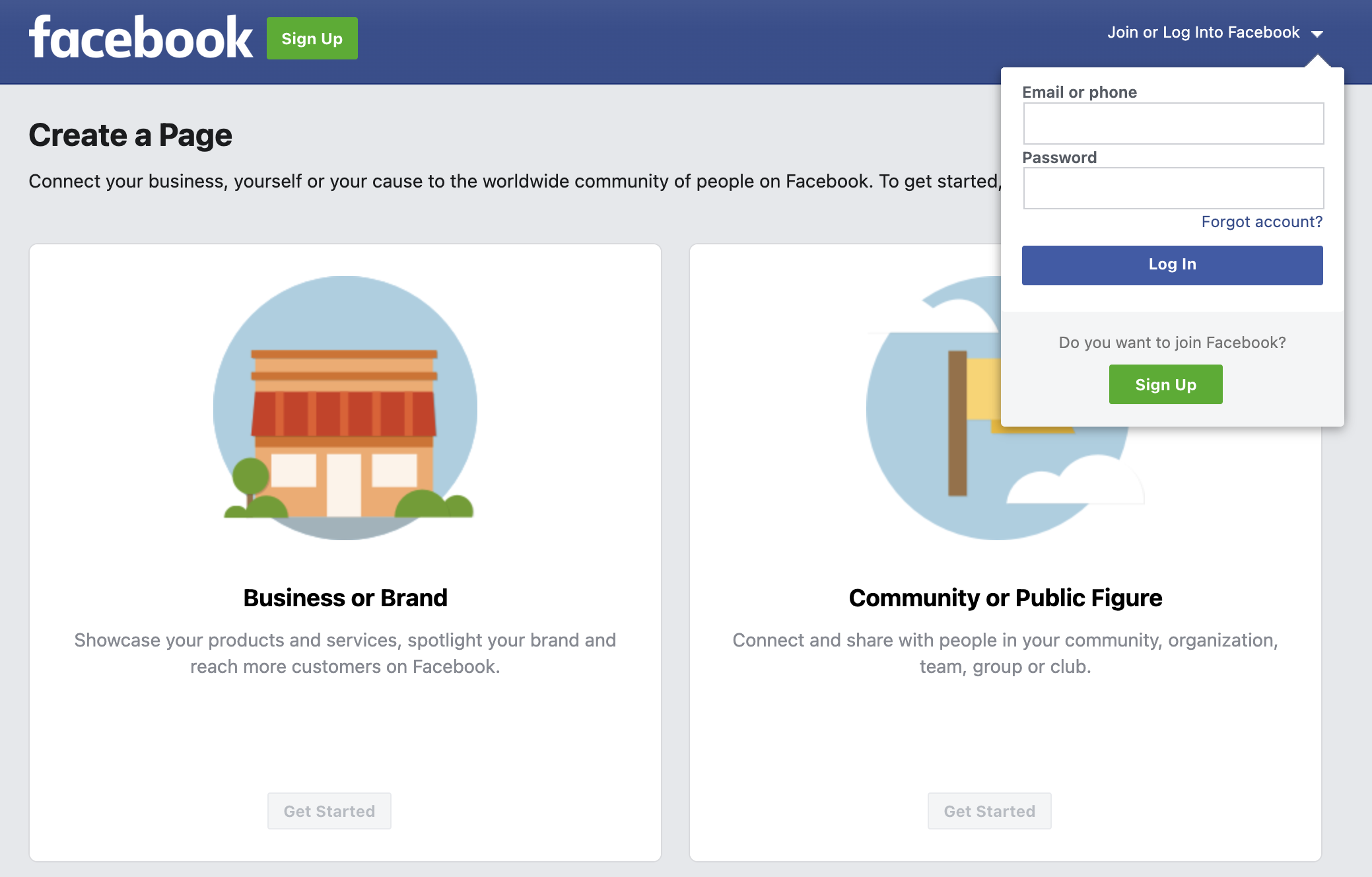
A Facebook Business Page is a public profile created specifically for brands. You cannot market your business from a personal profile. Setting one up is free and takes about 15 minutes. These five simple steps will help guide you through the process.
Step 1: Create the Page in Meta Business Suite
Go to business.facebook.com, click “Create account” and choose your business type and category. Use your exact business name so customers can find you easily across search and social.
Step 2: Upload profile and cover images
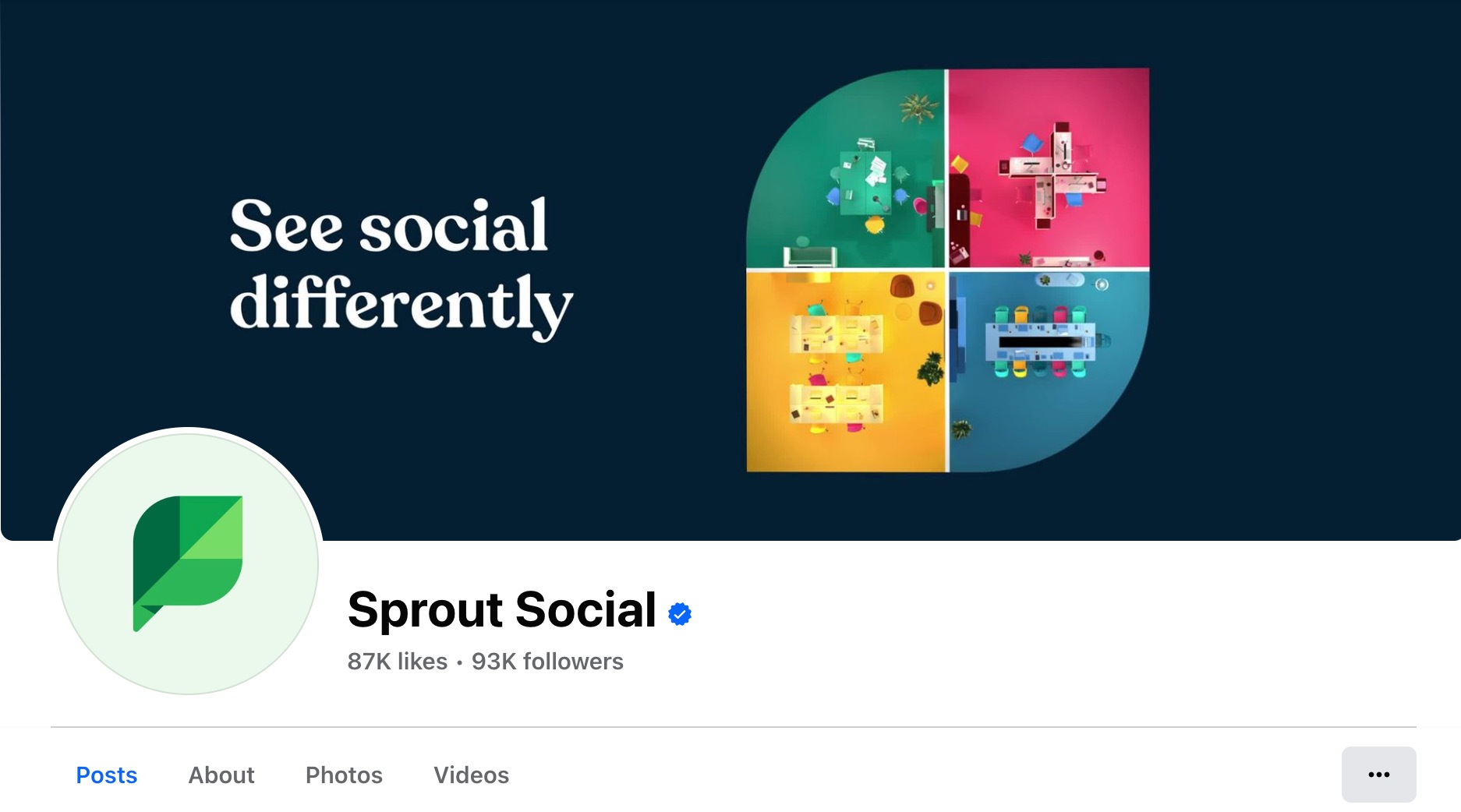
Your profile photo needs to be at least 170×170 pixels—use your logo. Your cover photo should be 1200×630 pixels and highlight your value proposition or a current promotion.
Step 3: Add business information and CTA button
Fill in every field: business hours, contact details, website and your “About” section. Only the first 155 characters of your “About” section appear before the “See More” link, so lead with what matters most. Then choose a primary CTA button—Shop Now, Contact Us, Book Now or Learn More.
Step 4: Configure Page roles and notifications
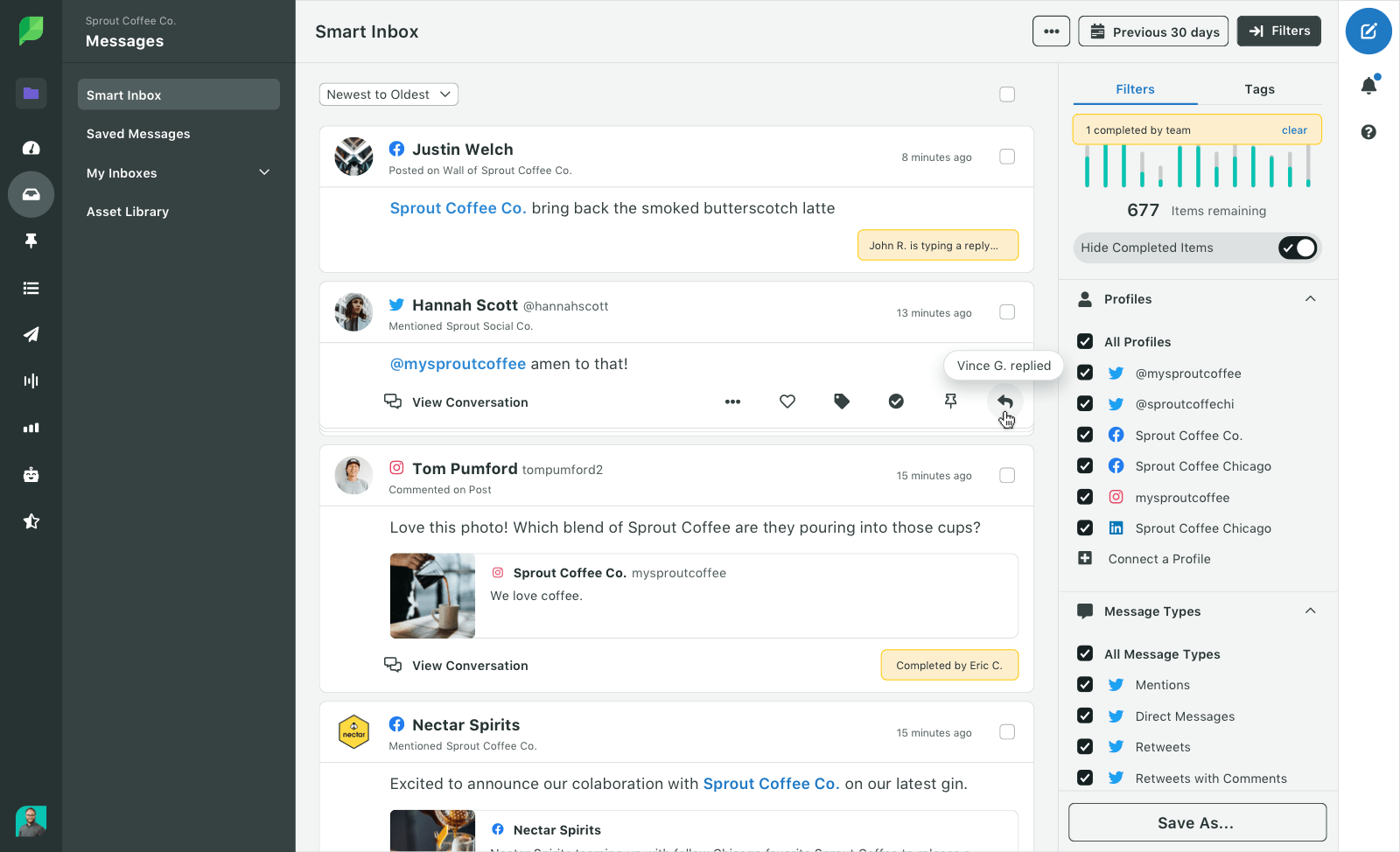
Assign roles to your team members: admin for full access, editor for content and moderator for comments and messages. Set notifications for messages, comments and reviews so nothing slips through. Teams managing multiple pages benefit from a centralized inbox—Sprout Social’s Smart Inbox pulls all Facebook mentions, DMs and comments into one dashboard, with message assignment so every inquiry gets a response.
Step 5: Organize tabs and verify the Page
Reorder your page tabs to surface the most important sections first—Shop, Services or Reviews depending on your business. Request a verification badge if you’re eligible, as it builds instant credibility. Add Facebook Shops if you sell products directly to customers.
Facebook content strategy for a small business
Navigating the Facebook feed as a small business owner often feels like shouting into a digital hurricane—plenty of noise, but is anyone actually hearing you?
While the platform’s massive scale offers incredible potential for local and global growth, success requires more than just occasional updates and boosted posts. To turn casual scrollers into loyal customers, you need a focused social media content strategy that prioritizes intentionality and community over guesswork. In this section, we’ll break down how to build a sustainable Facebook presence that doesn’t just fill a feed, but fuels your bottom line.
Plan the content calendar
A content calendar is a schedule that maps out what you’ll post and when. Use the 80/20 rule: 80% of your posts should educate, entertain or inspire and 20% should promote your products or services. Sprout Social’s Publishing Calendar lets you schedule posts weeks ahead and uses ViralPost® technology to automatically identify the best times to post based on when your specific audience is most active.
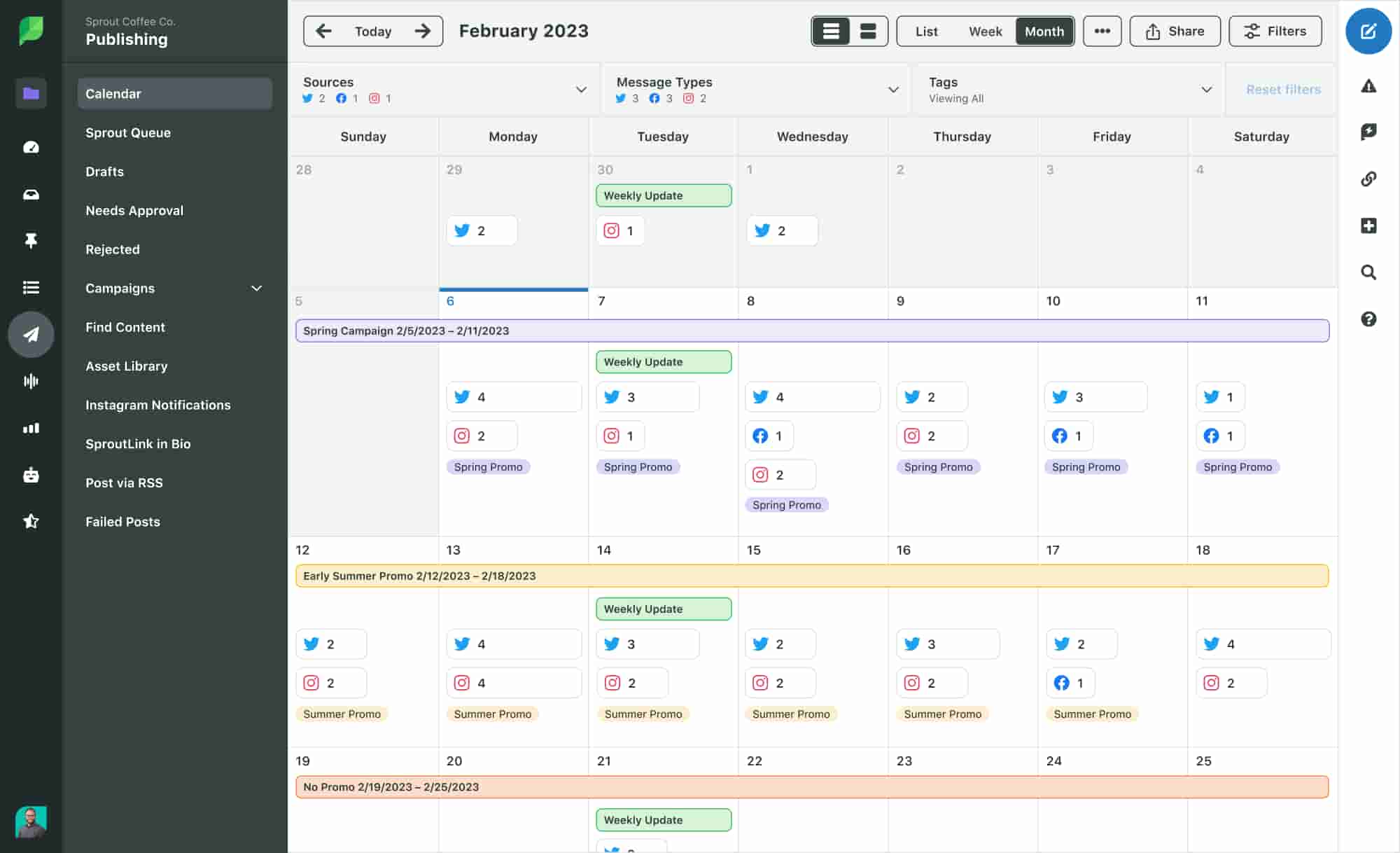
Example 4-week Facebook content plan for a small business
A small business Facebook strategy is only as good as its execution and for most small teams, execution usually stalls at the “what do I post today?” phase. In 2026, the secret to a high-performing page isn’t constant manual posting; it’s building a repeatable content engine. You don’t need to reinvent the wheel every Monday morning—you just need a blueprint that balances discovery-focused Facebook Reels with trust-building community posts.
| Day | Format | Content Pillar | Goal |
|---|---|---|---|
| Monday | Reel | Educational: “How-to” or industry tip | Discovery & Authority |
| Tuesday | Photo/Carousel | Behind-the-Scenes: The people behind the brand | Brand Trust |
| Wednesday | Story/Poll | Engagement: Ask a question or “This or That” | Community Signal |
| Thursday | Reel | Serialized: “Weekly Episode” (e.g., Tip of the Week) | Retention |
| Friday | Single Image | Social Proof: Customer review or UGC | Conversion |
| Saturday | Link/Ad | Promotional: Specific offer or product highlight | Sales |
| Sunday | Stories | Personal: Sunday reflections or “What’s coming next” | Connection |
The goal of this 4-week plan is to hit the “3-2-1” cadence: three Reels, two feed posts and one promotional post per week. This ensures you’re feeding the algorithm what it wants (video and engagement) while still driving the bottom-line results your business needs.
By rotating through specific content pillars, you’ll move followers from just browsing to buying without your feed feeling like a 24/7 sales pitch.
Mix the content formats
Rotating formats keeps your audience engaged and gives the algorithm more to work with:
- Short-form video: Behind-the-scenes clips, tutorials and product demos under 60 seconds
- Text posts: Questions, tips and announcements—these drive surprisingly strong engagement
- Photo carousels: Before-and-after results or step-by-step processes in swipeable images
- Live video: Real-time Q&As, events and product launches
- Stories: Time-sensitive offers and daily updates that disappear after 24 hours
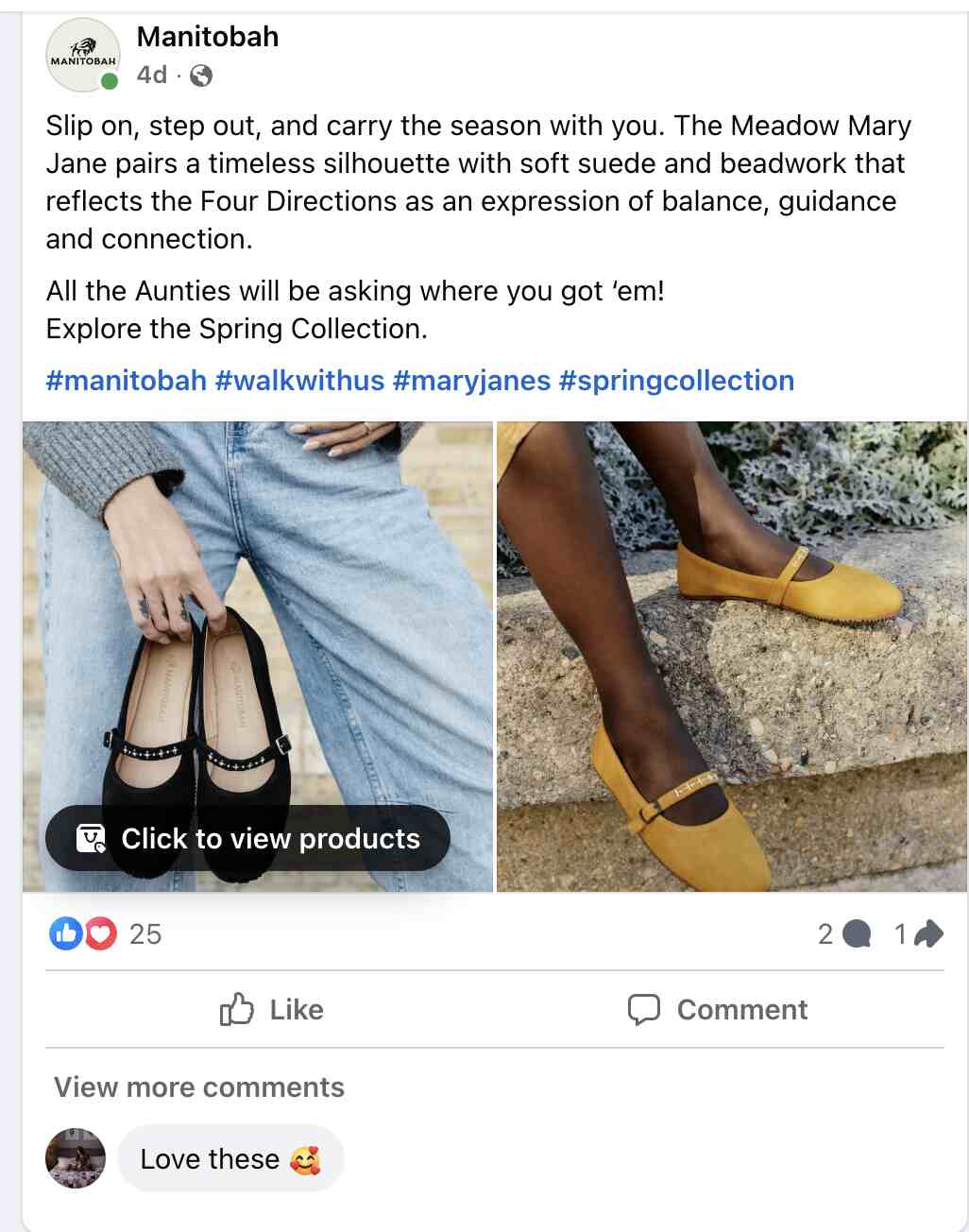
Manitobah (formerly Manitobah Mukluks) is a gold standard for small businesses looking to master a diverse Facebook content mix. Rather than just posting product photos, they use a strategic blend of formats to guide followers through the marketing funnel.
Write compelling captions
Only the first 125 characters of your caption appear before Facebook hides the rest behind “See More.” Open with a question, a bold statement or a surprising fact to stop the scroll. Use one or two relevant hashtags and end every post with a clear call to action.
Use AI to scale your content engine
For small businesses, the primary barrier to Facebook growth is often the sheer volume of content required to stay visible in a crowded feed. Leveraging AI allows you to transition from a manual one-post-at-a-time workflow to a scalable content engine by acting as a creative force multiplier. Instead of starting from scratch every morning, use generative AI to repurpose a single “pillar” idea—like a blog post or a customer success story—into a week’s worth of diverse formats, from punchy captions and carousel scripts to high-fidelity AI-generated visuals.
This shift ensures your brand remains top-of-mind without requiring the budget of a full-scale creative agency. The goal isn’t to automate your brand’s personality away, but to use AI for the heavy lifting of drafting and ideation.
This hybrid approach enables you to maintain the high-frequency posting schedule the Facebook algorithm rewards while keeping your unique brand voice at the center of every conversation.
Post at the best times
Our data shows that the best times to post on Facebook are Monday through Friday, 9–10 a.m. and 3–4 p.m. as strong windows. But your Facebook audience insights—the built-in analytics showing when your followers are online—will tell you exactly when your specific audience is active. Use that data, not general benchmarks.
| Metric | 2026 Data Trends |
|---|---|
| Best times to post on Facebook |
|
| Best days to post on Facebook | Mondays, Tuesdays, Wednesdays and Thursdays |
| Worst days to post on Facebook | Weekends |
How to grow a Facebook audience and build community
An engaged audience of 500 people is worth more than a passive audience of 5,000. Building real community is what drives long-term growth—52% of consumers say Facebook is their top platform for connecting around shared interests.
Invite the right people
Start with people who already know your brand. Upload your customer email list to create a Custom Audience—a targeting group built from your own data—and invite them to follow your page. Add your Facebook page link to your email signature, website and digital receipts to capture organic traffic.
Use Facebook Groups for community
Facebook Groups are dedicated spaces where people discuss shared topics. Join niche groups in your industry and share your expertise without pitching your products. Consider creating a private, branded group for your customers only—it builds loyalty and gives you direct access to your most engaged audience.
Respond to messages and comments
Facebook publicly displays your response time on your page and a slow response rate discourages new customers from reaching out. Aim to reply within one hour during business hours and use saved replies for your most common questions. Sprout Social’s Smart Inbox consolidates all your Facebook messages, comments and mentions in one place, with team assignment features so every message gets handled.
Deliver customer care in Messenger
Messenger is where customers expect fast, private support. Set up automated greetings so customers get an immediate acknowledgment even when you’re offline. Use quick replies for common questions and route complex issues to a human agent. This combination of automation and personal response keeps customers satisfied without burning out your team.
How to strategically use Facebook ads and boosted posts for small business marketing
Paid promotion extends your reach beyond your existing followers. A boosted post is a simplified promotion of content you’ve already published—good for awareness and engagement. Facebook Ads Manager is the full advertising dashboard that gives you control over placements, audiences and specific objectives like conversions or lead generation.
Pick boosted posts or ads
Choosing between a quick boost and a full-scale campaign shouldn’t feel like a guessing game for your small business. While Boosted Posts offer a frictionless way to amplify engagement with just a few clicks, Facebook Ads Manager provides the granular control and optimization tools needed to drive high-intent conversions.
- Boosted posts: Best for quick promotion of high-performing organic content. Low setup time, limited targeting options.
- Facebook Ads Manager: Best for driving specific actions like purchases or sign-ups. Full control over audience, placement and budget.
This comparison table breaks down the key differences in setup, targeting and resource investment so you can decide which approach aligns best with your 2026 marketing goals.
| Criteria | Boosted Posts | Facebook Ads Manager |
|---|---|---|
| Setup Complexity | Simple | Advanced |
| Targeting Options | Limited | Full Control |
| Best For | Awareness & Engagement | Conversions & Lead Gen |
| Budget Control | Basic | Campaign Budget Optimization |
| Time Investment | Low | Medium-High |
Choose the campaign objective
Match your objective to your goal before you spend a dollar:
- Awareness: Maximize reach and brand recognition
- Consideration: Drive traffic, engagement, video views or lead generation
- Conversion: Drive purchases, catalog sales or in-store visits
Target the audience and placements
Start with a broad audience of two to 10 million people to let Facebook’s AI optimize delivery before you narrow it down. Use Custom Audiences to retarget people who visited your website. Build Lookalike Audiences—groups of new people who share traits with your existing customers—to find your next best buyers.
Set the budget and schedule
Choose a daily budget for ongoing campaigns or a lifetime budget for a fixed date range. Start at $5 to $20 per day to test your messaging before scaling. Use Campaign Budget Optimization when running multiple ad sets—it automatically shifts spend toward whichever audience performs best.
Test the creatives and offers
The 3-2-2 method is a testing framework: run three different creatives, two audiences and two offers simultaneously. A/B test one element at a time so you know exactly what’s driving results. Refresh your creative every one to two weeks to prevent ad fatigue—the drop in performance that happens when the same audience sees the same ad too many times.
4 tips for using Facebook analytics and ROI for a small business
Facebook analytics means tracking the data that shows whether your content and ads are working. Focus on metrics tied to your business goals, not vanity metrics like total page likes.
1. Track reach and impressions
- Reach: The number of unique people who saw your content
- Impressions: The total number of times your content was displayed, including repeat views
Tracking both tells you whether your content is finding new people or just cycling through the same audience.
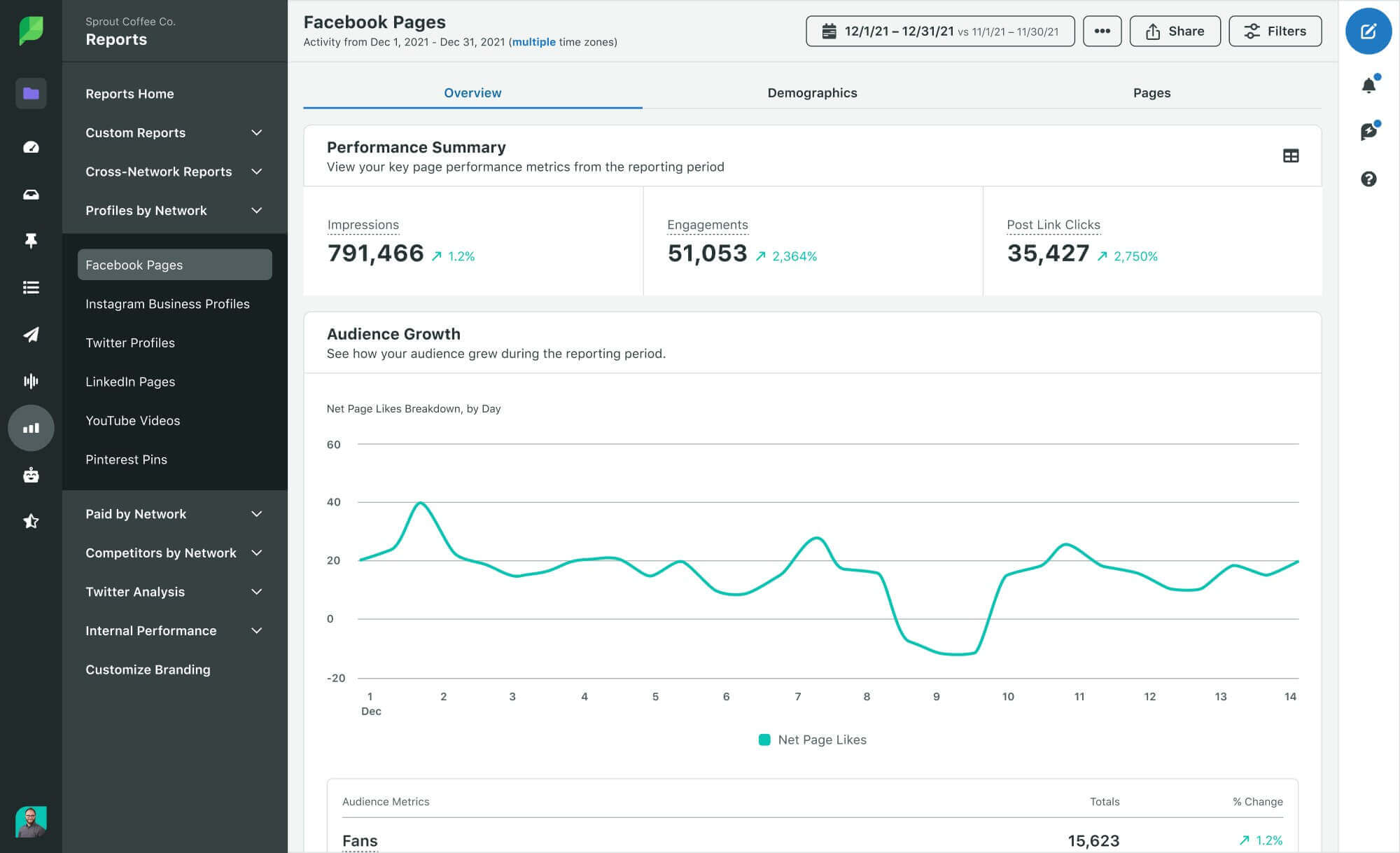
2. Monitor engagement rate
Facebook engagement can be calculated as (Likes + Comments + Shares) ÷ Reach × 100. The industry average sits at 0.09%. Track which content types consistently outperform that benchmark—those formats deserve more of your time and budget.
3. Measure conversions with the Meta Pixel
The Meta Pixel is a small piece of code you install on your website to track what people do after clicking your Facebook content. Set up custom conversions for specific goals like newsletter signups or product purchases. Use UTM parameters—short tags added to your links—to track exactly which posts and ads drive traffic in your website analytics.
4. Report business impact
Connect your Facebook data to the metrics your business actually cares about:
| Category | Specific Metric | Business Goal |
|---|---|---|
| Lead Generation | Cost per lead and conversion rate | Efficiency & Growth |
| Sales | Revenue and ROAS | Direct Profitability |
| Customer Service | Avg. response time and resolution rate | Customer Satisfaction |
| Brand Awareness | Reach growth and Share of voice | Market Presence |
How to optimize your Facebook profile for social search
In 2026, Facebook is a search engine. Users are increasingly searching for “best [service] near me” or specific product solutions directly in the Facebook search bar.
Use keywords in your Page Name and “About” section
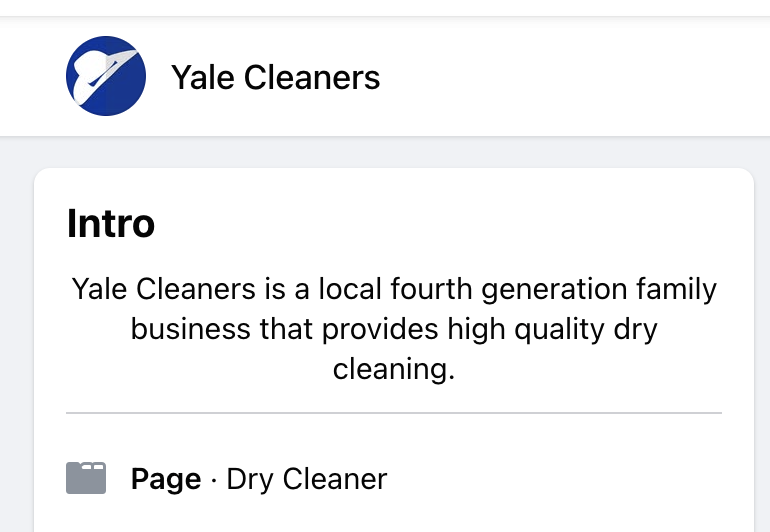
Don’t just use your business name. If you’re a boutique in Chicago, your page name should ideally be “Your Brand: Chicago Clothing Boutique.” Include your primary service keywords in the first 100 characters of your “About” section to help Facebook (and Google) index your page.
Write search-friendly captions
Gone are the days of one-sentence captions with 30 hashtags. The 2026 algorithm uses the text in your captions to categorize your content. Use natural language and include keywords that your customers actually type into a search bar.

Leverage Alt Text for images
Go into the advanced settings of your photo posts and add descriptive Alt Text. This isn’t just for accessibility; it tells Facebook’s AI exactly what is in your image, making it more likely to appear in relevant search results.
How to scale your impact using Facebook Messenger and automation
For many small business owners, the Facebook Inbox is where the actual business happens. Whether it’s answering a product question or booking a consultation, your responsiveness directly impacts your bottom line.
Set up Instant Replies
You can’t be online 24/7. Use Meta’s native automation to set up “Instant Replies” for common questions (like hours, pricing, or location) so customers aren’t left waiting.
Leverage Saved Replies
If you find yourself typing the same response to “How much is shipping?” ten times a day, create a library of Saved Replies. This ensures brand consistency and saves hours of manual work.
Humanize the transaction
The biggest advantage of an SMB is the person behind the brand. When responding to DMs, sign off with your name. That personal touch builds a level of loyalty that enterprise bots can’t replicate.
Master Facebook marketing with the right tools
Consistent posting, genuine engagement, smart advertising and clear measurement—these four habits separate brands that grow on Facebook from those that stall. The strategy in this guide works whether you’re starting from zero or optimizing an existing presence.
Sprout Social brings publishing, engagement and analytics into one platform, so you spend less time switching between tools and more time connecting with your audience. Start a free trial or request a demo to explore the platform’s features.
Facebook marketing for small business FAQs
Is Facebook good for small business marketing?
Yes, Facebook is highly effective for small business marketing due to its massive reach, cost-effective targeting and tools for building awareness, connecting with local audiences and generating measurable leads.
How often should a small business post on Facebook?
In the current landscape, quality beats frequency. Posting 3–4 times a week with high-value content (like Reels or engaging community updates) is often more effective than posting daily “fluff.” Focus on creating content that sparks a conversation; the Facebook algorithm prioritizes meaningful social interactions, so aim for comments over simple likes.
How do I get my small business to show up in local Facebook searches?
Optimization is key. Ensure your “About” section is 100% complete with a physical address, local phone number and specific categories. Regularly encouraging customers to check in and leave reviews on your Page sends strong local signals to Facebook (and Google!), increasing your visibility when nearby users search for your services.
37 free social media strategy templates that will elevate your workflows
Published on December 5, 2025 Reading time 15 minutes




Share